Reservations & Waitlist
The restaurant reservation system that knows the floor
A restaurant reservation system on your own domain, a live waitlist at the door, and the floor plan the host seats from: one book and one room, read by the whole floor.
Highlights
Every booking. One room.
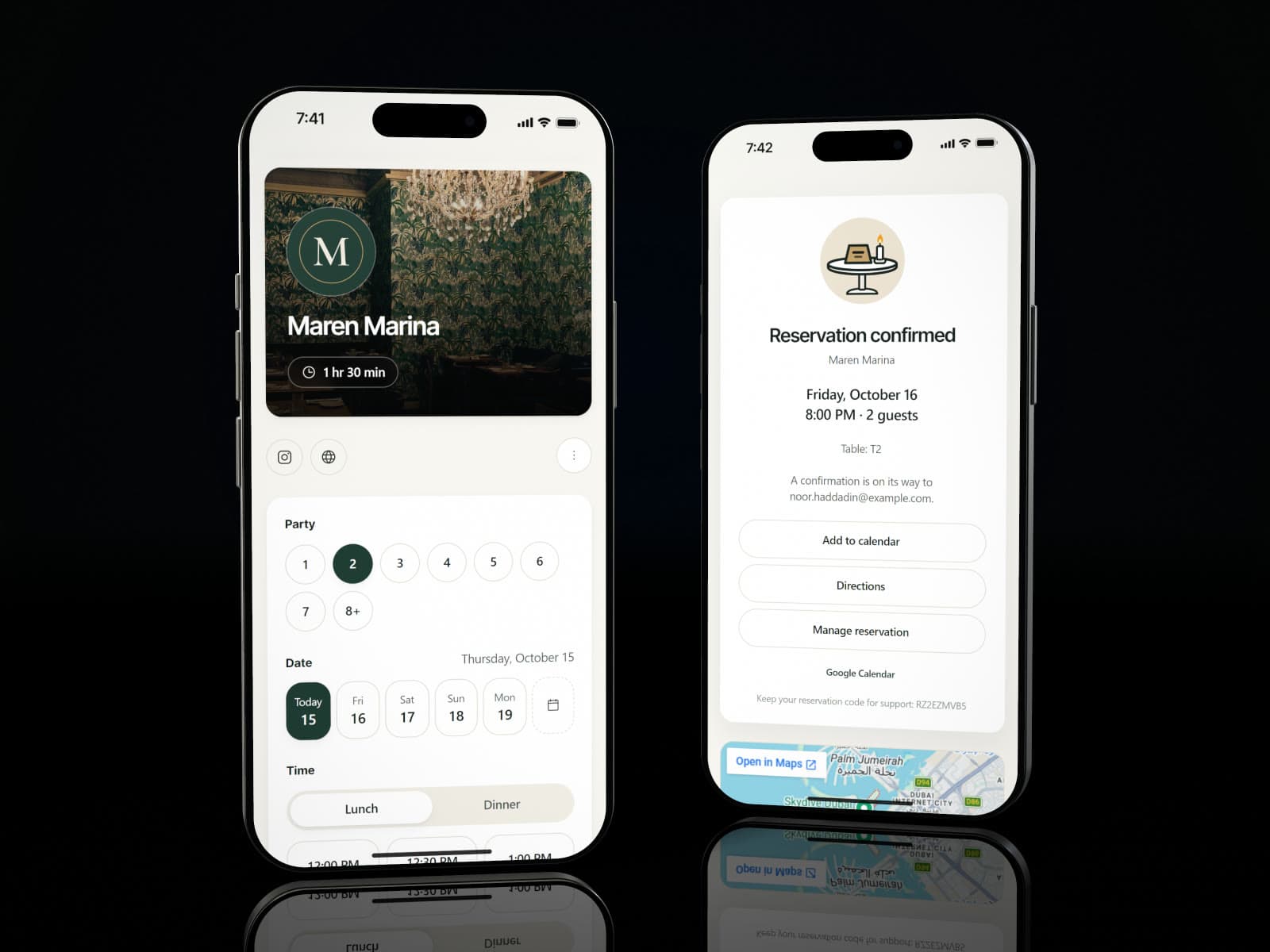
Guests book on a page in your colours, with your logo and your photographs, on its own link or inside your website.
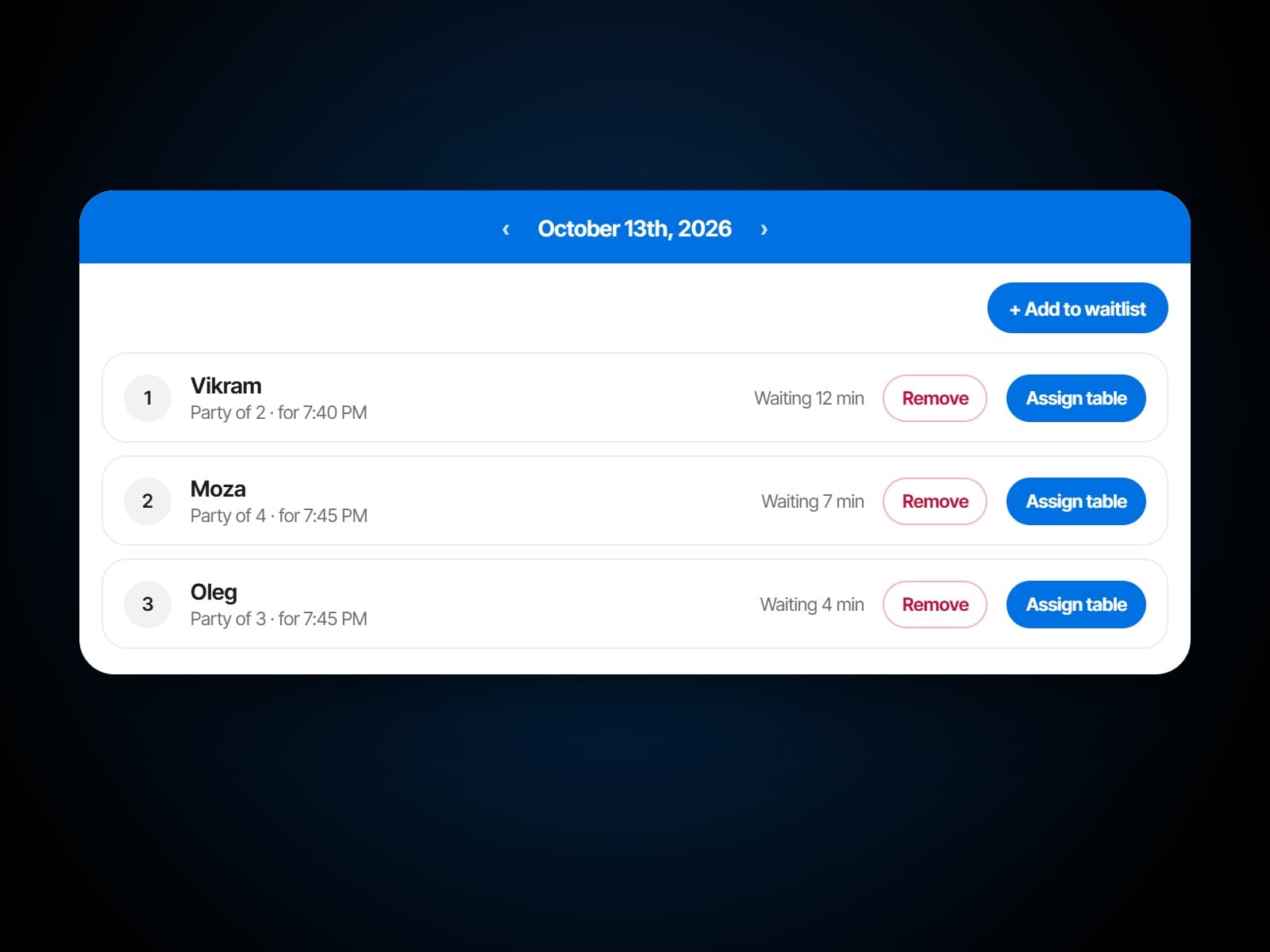
When a time is full, the booking page offers the waitlist, and the party appears in the host's queue with its place.
Push tables together for a big party and the system treats them as one, then split them back.
Where you allow it, guests pick their own table on the floor plan, or turn the room round in 3D first.
A celebration package or a set menu offered on the booking itself, priced per guest or at one price.
A restaurant reservation system on your own page
Online table booking from your own site: guests pick a date, a party size and a time slot, and can choose their own table from the floor map where you allow it. It runs on your domain under your branding, so the booking is yours rather than a third party's lead, and there is no commission on it.
Restaurant waitlist software the whole floor can see
Walk-ins join a live queue instead of a clipboard. Quote a wait, seat them when a table turns, and let them look up their place by code rather than standing at the host stand.
Restaurant table management software you lay out yourself
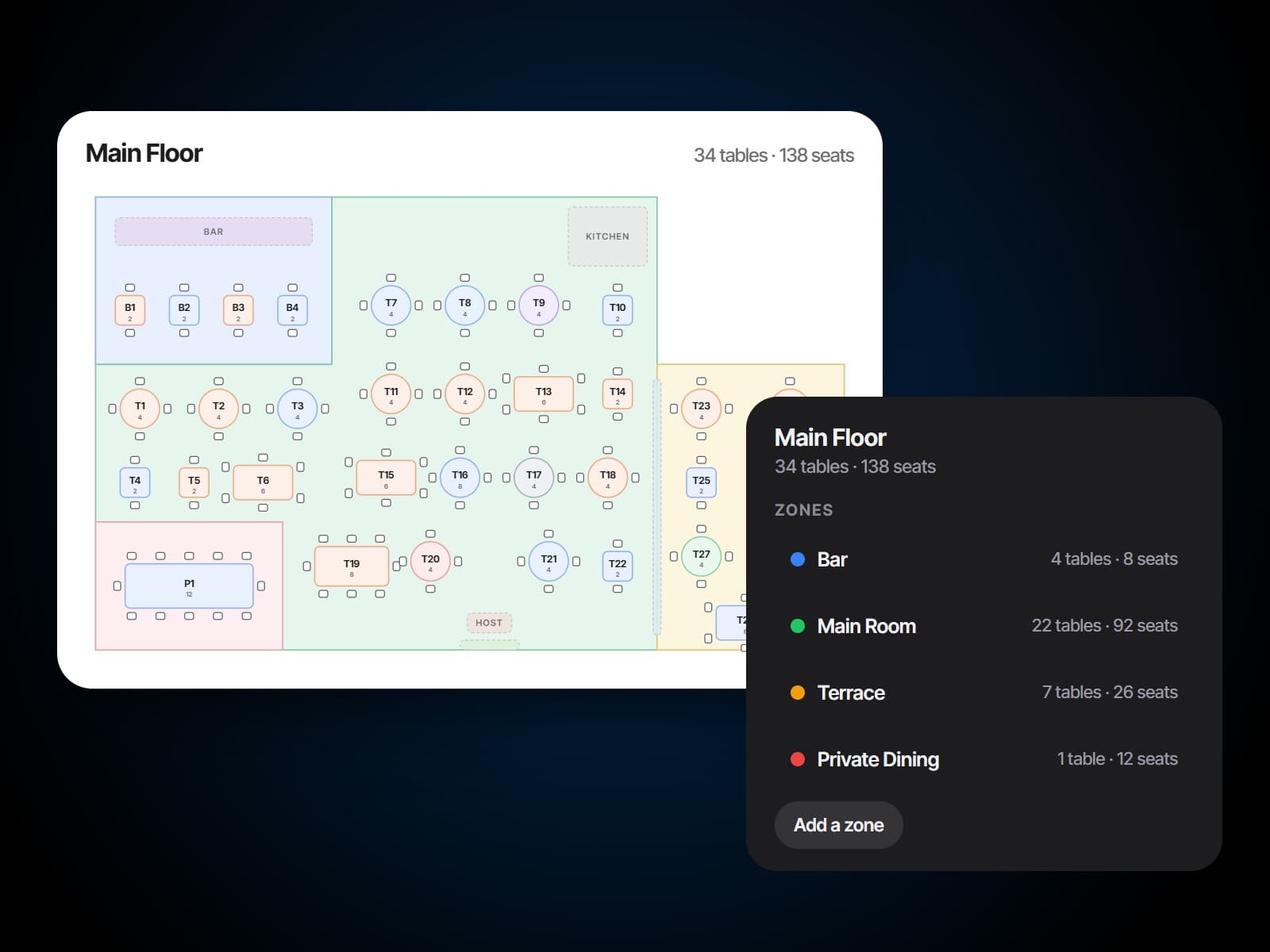
Draw the room as it is: its walls and zones, each table's shape and seats, and the terrace that only opens in winter. Keep a plan for every room and change it the day the room changes, and every booking, seat and check works from the same tables.
Three views of one room
Design it, run it, walk round it.
The floor plan studio, the live floor and the room in 3D are one floor plan seen three ways, and the same one guests book from.
Restaurant floor plan software, built in
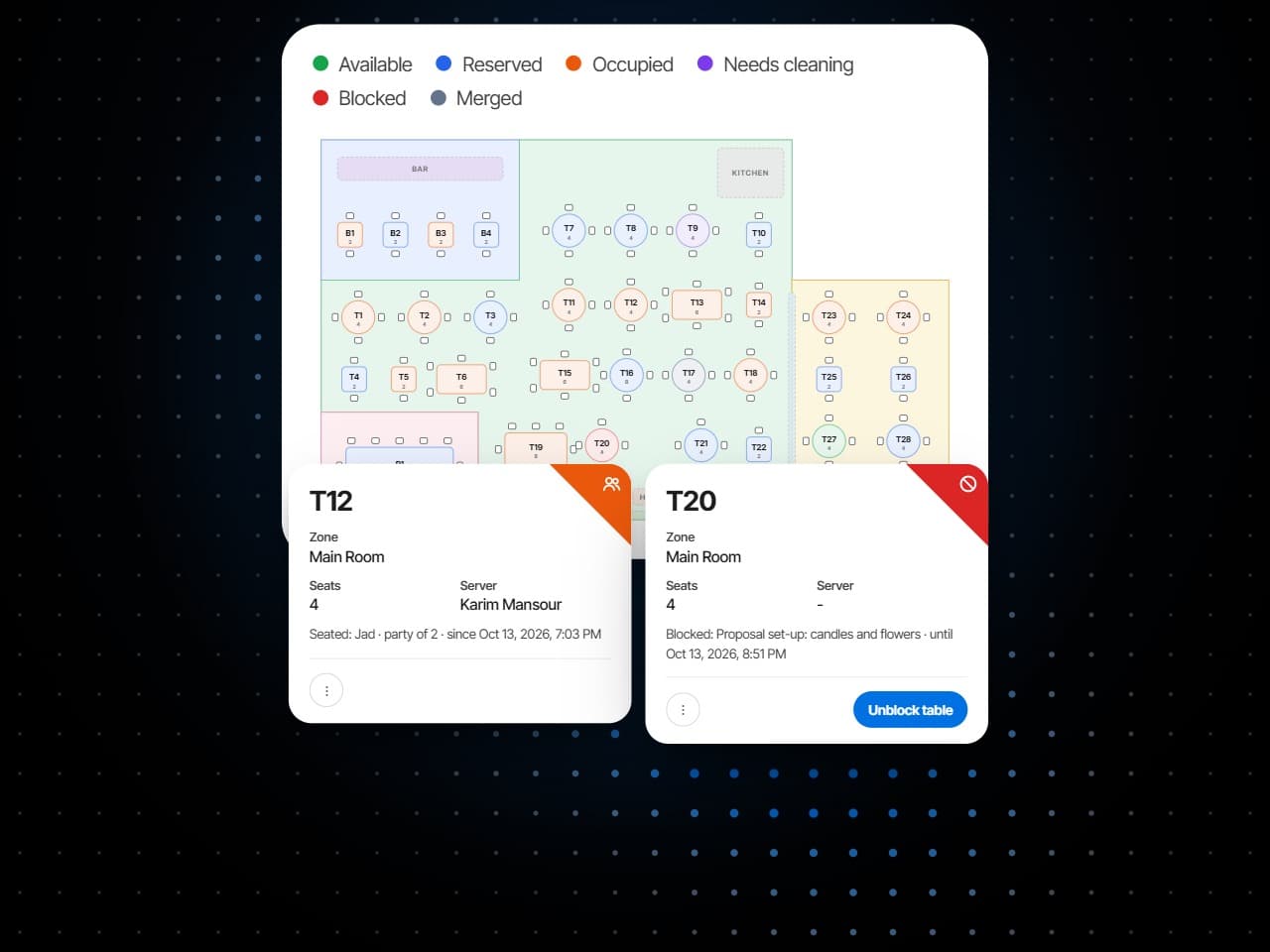
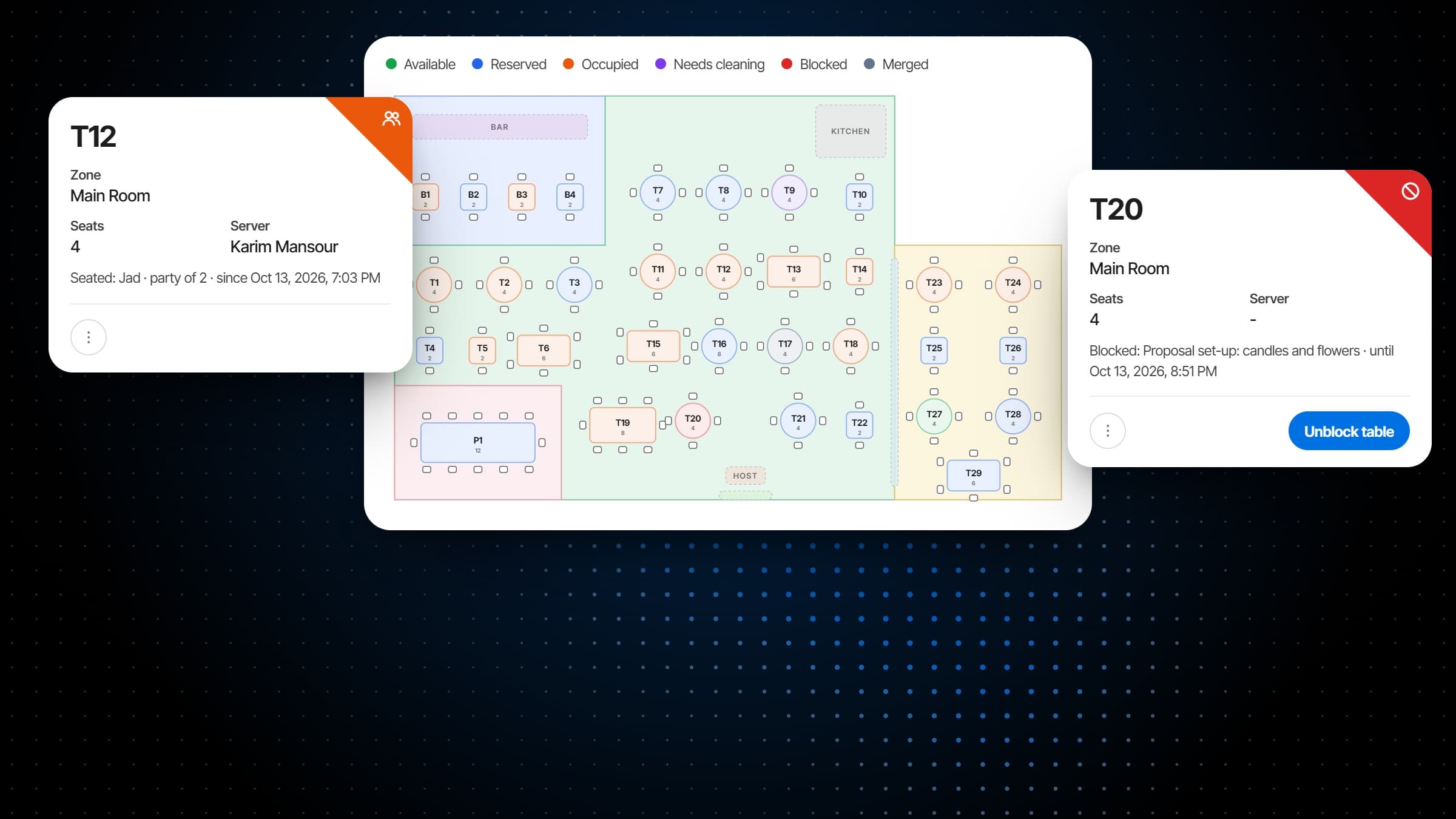
The live floor
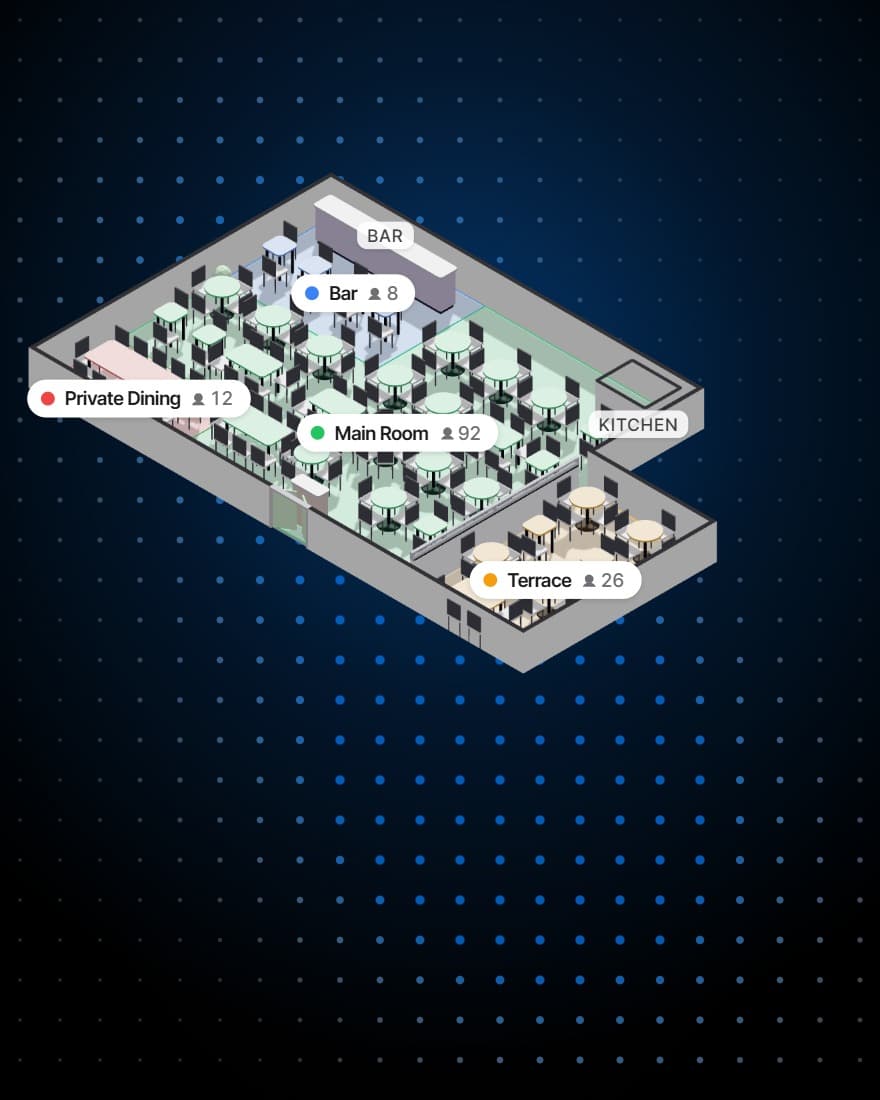
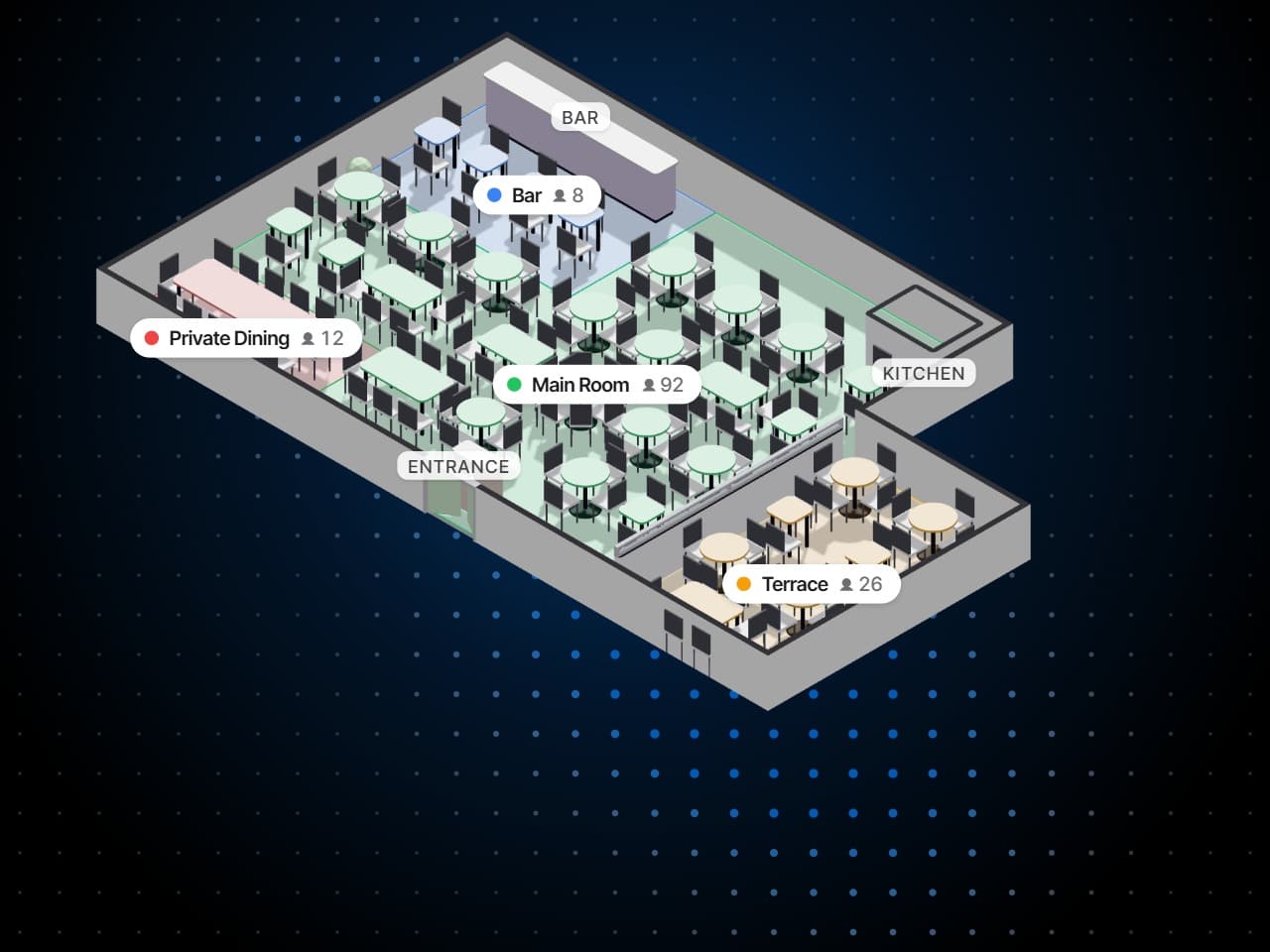
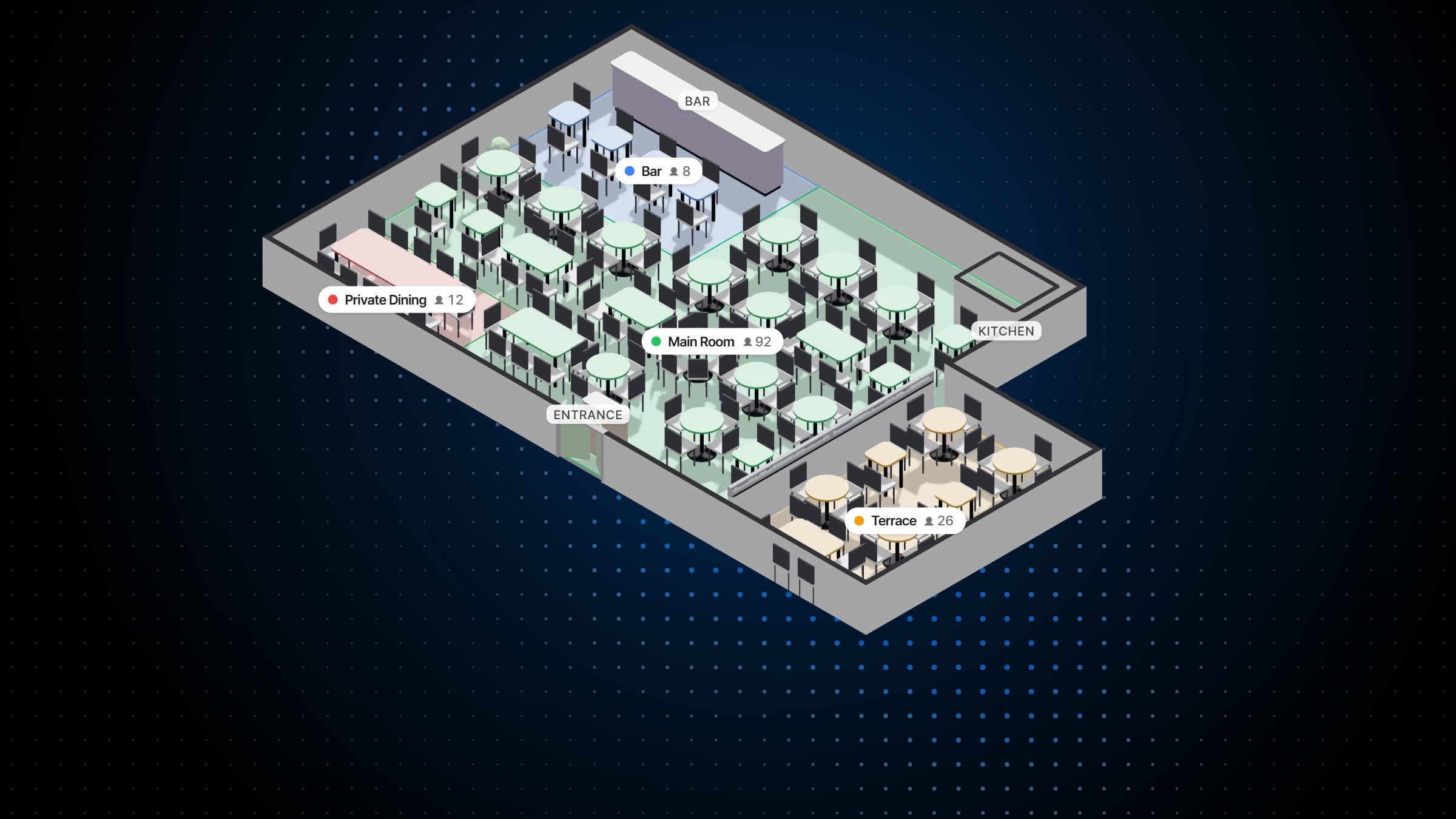
The room in three dimensions
What it does
Built for the book, and the room it fills.
Online table booking, a waitlist, the rules that decide what can be booked, and the floor plan every party is seated on.
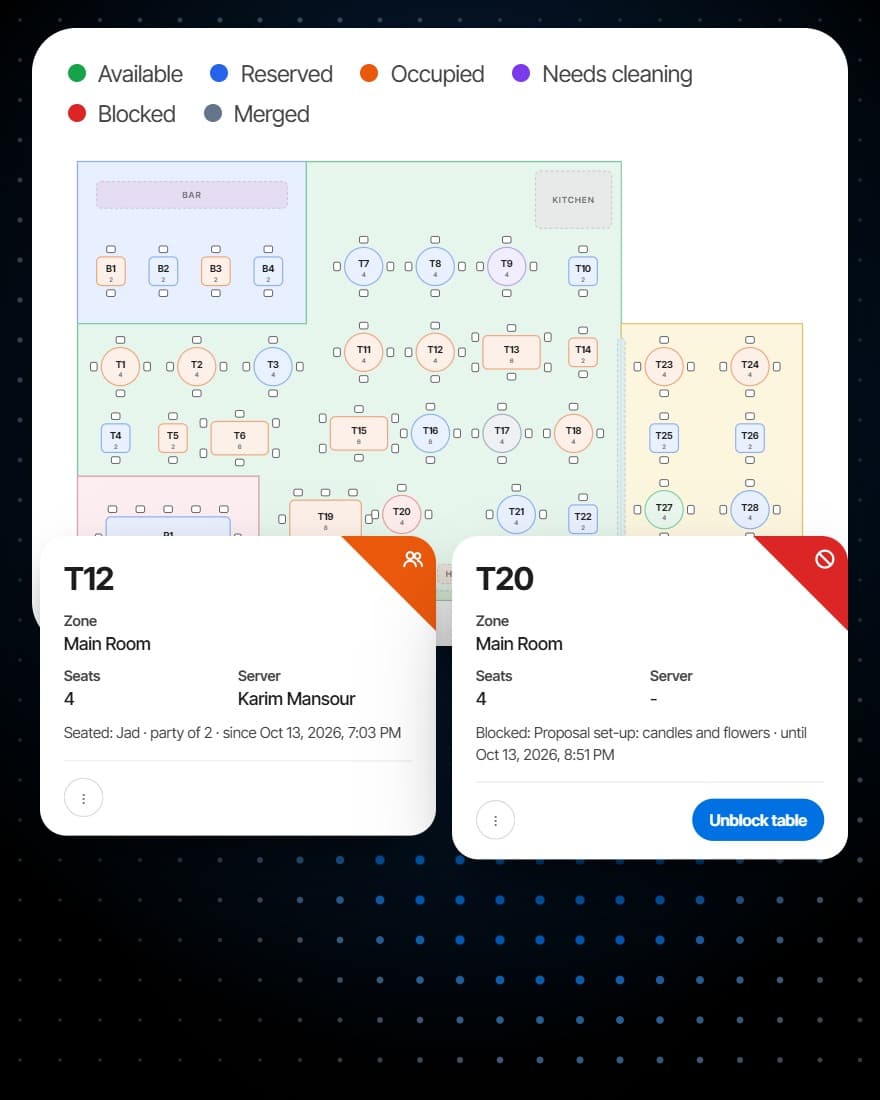
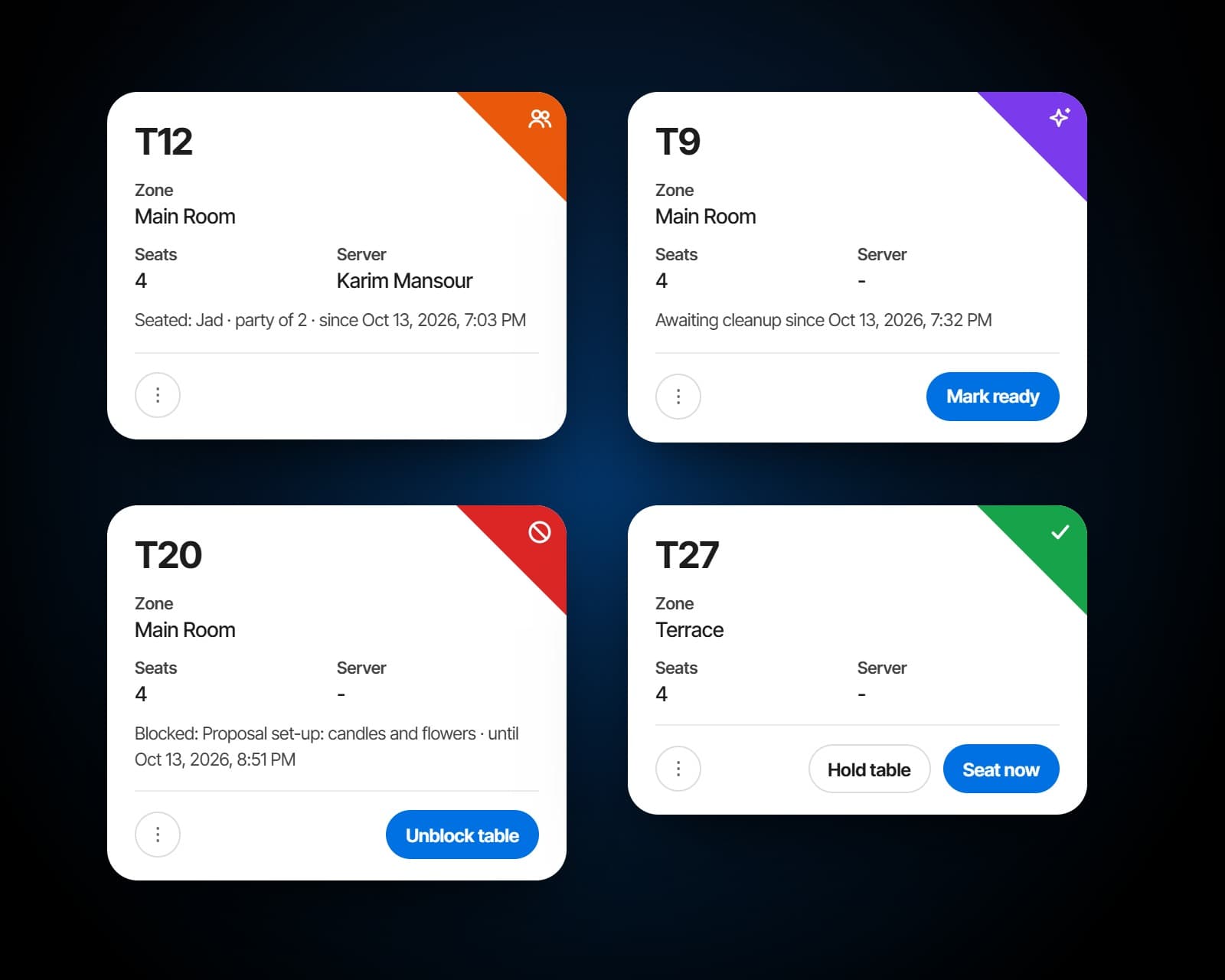
Available, reserved, occupied, needs cleaning, blocked and merged. Each table says why: reserved for whom and when, seated since what time, waiting for a clean since when, blocked for what reason and until when. Open a table to seat the guests who have arrived for it, or a walk-in without a booking, and the host reads the room from the plan instead of walking a lap of it.
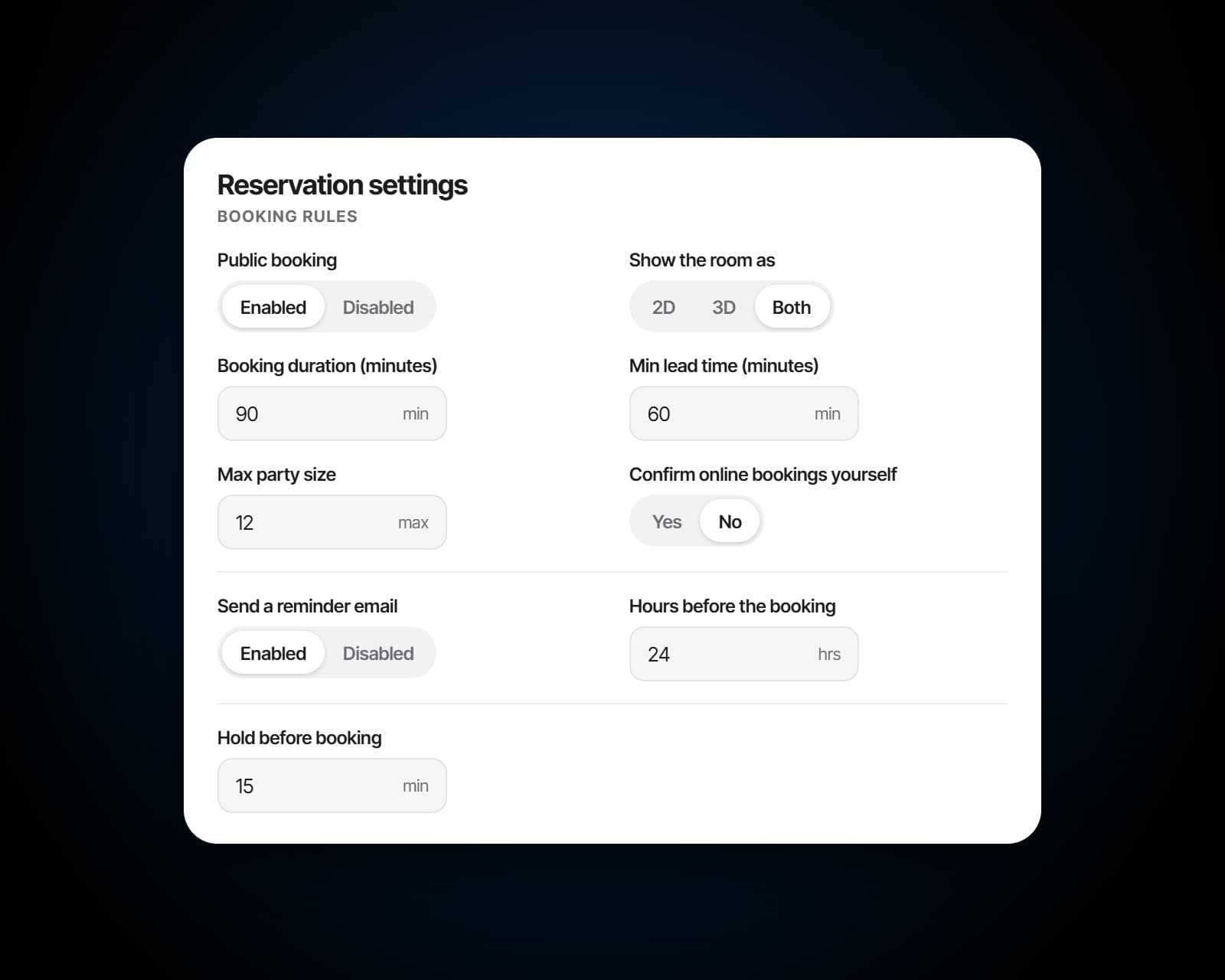
Set the service periods and the times offered inside them, how long a sitting lasts, the largest party and how much notice you need. Each table takes online bookings or not, for the party sizes and on the days and hours you choose. Online bookings can be confirmed the moment they are made, or arrive pending until somebody confirms them.
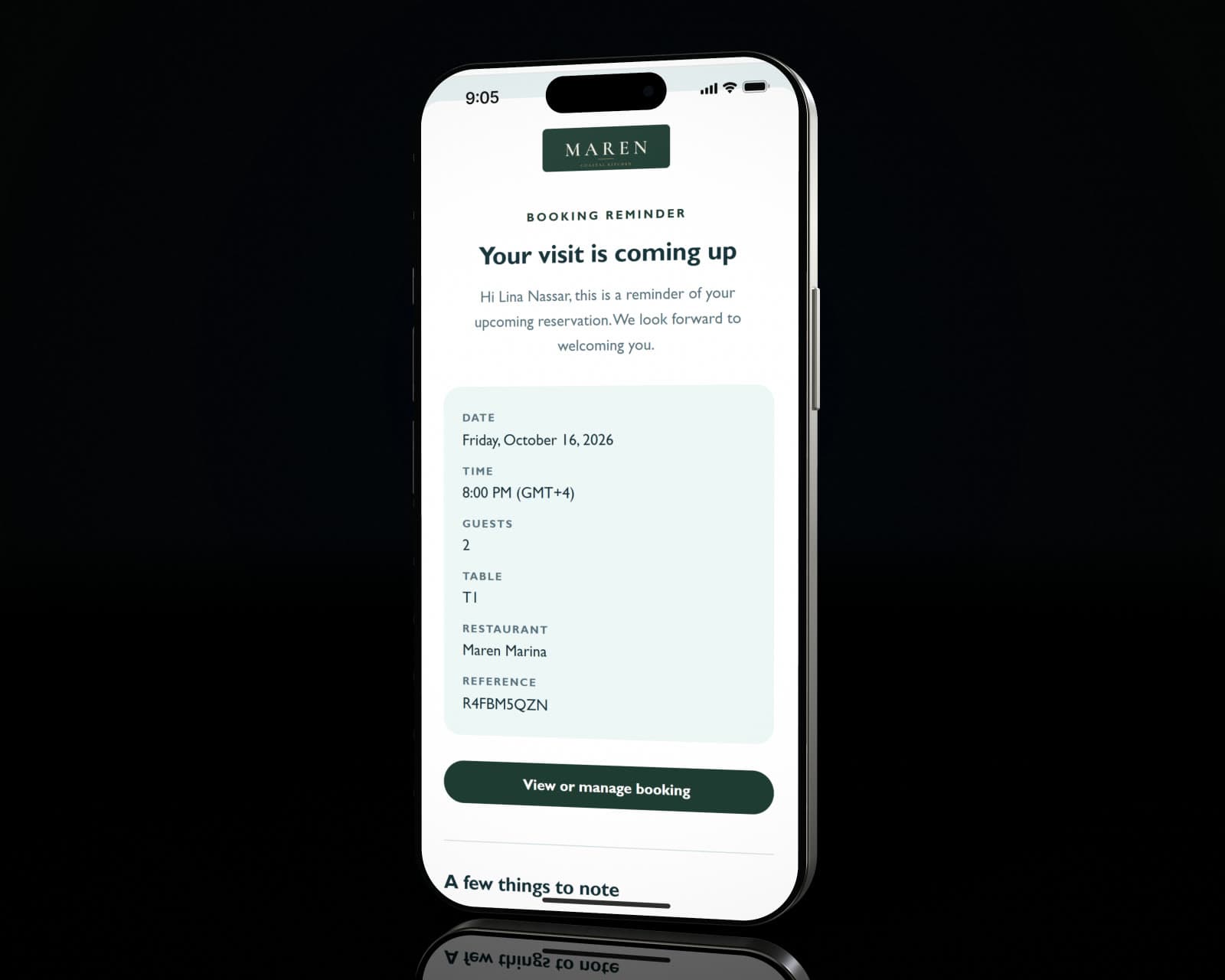
Guests verify their email with a six-digit code before a booking is confirmed, and a reminder goes out as many hours before as you choose. The confirmation carries a link to change or cancel, so plans that change arrive as cancellations rather than empty tables. A no-show is marked on the booking and stays on the guest's record for next time.
Before and after
The same Friday, with one book.
Online booking offers the tables that are really free, and the ones that join to seat a party of nine.
A booking site that does not know which tables are already joined for a party of nine.
A waitlist on every screen, with each party's place and its quoted wait.
A paper waitlist at the door that only the person holding it can see.
A table taken on the phone is no longer offered online, and a clash is caught before it is confirmed.
Covers double-booked because two people answered the phone at once.
Your page, your guests
A booking page that belongs to you.
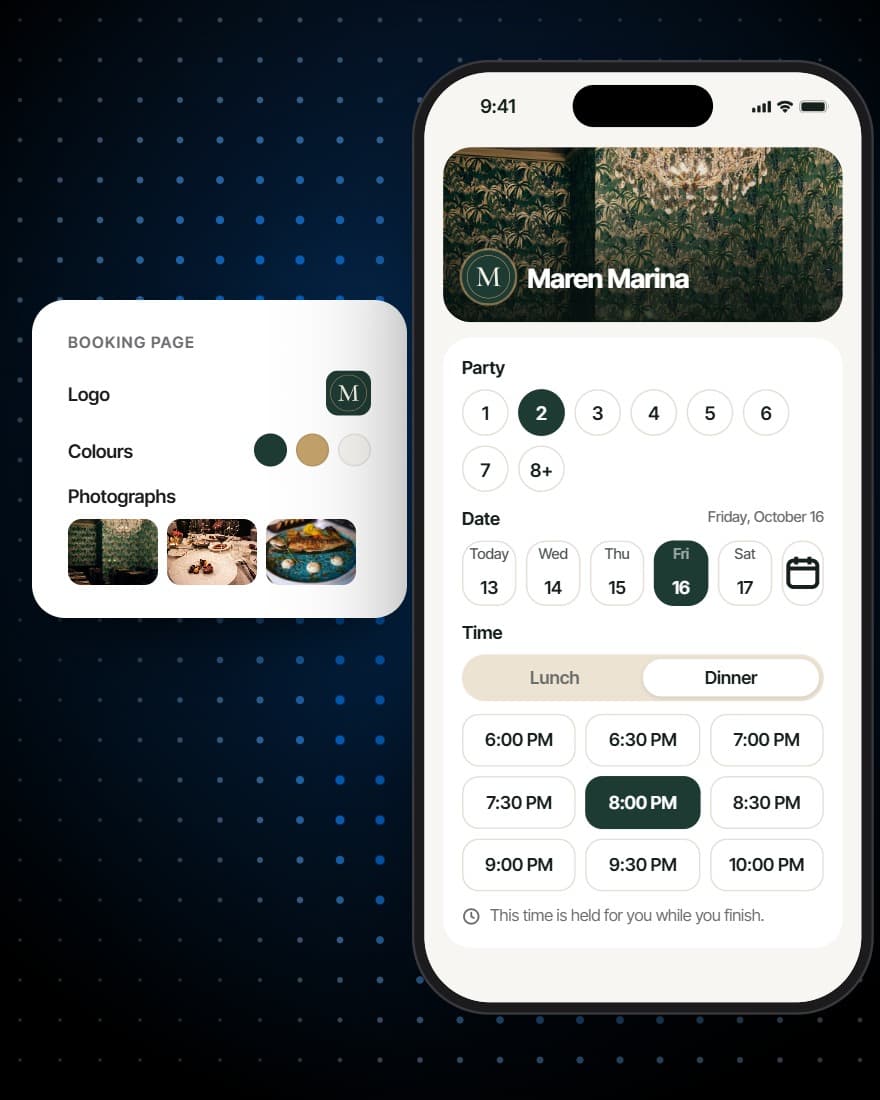
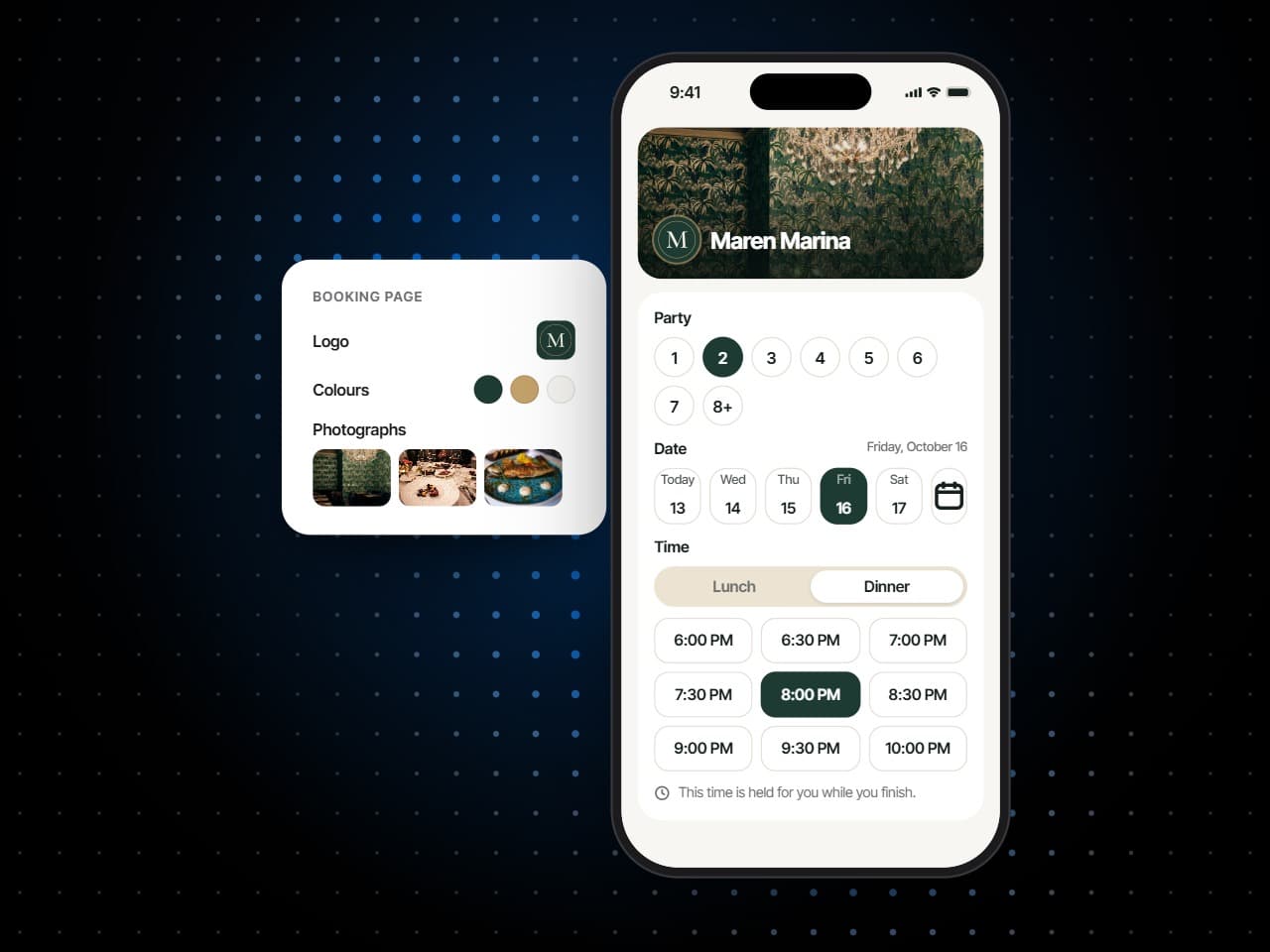
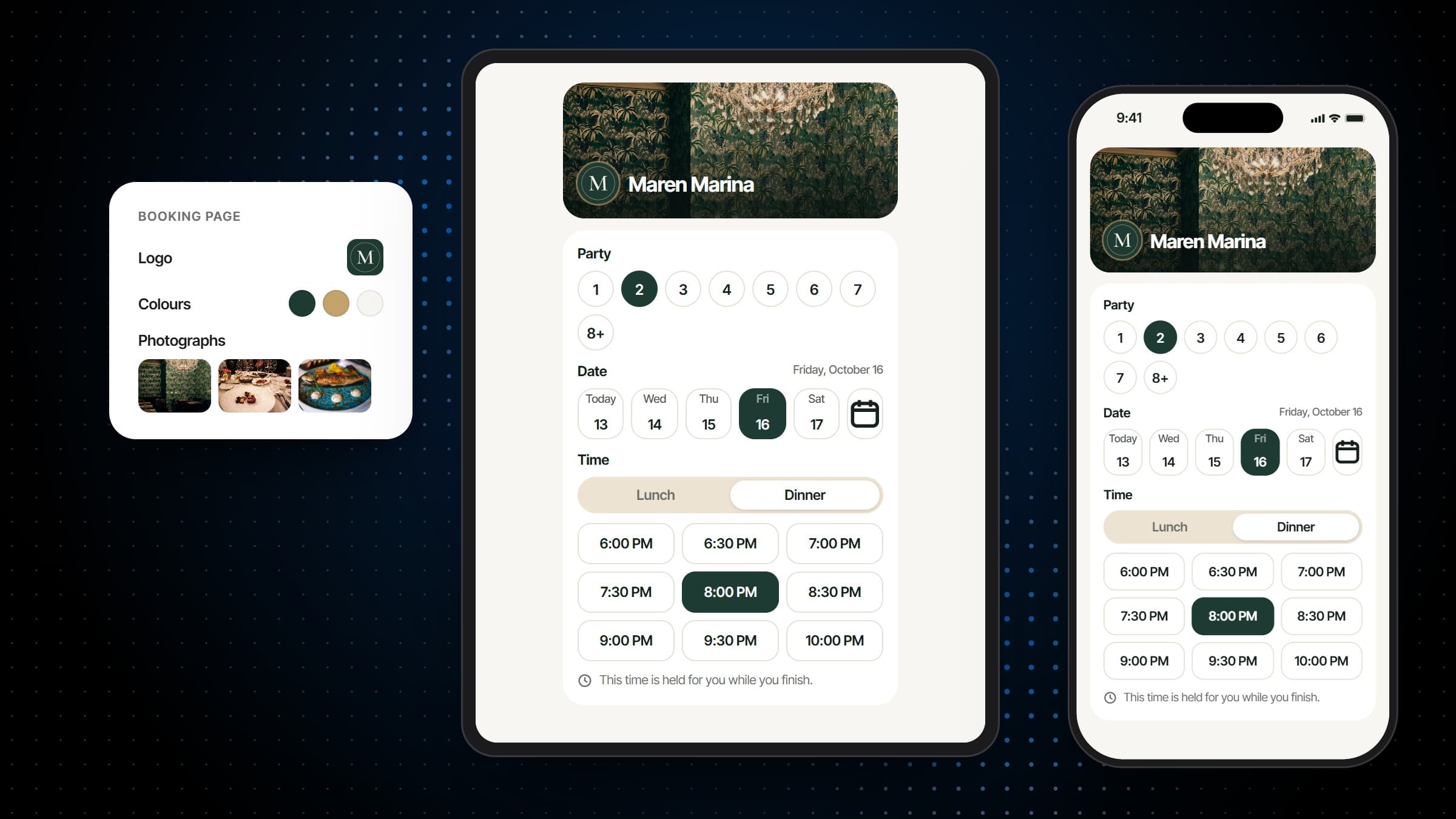
- On its own link, or inside your website
- Versions you put live when they are ready
- No per-cover fee and no commission
Also included
And everything around the booking.
Postpone, not cancel
Move a booking to another date or time without cancelling it and starting again.
Manage-your-own-booking links
Guests change or cancel through a verified link, so the change lands in the book instead of a voicemail.
A reservations inbox
New online bookings and waitlist requests are emailed to the address you choose, in your own email design.
QR codes per table
Generate a code per table, or the whole floor at once, and download each as SVG or PNG.
VIP tables
Keep a table for the host to assign by hand, out of reach of online booking.
Hold or block a table
Hold a table for a booking on its way, or take it out of use with a reason and the time it comes back.
Works with
Better beside the rest of the system.
From the booking to the bill
Checks open on the same floor plan the host seats from, and add-ons booked online join the bill when the party is seated.
More on Order FulfillmentA profile behind every booking
Each booking adds to the guest's visits, spend and notes, so the next one is taken by somebody who knows them.
More on Guest CRMA QR code on every table
Each table's code opens the digital menu already knowing where the guest is sitting.
More on MenusAnalytics
Eight reports read from the service itself: bookings, tables, checks, the kitchen, payments, the menu, guests and campaigns.
More on AnalyticsCampaigns
Email campaigns to the guests who opted in, written to audiences your guest list already keeps, with consent and unsubscribes handled.
More on Campaigns
Plans
Which plan has Reservations & Waitlist?
Reservations & Waitlist is in every plan, with the floor plan and table management built in.
Starter
For a venue that books tables and wants its menu on every phone.
$149per venue a month
- Reservations & Waitlist
- Menus
Pro
Most venuesFor a venue that runs its whole service on servearound: ordering, kitchen and POS.
$249per venue a month
- Reservations & Waitlist
- Menus
- Order Fulfillment
Premium
Everything, with the guest data and the marketing built on top of it.
$349per venue a month
- Reservations & Waitlist
- Menus
- Order Fulfillment
- Guest CRM
- Analytics
- Campaigns
Specs
Everything in Reservations & Waitlist.
Booking channels
- Your own booking page, on its own link
- The same flow inside your website
- Bookings taken by staff
- Walk-ins, seated or queued
- A waitlist, joined online or at the door
Booking statuses
- Waitlist, pending, confirmed, seated, completed, cancelled and no-show
- The arrival time, recorded
- Cancelled and no-show bookings reopened to pending or confirmed
- A status timeline on every booking
- A reason for every cancellation, and an email to the guest that fits it
Booking rules
- Service periods and the times offered in them
- Sitting length
- Largest party and least notice online
- Per table: online or not, party sizes, days and hours
- Confirmed as made, or pending until confirmed
For the guest
- Party, date and time in a few taps
- The slot held while they finish
- Their own table, on the 2D plan or in 3D
- Add-ons with photos and video
- Email verified with a six-digit code
- A link to change or cancel, and a reminder before
- 18 languages
Floor plans
- As many plans as the venue has rooms
- A room drawn as a rectangle, an L-shape or fitted to the furniture
- Zones, and 25 landmarks from the bar to the fireplace
- Round, square, long and bar tables, with seats, zone and server
- Up to eight photos and a QR code per table
- Checks for overlaps, tables outside the room and repeated names
On the floor
- Available, reserved, occupied, needs cleaning, blocked and merged
- Seat arrived guests, or seat without a booking
- Hold, release, block and unblock
- Merge and split
- In 2D, or in 3D from above, isometric or in perspective
- Search by table, zone, server or status
Frequently asked questions
What is a restaurant reservation system?
Software that takes and keeps a restaurant's bookings, online, by phone and at the door, against the tables the restaurant really has. servearound's restaurant reservation system puts a live waitlist, walk-ins and the floor plan in the same book, so the host stand, the floor and the booking page always agree.
Can guests book directly on our own website?
Yes. The booking flow runs on your domain with your branding, and can be embedded into an existing site per venue, with the allowed domains set per venue. A booking taken there is yours, with no commission on it.
Is there a per-cover or commission fee on reservations?
No. servearound is priced per venue, per month, so a reservation taken on your own site costs nothing extra. There is no marketplace in the middle, no per-cover fee and no commission.
Does it handle walk-ins as well as bookings?
Walk-ins join the same live waitlist the floor is watching, get a quoted wait, and are seated against the same floor plan as a reservation, so the host stand is never choosing between two lists.
How does it help cut no-shows?
In several small ways at once. The guest verifies their email before the booking is confirmed, a reminder goes out as many hours before as you choose, and every confirmation carries a link to change or cancel. A guest who does not come is marked as a no-show, which frees the table and stays on their record.
Can we lay out the floor plan ourselves?
Yes. The room's shape, its zones, the tables and their seats are yours to draw and change, and you can keep more than one plan: a lunch layout, a private-dining layout, the terrace that only opens in winter.
What happens when we join tables for a large party?
Merged tables are understood as one table by the booking, the check and the kitchen, and split back afterwards. The book never thinks a party of nine is sitting at two separate tables.
Can guests choose their own table?
Where you allow it. The booking page shows your floor plan in 2D, the room in 3D, or both with a switch, and the guest taps a free table. Tables can be kept off the online map, and a VIP table can be kept for the host to assign.
What table statuses are there?
Six: available, reserved, occupied, needs cleaning, blocked and merged. Each shows its context on the plan, like who a table is reserved for, how long a party has been seated, or why a table is blocked and until when.
What happens when a time is fully booked?
The booking page says so and offers the waitlist for that time. The guest gets a reference and their place in the queue, and the host sees them on the waitlist with everyone else.
Can guests change or cancel a booking themselves?
Yes. They find the booking with its code and the email they used, and get a link to view, change or cancel it. A change is offered only the times and tables that are really free, and the restaurant is told about a cancellation.
Can we sell packages or extras with a booking?
Add-ons are offered while the guest books: a celebration package, a set menu, anything you describe, with photos, what is included and a fixed price or a price per guest. Each can be limited to party sizes, days or service periods, and the charge joins the bill when the party is seated.
Which languages does the booking page support?
The booking page's own buttons and labels come in 18 languages, Arabic, French, German, Spanish, Russian and Hindi among them. What you write yourself, like your welcome message, appears as you wrote it.
Does it work for a group with several venues?
Yes. Each venue has its own booking page, rules and floor plans, and a group's page can let the guest choose the venue first. A guest who books at any of them is the same guest across the group.