Order Fulfillment
The restaurant POS system with the kitchen built in
A restaurant POS system and a kitchen display system that share one order. The server opens a check on the table or the guest orders from it, every dish lands at the station that cooks it, and the bill closes against the same table. Nothing is re-keyed on the way.
Highlights
Ordered, cooked, settled.
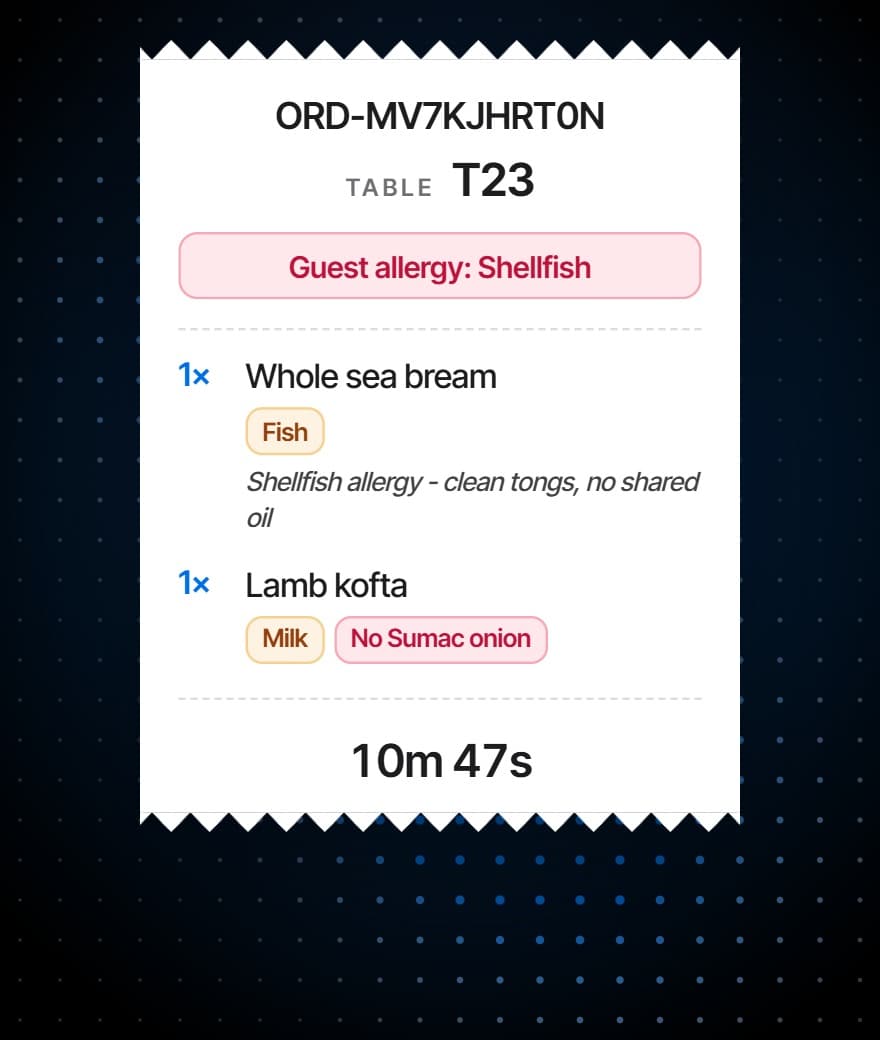
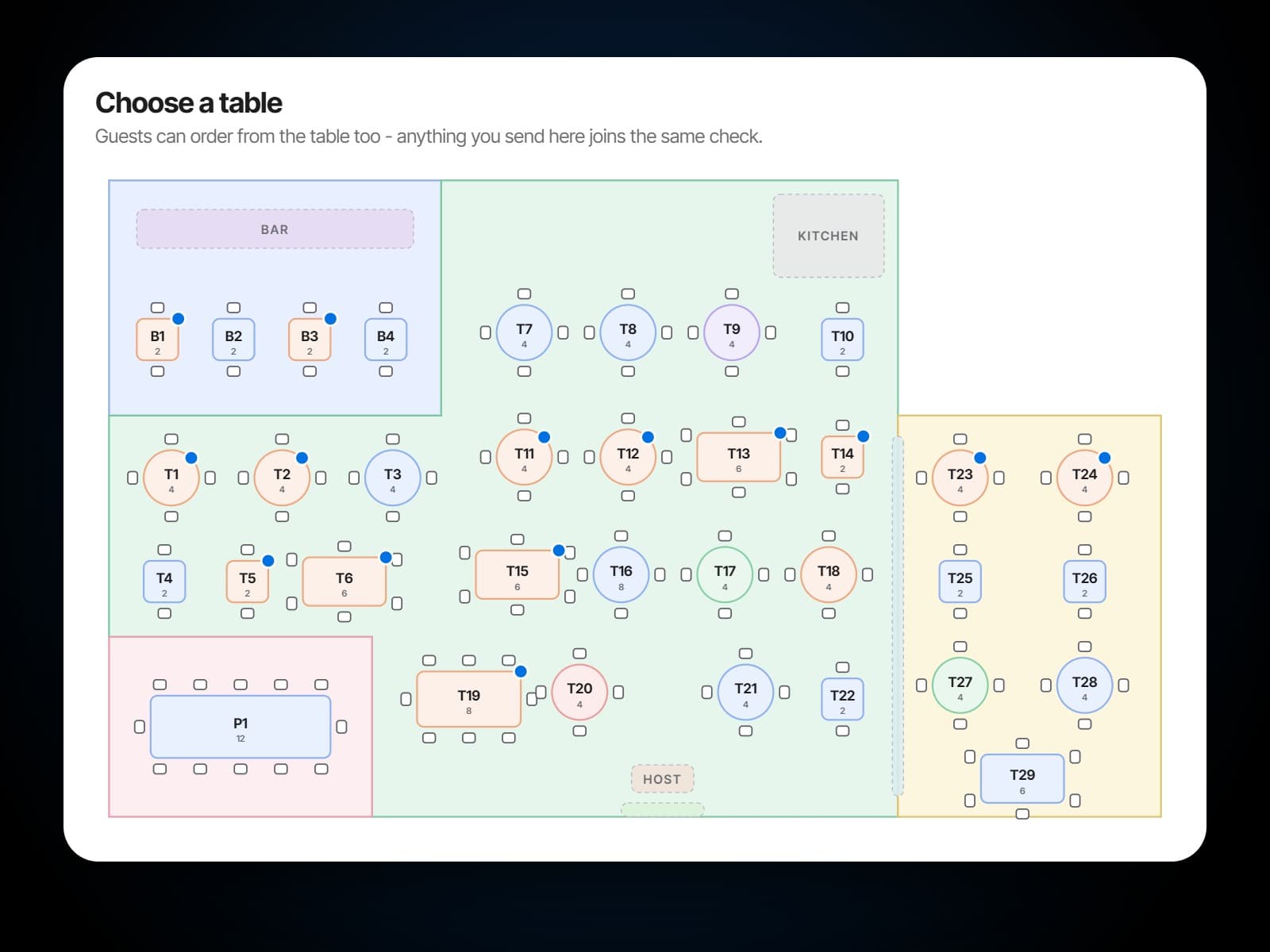
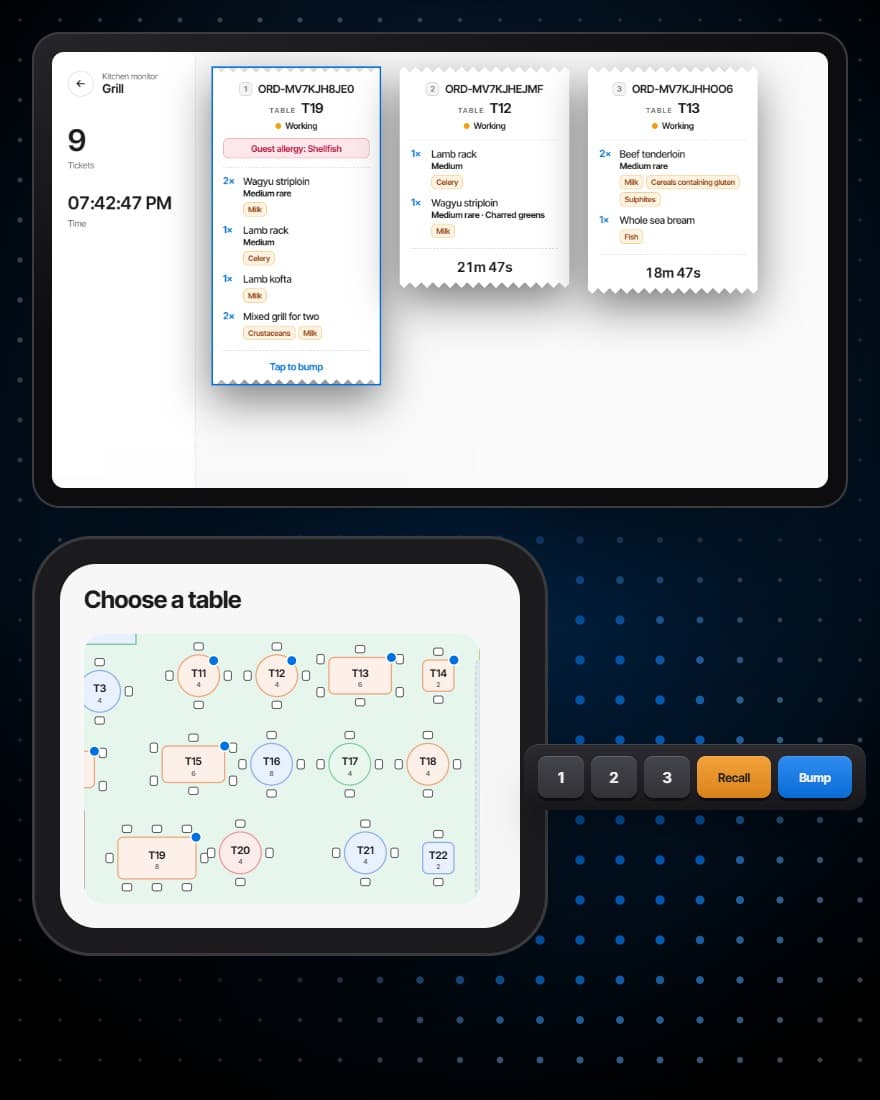
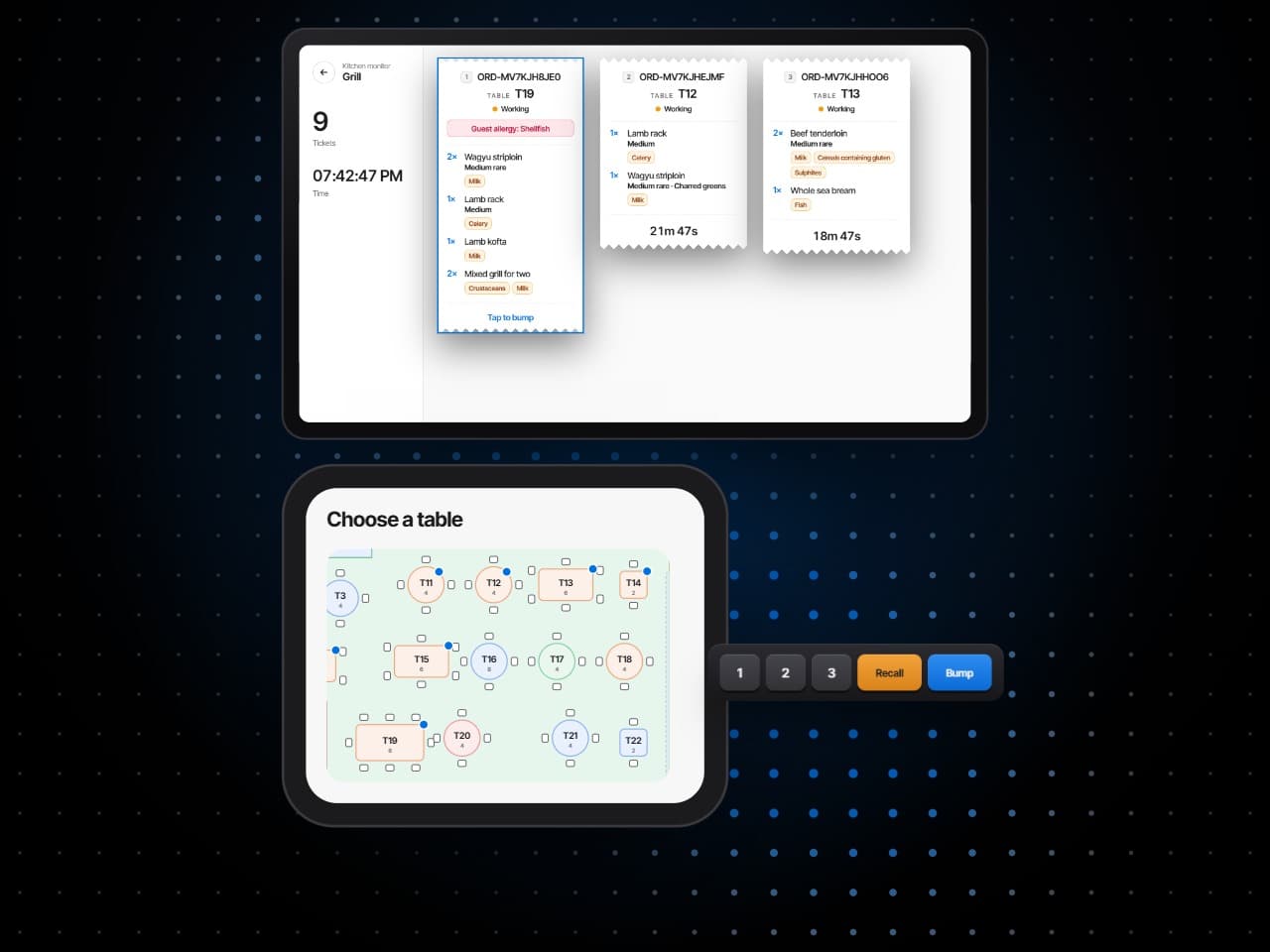
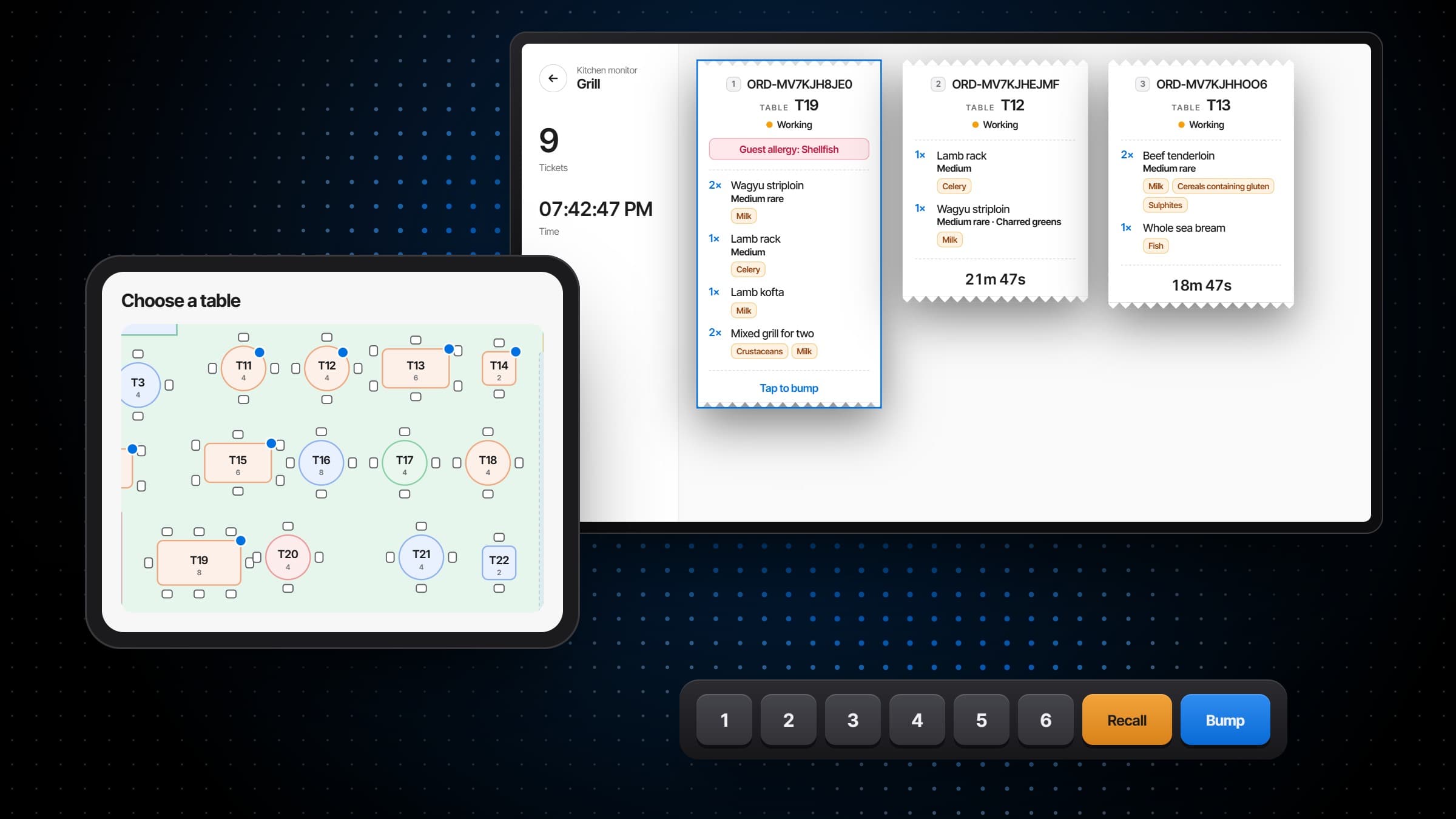
Pick the table on the floor plan and its check opens.
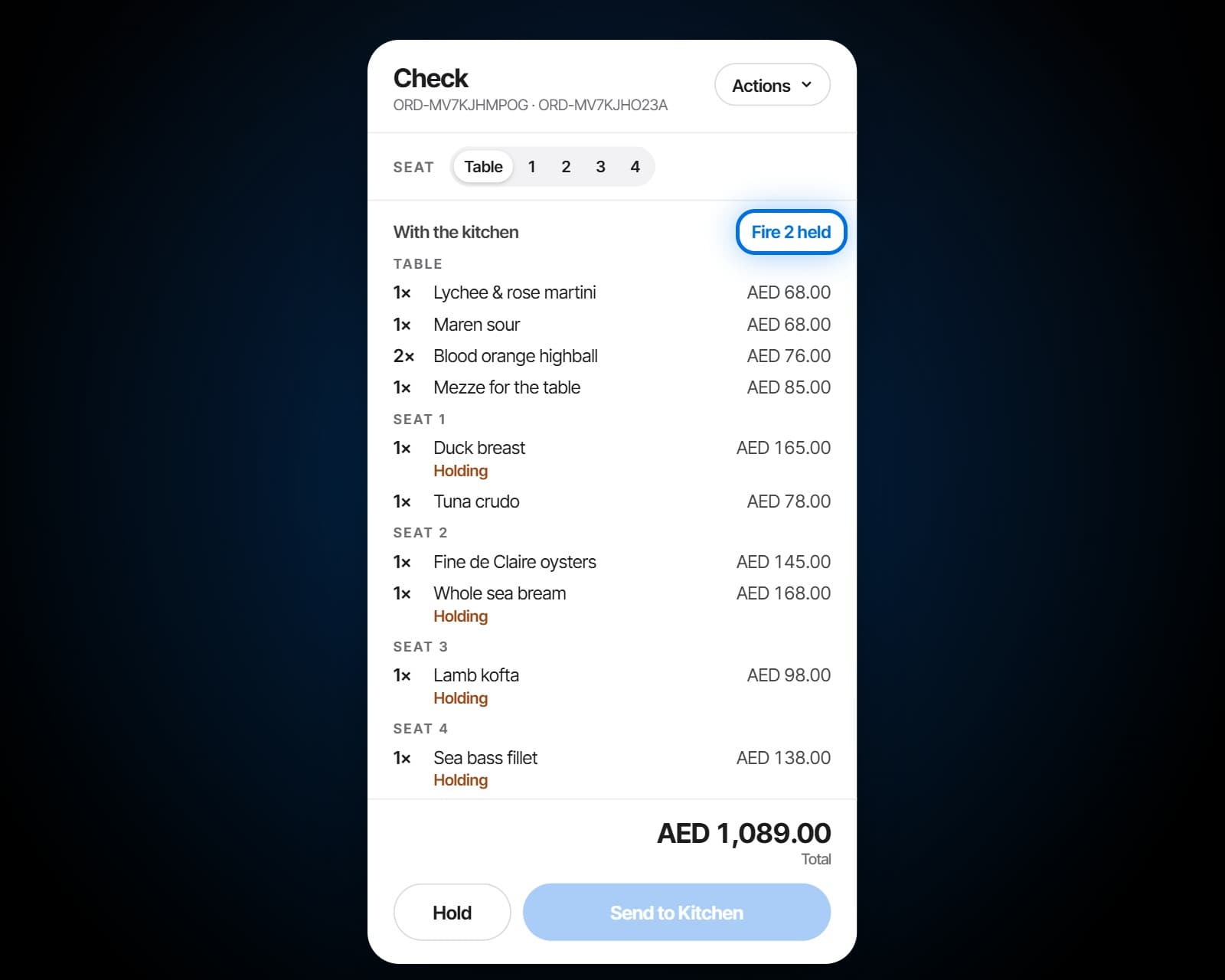
Send the starters now, hold the mains, and fire them when the table is ready.
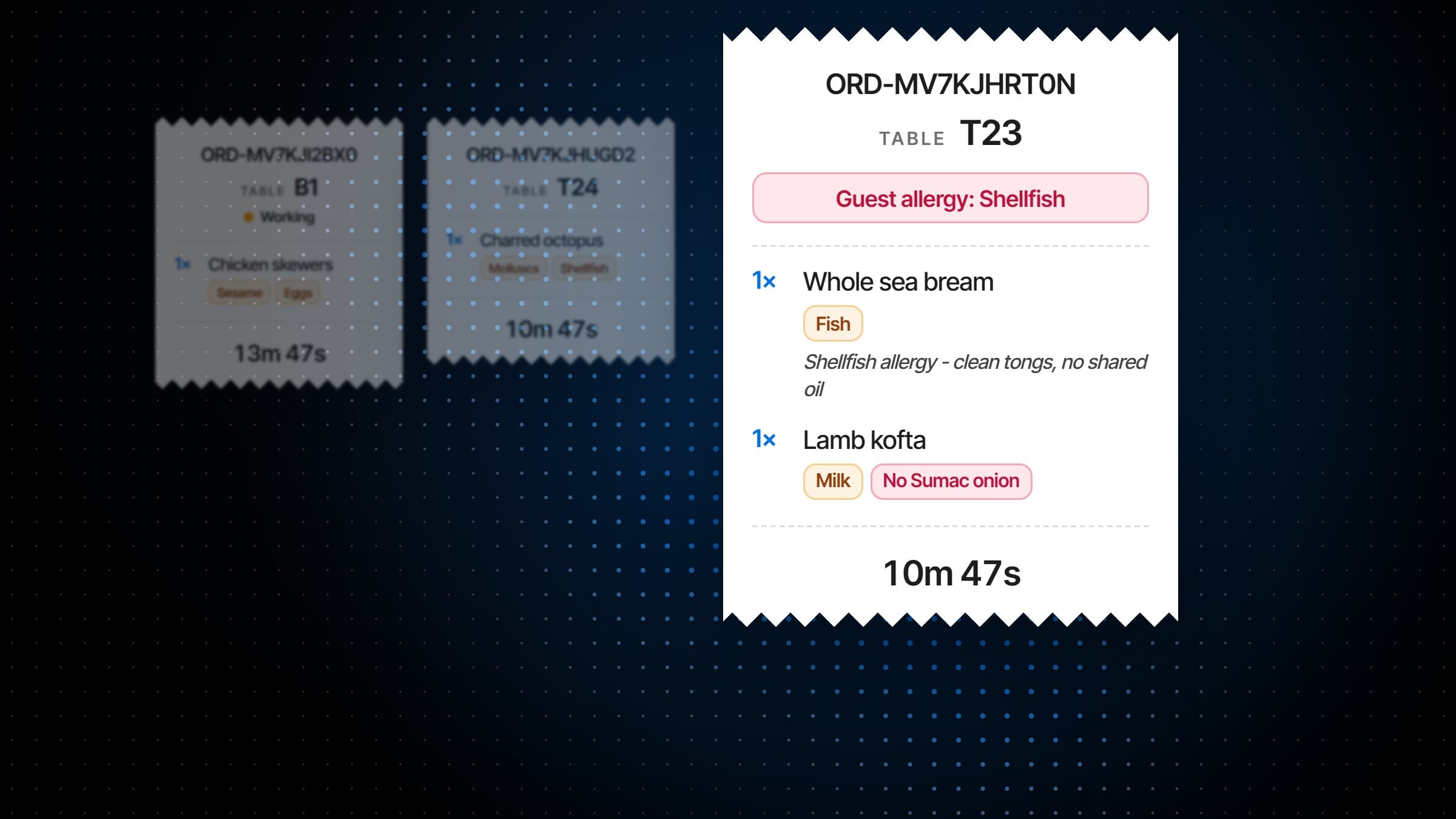
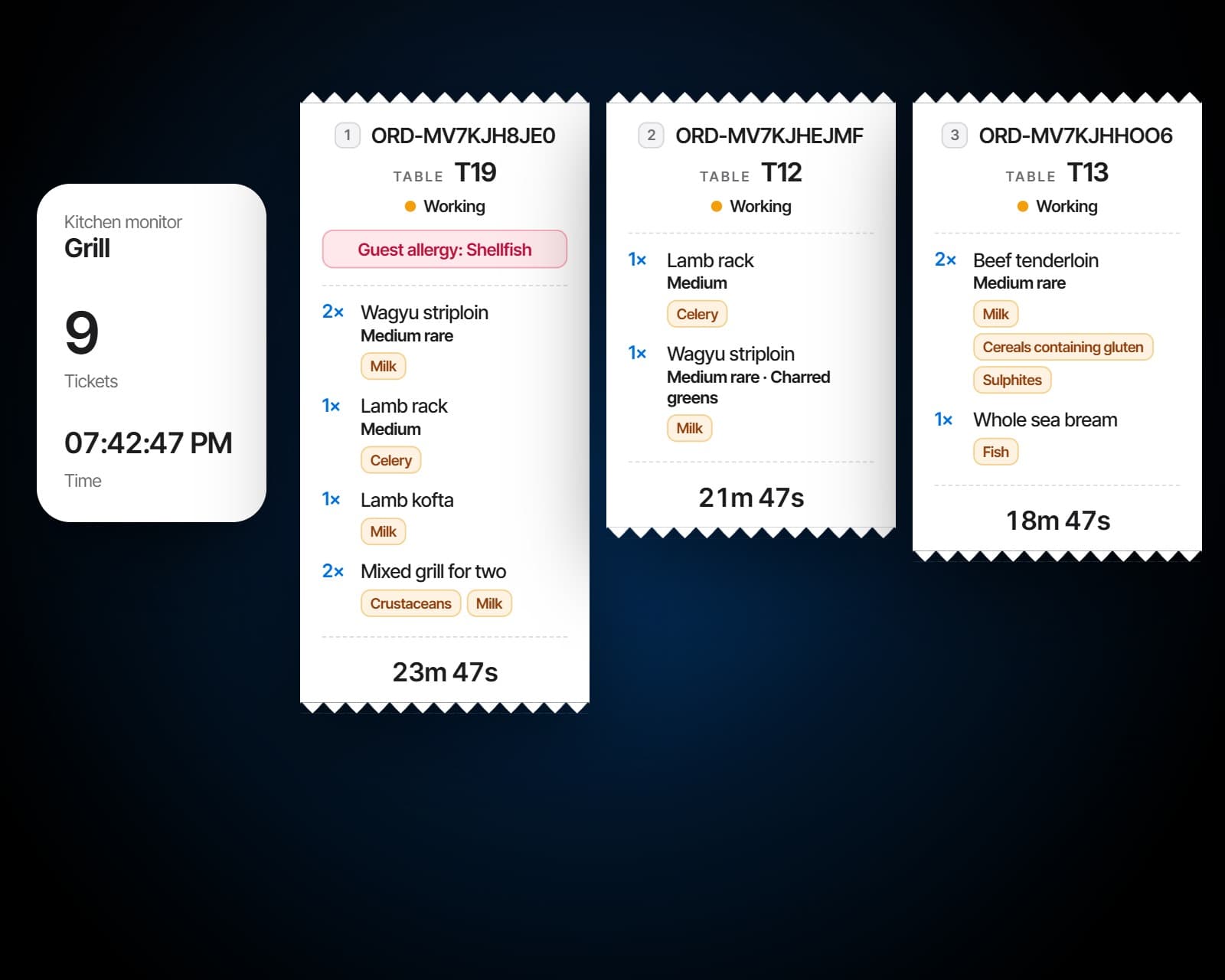
Tickets go to the station that cooks them, or every station on one board for the pass.
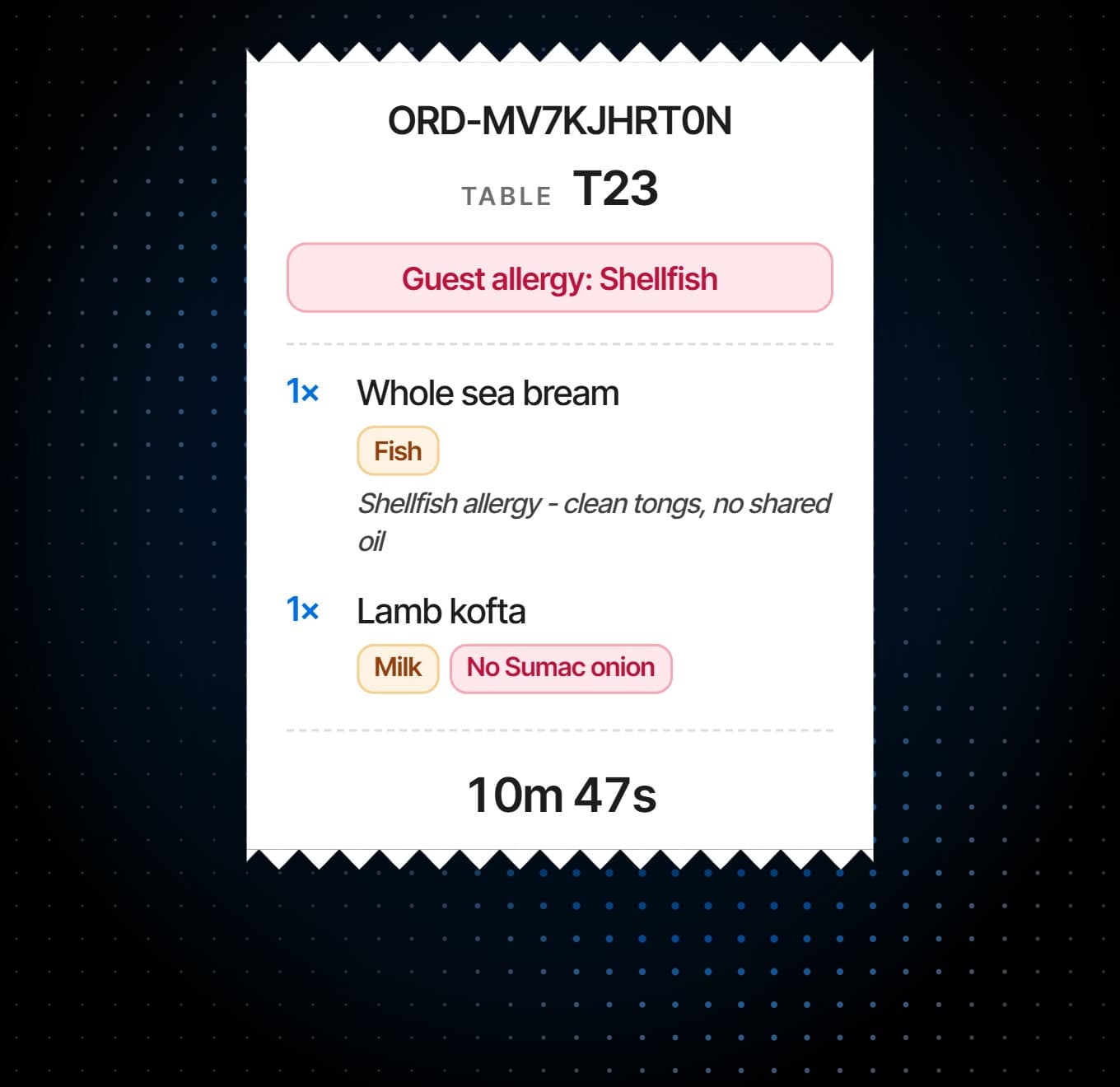
A guest's allergy is called out on the ticket, where the cook reading it will see it.
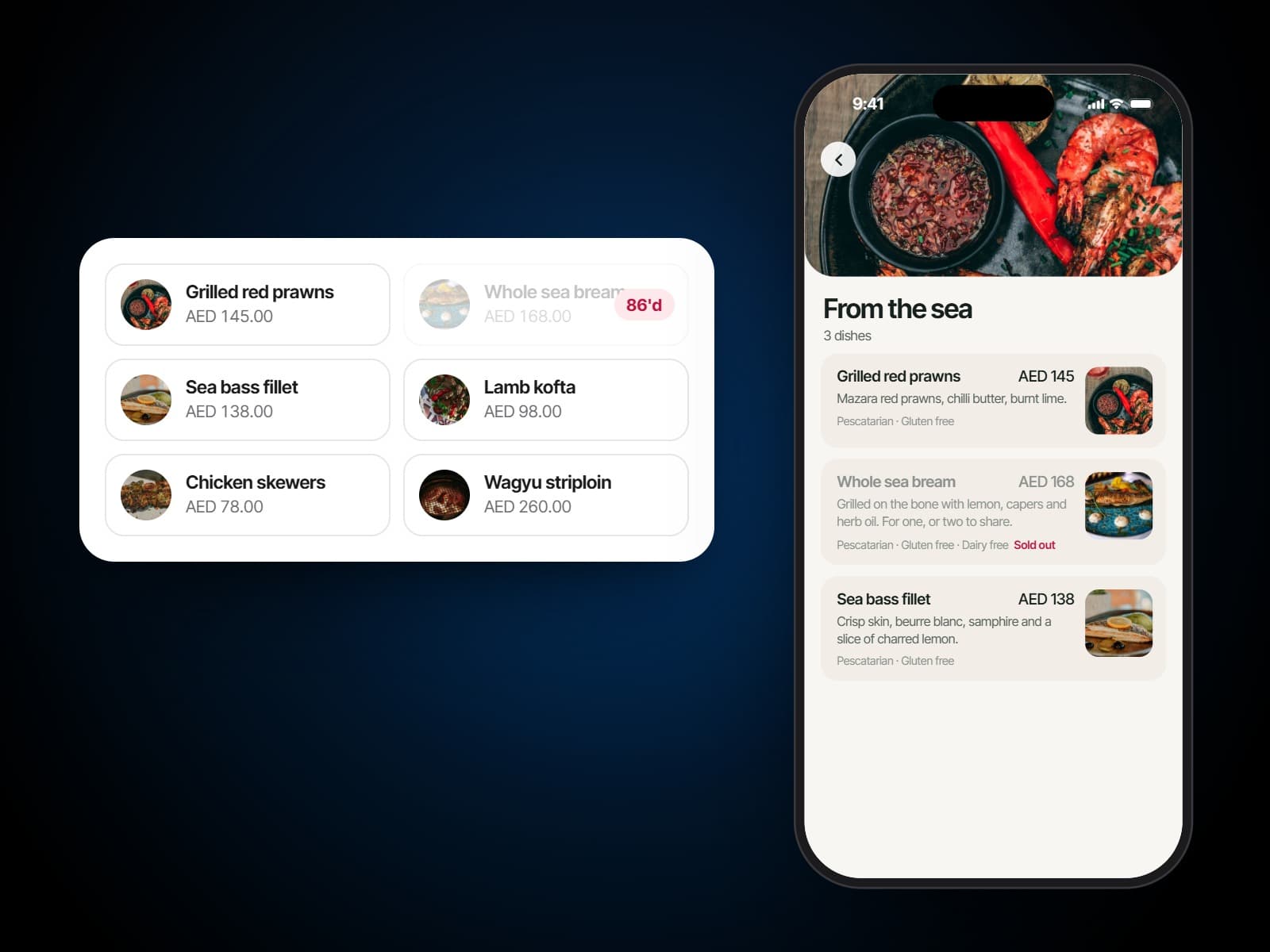
Take a dish off and it is off every terminal and every guest's menu at once.
A restaurant POS system that starts at the table
Pick a table, open a check. Not a product grid pretending the room does not exist, but the same floor plan the host is seating from, in a point of sale that knows which table is on main courses. Where guest ordering is switched on, what a guest sends from the table joins the check the server is working on.
A kitchen display system per station
Tickets route to the station that cooks them, oldest first, each carrying its state in the words the line already uses: new, working, ready, held, void, re-fire. A screen per station, or every station on one board for the pass, worked by touch or from a bump bar, with recall for the ticket that went too soon.
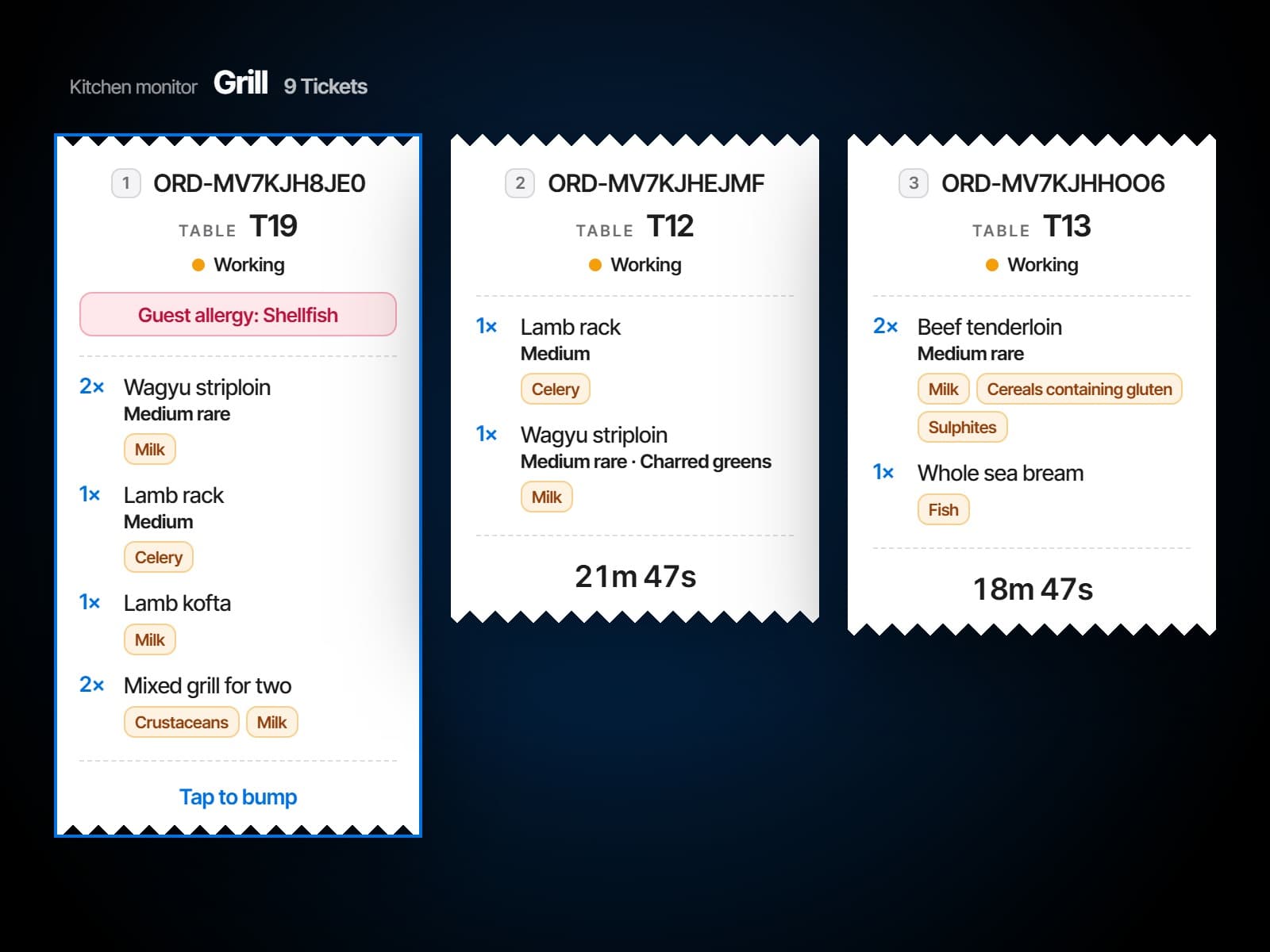
86 an item everywhere at once
Take a dish off and it is off: the terminals, the guest menus, the tables mid-scan. Put it back on the same way. One action, whole venue.
One order, start to finish
Fire it, cook it, close it.
An order's life across the point of sale and the kitchen display, from the check to the last payment.
Sent, held and fired
Bumped at the pass
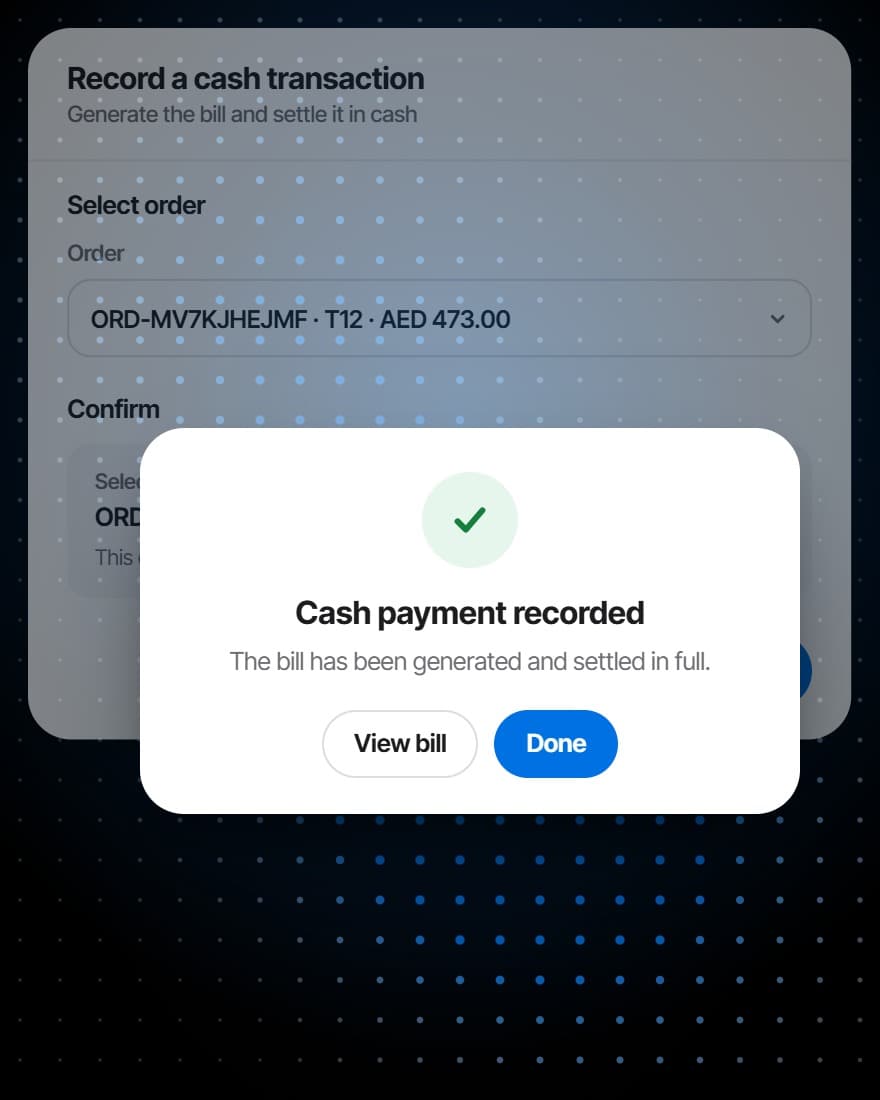
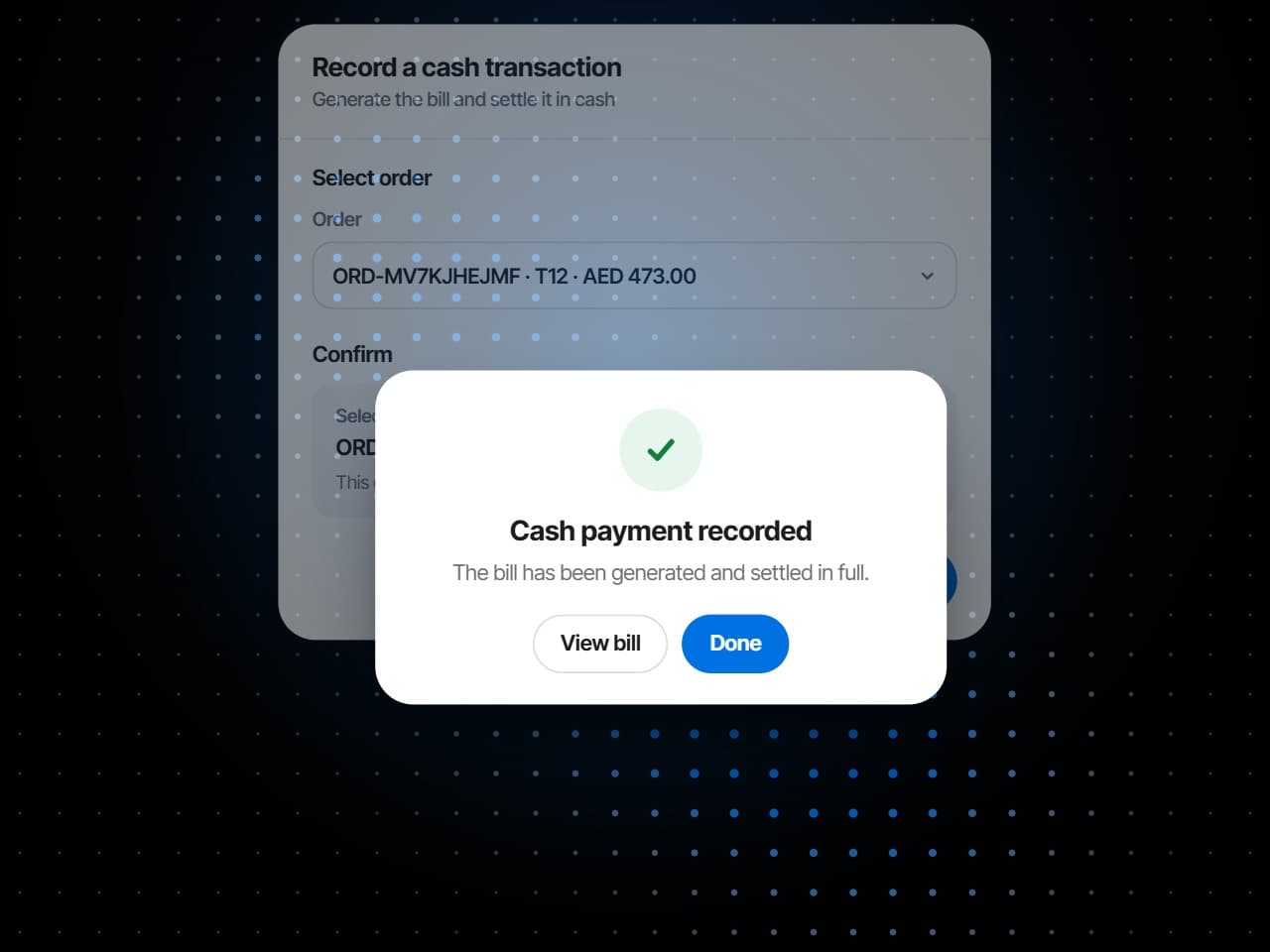
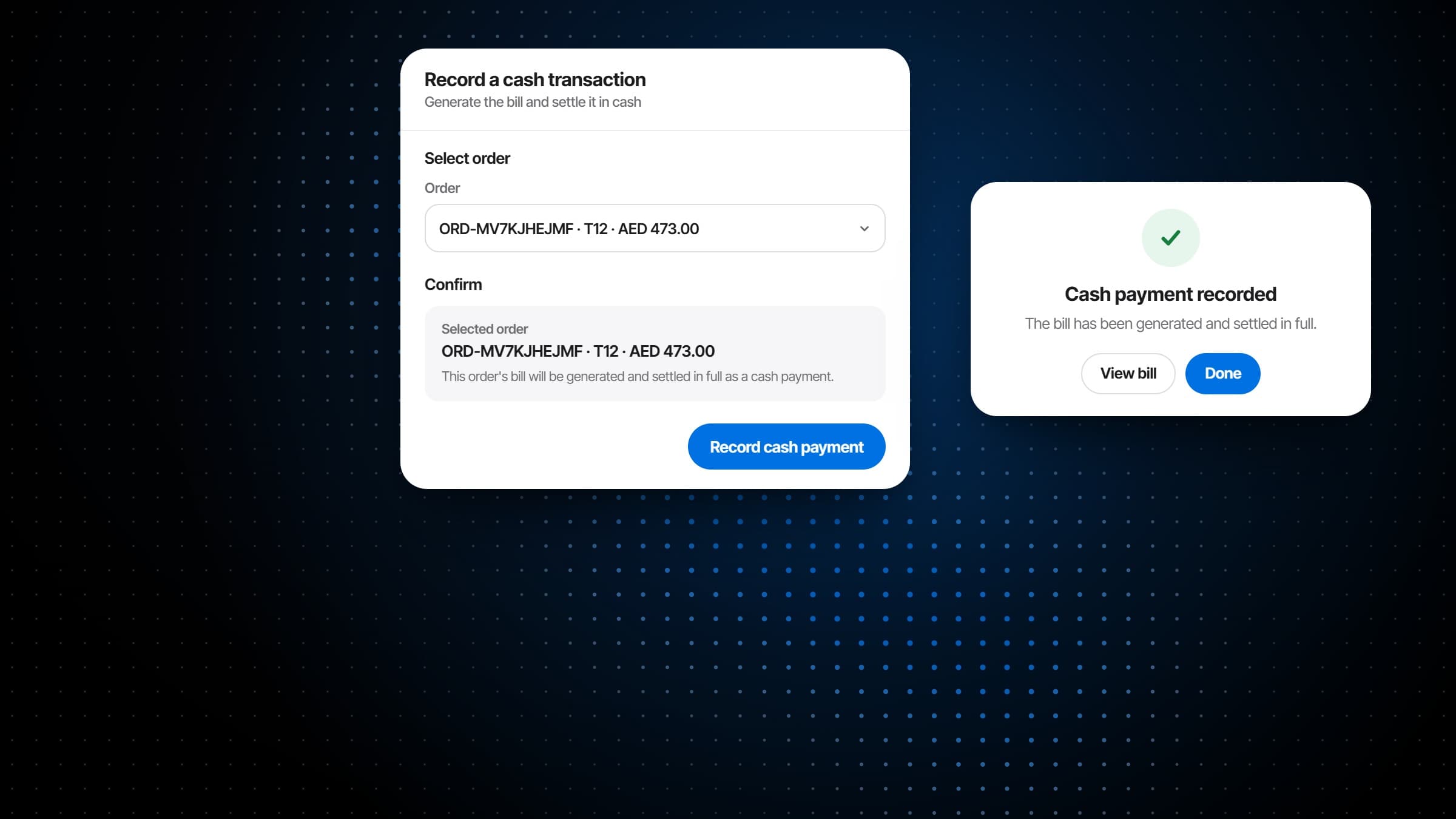
Settled where the guest is
What it does
Built for table service, not a queue.
Checks opened on the table, orders from the guest's phone joining them, tickets at the station that cooks them, and the bill closed where the guest is: a restaurant point of sale and a kitchen display reading the same order.
Dishes sit on the check as not sent until you send them. Send the starters, hold the mains, and fire everything held with one press when the table is ready. Each dish can carry its own note for the kitchen, for one plate or the whole round, and every plate its seat.
Every dish carries the prep time you set on the menu, and every ticket counts its own time in the kitchen from the moment it lands, printed at its foot like the total on a paper slip. The board runs oldest first, so the ticket that has waited longest is the one in front of the cook.
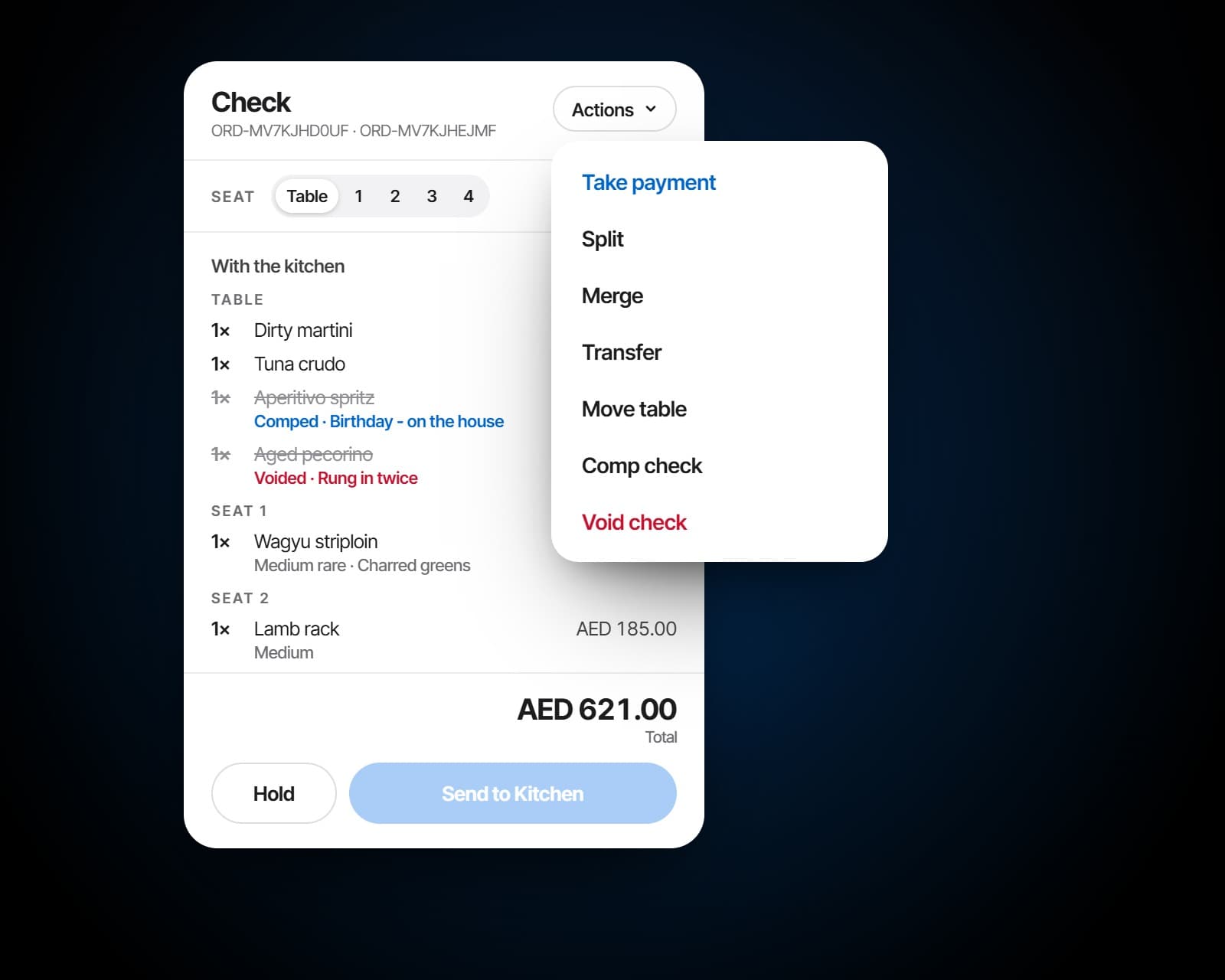
Move some dishes onto a new check for the same table, fold another open check into this one, hand the check to another server, or move it, kitchen tickets and all, to another table. Nothing about the order changes except where it belongs.
Before and after
The same rush, one order.
The order exactly as it was taken reaches the station that cooks it, its options and notes included.
An order re-keyed from a docket, and one modifier lost in the retyping.
An 86 that takes the dish off every terminal and every guest's menu at once.
An item 86'd on one terminal and still selling on another.
The booking, the order and the bill are one record, so there is nothing to reconcile.
A daily reconciliation between the till and the booking system that nobody enjoys.
No new hardware
The screens you have. The browser on them.
- Runs in a browser on any tablet or screen
- Worked by touch or a bump bar
- Tickets drawn like the paper slip
- Cash, card, transfer or an external terminal, recorded
Also included
And everything around the order.
Re-fire, marked as one
A dish sent back as a remake arrives marked re-fire, and the guest is not charged twice.
Decline with a reason
An order from the table can be declined with its reason, and the guest's dishes go back to their cart.
Service requests
Calls for the bill and for a server arrive in a live queue, marked as they are dealt with.
Reopen within four hours
A check closed by mistake comes back within four hours. One that has been paid is a refund.
Bills, finalised
Once a bill is finalised its total is fixed and can no longer change.
Every table's running total
Each table shows what it has ordered so far and how long it has been seated.
Works with
The order, wired to the room.
Checks on the floor plan
The point of sale opens checks on the same floor plan the host seats from, so a check always has its table.
More on Reservations & WaitlistRouted by the menu
Each dish names its station and its prep time, so an order from the table or the till lands on the right board.
More on MenusEvery ticket and check, measured
Prep times by station, the checks and how they were paid, read from the same orders the service ran on.
More on AnalyticsGuest CRM
One guest profile filled by every booking, order and check, with tiers, allergies and feedback on it.
More on Guest CRMCampaigns
Email campaigns to the guests who opted in, written to audiences your guest list already keeps, with consent and unsubscribes handled.
More on Campaigns
Plans
Which plan has Order Fulfillment?
Order Fulfillment brings table ordering, the kitchen display and the point of sale together in the plans that run the whole service. It builds on Reservations & Waitlist, which brings the floor plan the checks open on.
Starter
For a venue that books tables and wants its menu on every phone.
$149per venue a month
- No Order Fulfillment
- Reservations & Waitlist
- Menus
Pro
Most venuesFor a venue that runs its whole service on servearound: ordering, kitchen and POS.
$249per venue a month
- Reservations & Waitlist
- Menus
- Order Fulfillment
Premium
Everything, with the guest data and the marketing built on top of it.
$349per venue a month
- Reservations & Waitlist
- Menus
- Order Fulfillment
- Guest CRM
- Analytics
- Campaigns
Specs
Everything in Order Fulfillment.
Checks
- Opened on a table from the floor plan
- Dishes by category, by name or as a bundle
- Options, and ingredients taken off
- Seats, and notes for the kitchen
- Joined by the orders guests place from the table
To the kitchen
- Send, hold and fire
- Re-fire a dish as a remake
- The kitchen monitor beside the check
- Only the menus serving now
Kitchen boards
- A board per station, or every station on one
- Oldest first
- Service states: new, working, ready, held, void and re-fire
- Tap to pick, tap again to bump, and recall
- A bump bar with a key per ticket
Tickets
- Order number and table
- Dishes, quantities and options
- Ingredients left off
- Seat, course and notes
- Allergy alerts
- The time in the kitchen
Changing a check
- Split, merge, transfer and move
- Void or comp a dish or the whole check, with a reason
- Reopen within four hours
- 86 a dish on every terminal and guest menu at once
Payments
- Cash, card, bank transfer, UPI, an external POS or other
- A reference with each payment
- VAT on every bill
- Bills finalised, then fixed
- What is still outstanding
- A CSV export for any dates
Frequently asked questions
What is a restaurant POS system?
The point of sale is where orders are rung in and bills are settled. servearound's restaurant POS system is built for table service and comes with its own kitchen display: a check opens on a table on the floor plan, its dishes go to the stations that cook them, and the bill closes against the same table.
What is a kitchen display system?
A screen in the kitchen that shows the orders to cook in place of printed tickets. The kitchen display system in Order Fulfillment routes each dish to the station that cooks it and counts every ticket's time in the kitchen, so the line works from the order exactly as it was taken.
Do we still need a kitchen printer?
No. Tickets arrive on a screen at the station that cooks them, with no docket to re-key and no roll to run out.
Do we have to replace our terminals or screens?
No. The point of sale and the kitchen display run in a browser on the tablets and screens already in the venue. There is nothing to install.
Can guests order from their phones into the same check?
Yes, where guest ordering is switched on. Anything a guest sends from the table joins the check the server is working on, and reaches the kitchen as a ticket at the right station.
How does 86'ing work across the venue?
Taking an item off removes it from every terminal and every guest menu at once, including the tables mid-scan, and putting it back works the same way.
Can courses be held and fired?
Yes. Dishes stay on the check until they are sent, a course can be held, and everything held is fired with one press when the table is ready. The ticket shows when a course is on hold.
Does it work with a bump bar?
Yes. With a bump bar set up, each ticket on the screen shows the number key that reaches it, and the bar's keys start, bump and recall tickets and page through the board. Without one, the board is worked by touch.
How are ticket times and prep times tracked?
Each dish carries the prep time set on the menu, and every ticket counts its time in the kitchen from the moment it lands, oldest first on the board. With the Analytics module, prep times are reported by station and by hour, with the on-time rate against the target you set.
How do allergies reach the kitchen?
On the ticket. A guest's allergies are called out on the slip, as are the ingredients left off a dish and any note the server or the guest added.
Can we split a check?
Yes. Pick the dishes to move onto a new check for the same table and leave the rest. Checks can also be merged, handed to another server, or moved to another table with their kitchen tickets.
What is the difference between a void and a comp?
A void strikes a dish off: it stays on the check struck through, and the kitchen is told to stop. A comp means the guest keeps the dish and the house pays for it: it stays on the check at zero. Both can carry a reason.
Which payment methods can we record?
Cash, card, bank transfer, UPI, an external POS or another method, each with its reference. Payments are recorded as the venue takes them, on its own card terminal or till.
Can we reopen a closed check?
Yes, for four hours after it was closed. A check that has been paid cannot be reopened, because that is a refund.