Guest CRM
The restaurant CRM that recognises the regular
A restaurant CRM filled by the booking, the table and the check: visits, spend, last seen, allergies, the table they always ask for. One profile that the host stand, the section and the office are all reading.
Highlights
Know them before they sit.
Visits, spend, the last visit, allergies and notes, on a single record.
New, regular, VIP and VVIP, worked out from visits and spend and kept current.
Saved once on the profile, then shown on the booking, the table and the kitchen ticket.
What they said after the visit, next to what they ate.
Two profiles for one guest are spotted and merged, history and all.
A restaurant CRM profile for every guest
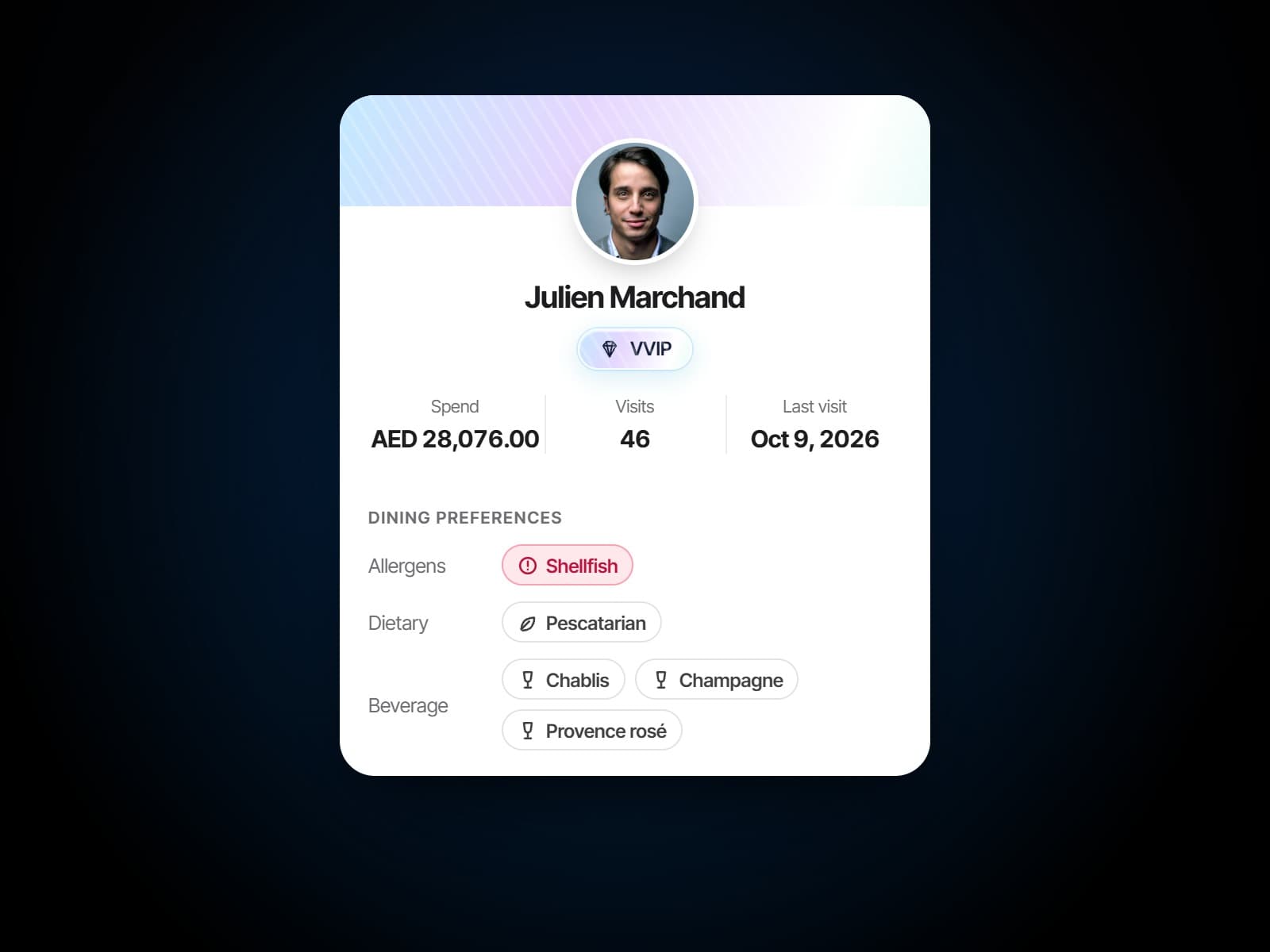
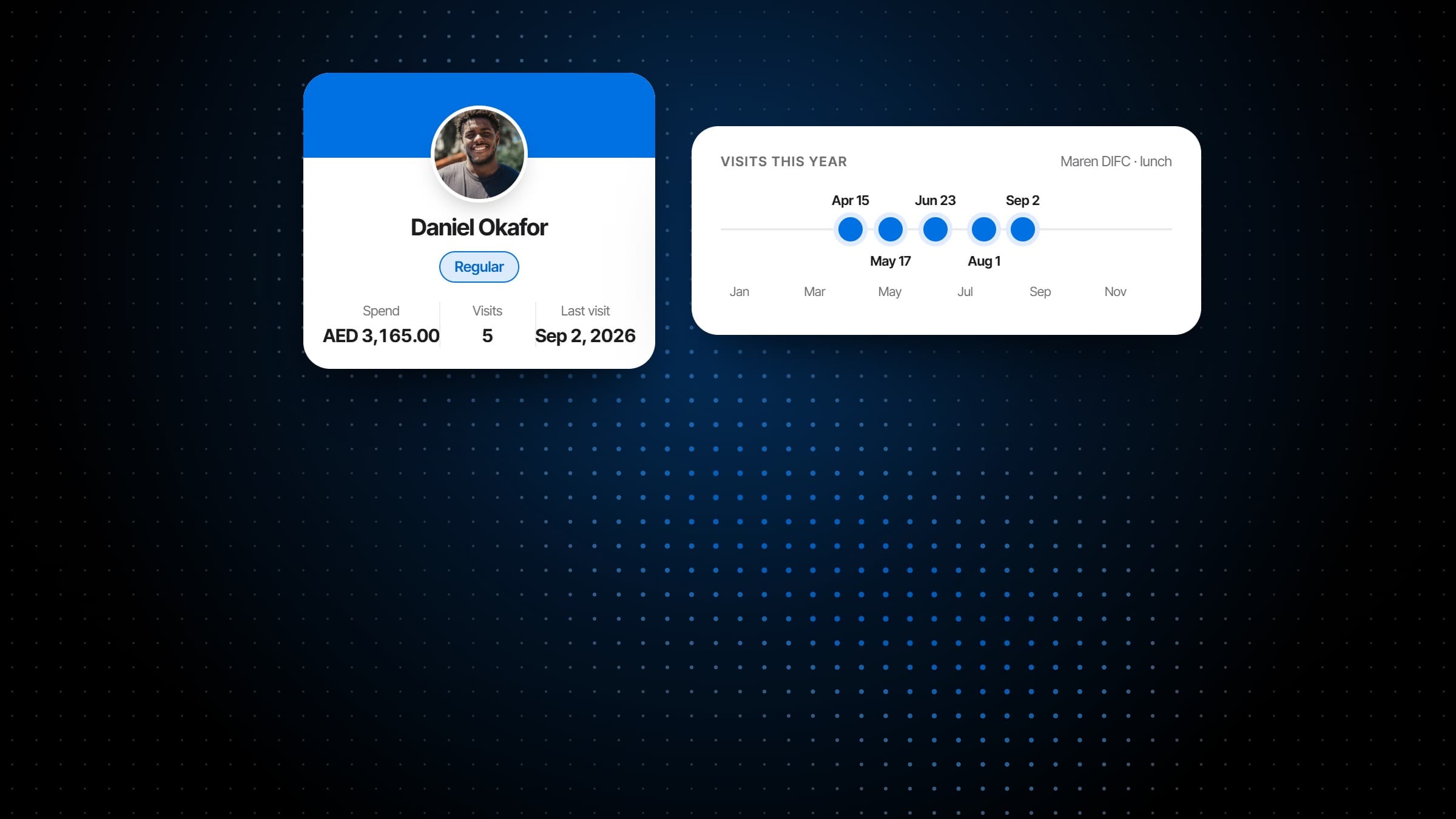
Visits, spend, last visit and notes on a single record that follows the guest from the booking through the table to the check, rather than three systems each holding a third of them.
Guest segments that say something
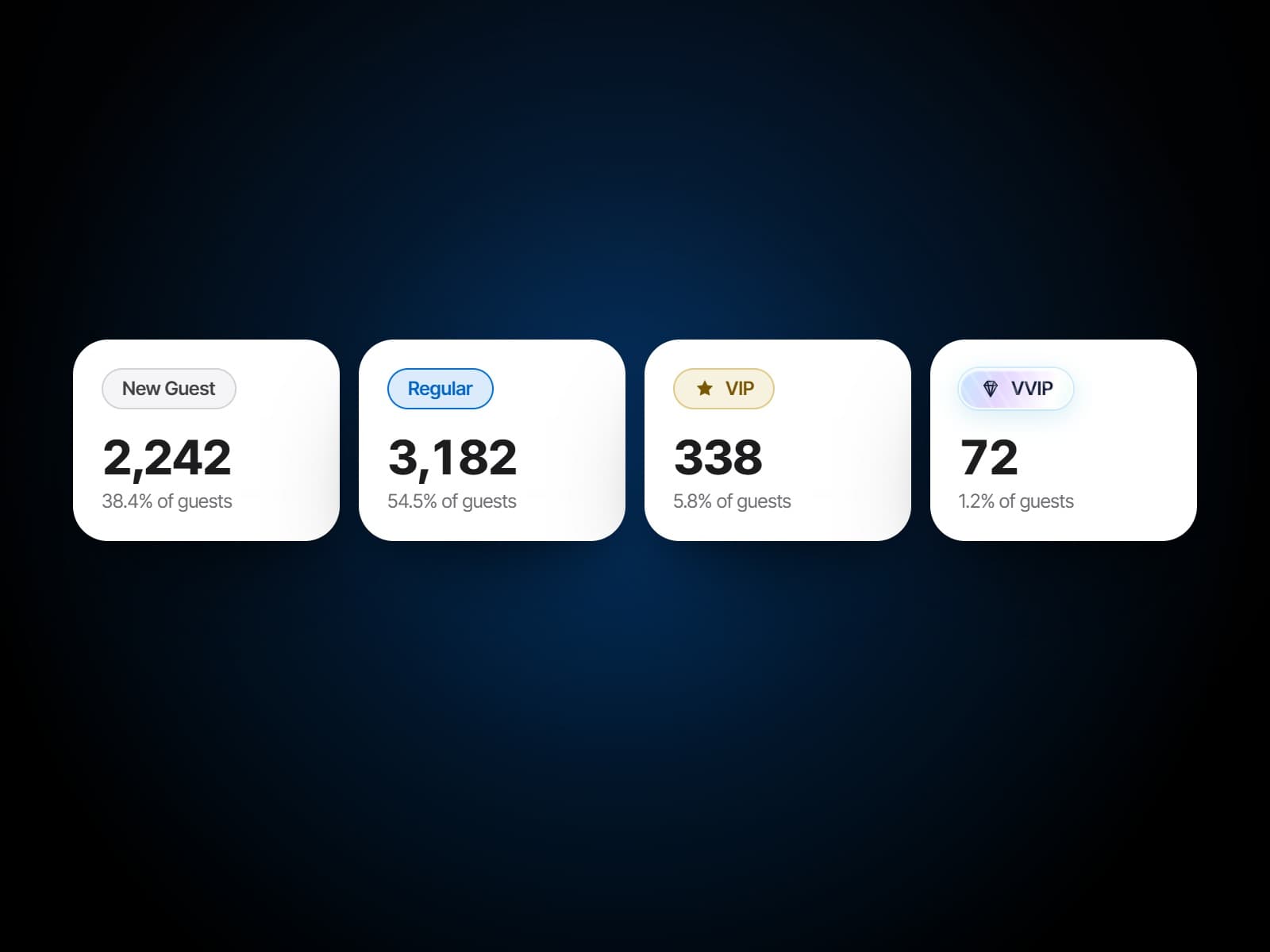
New, regular, VIP and VVIP. Each tier has its rule, made of visits and spend over a window you set, and guests are re-sorted into their tiers as they come and go. A guest keeps the highest tier they have earned at any of your venues, and a tier set by hand stays where you put it.
Guest feedback, attached to the guest
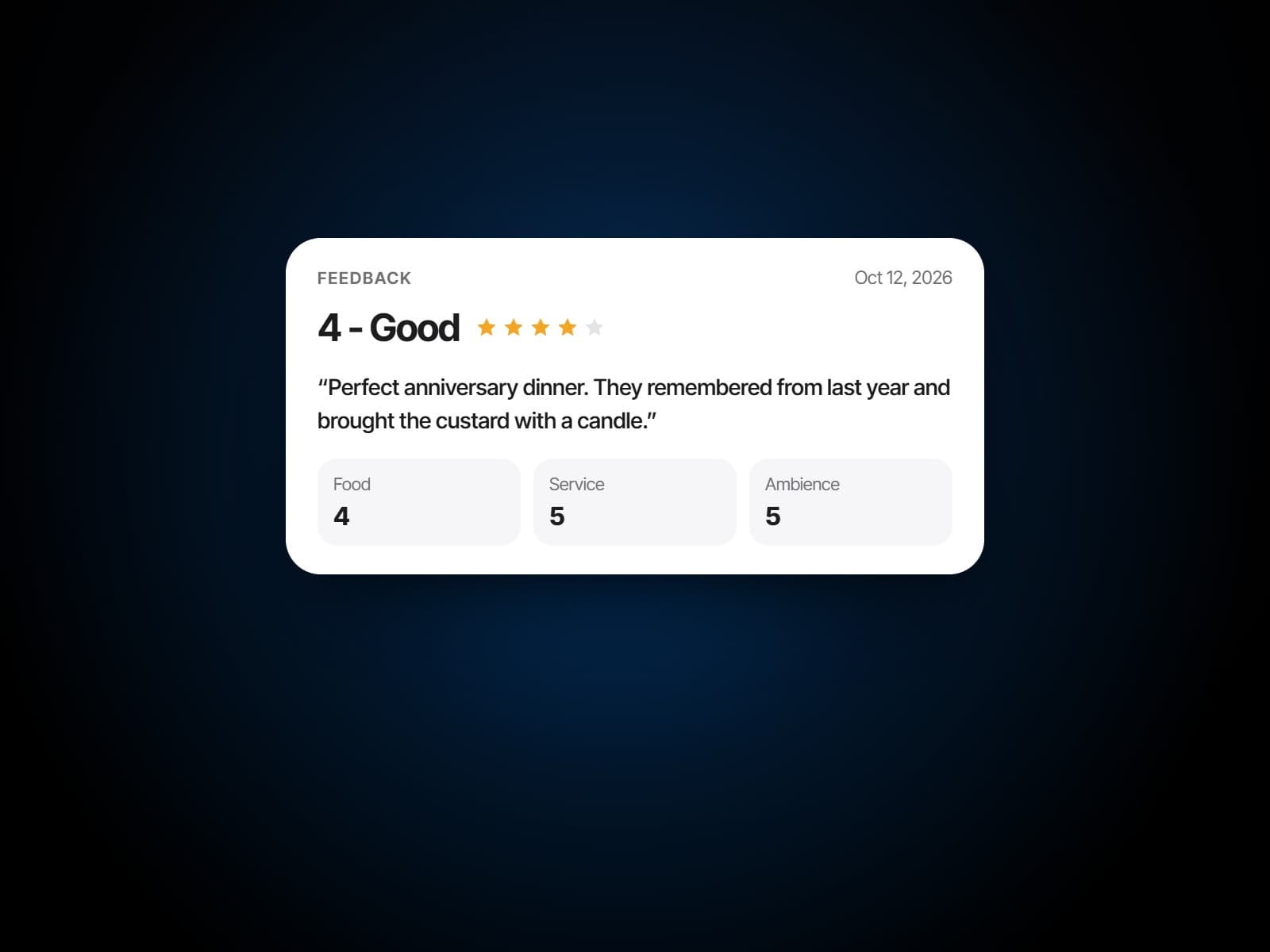
What they said after the visit sits on their profile next to what they ate, so the next booking is taken by somebody who knows how the last one went.
Tier by tier
New, regular, VIP.
What the system knows and shows at each stage of a guest's time with you.
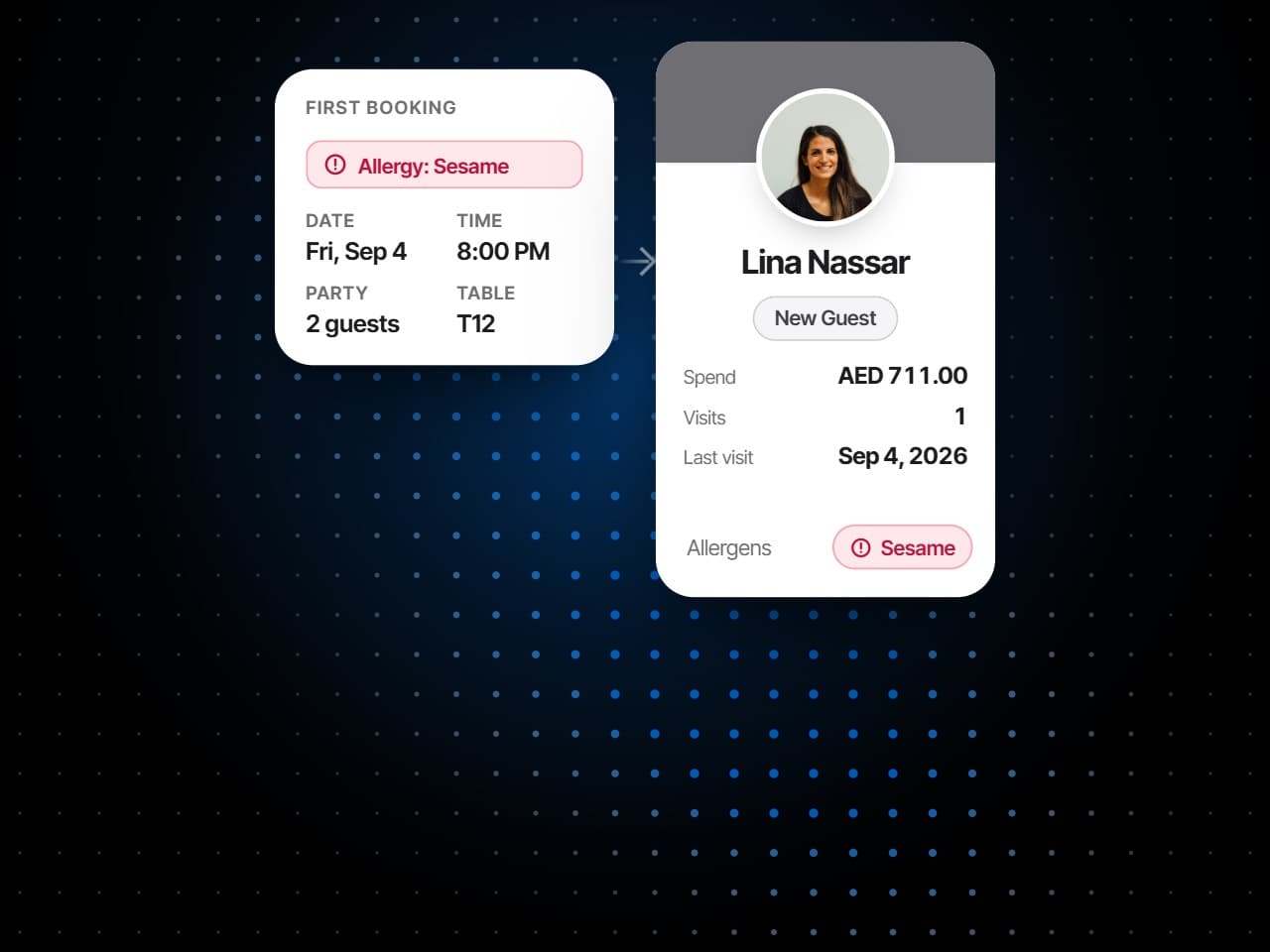
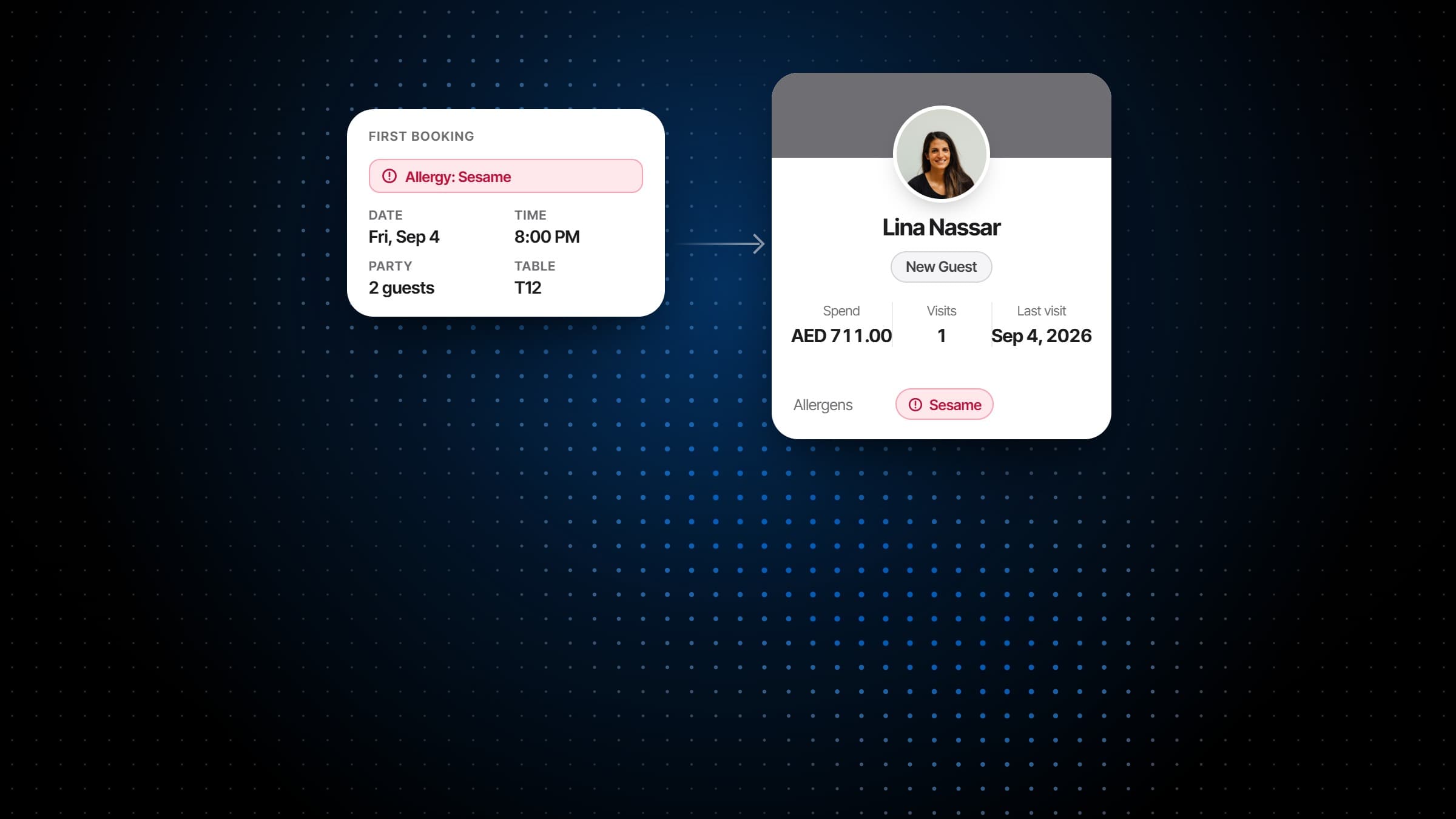
A first visit
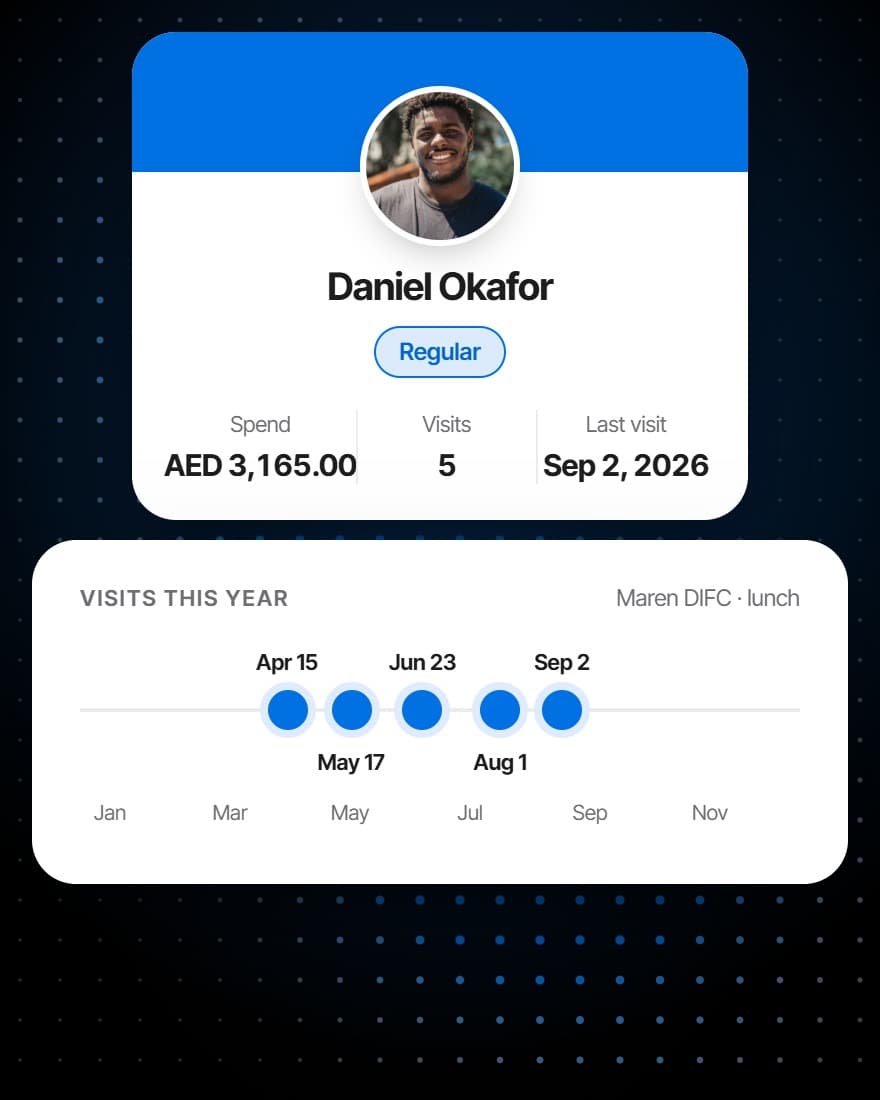
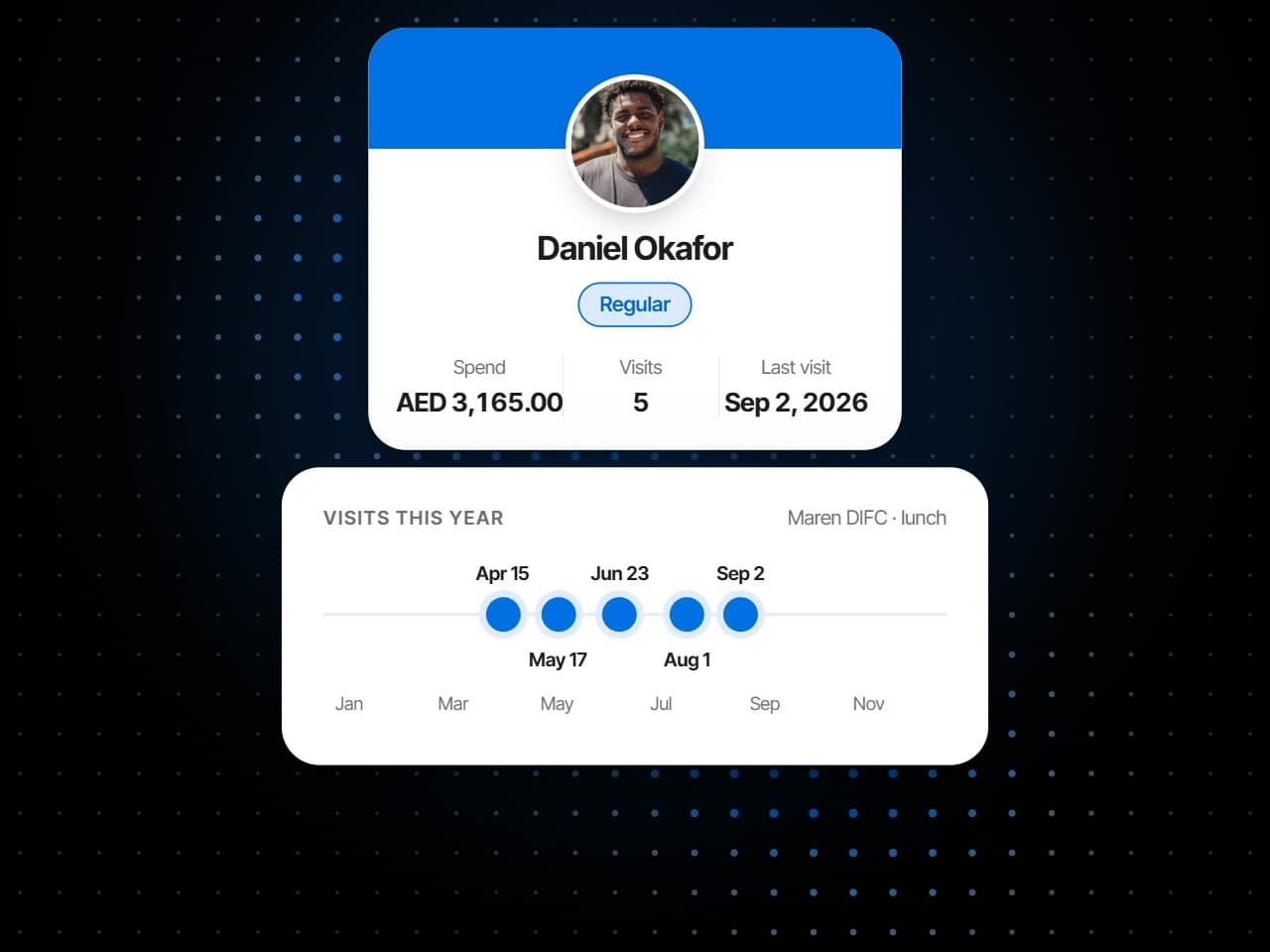
Coming back
The ones you know by name
What it does
The guest list keeps itself.
Guest profiles filled by the service, guest segments worked out from visits and spend, and guest feedback kept where the next booking will see it.
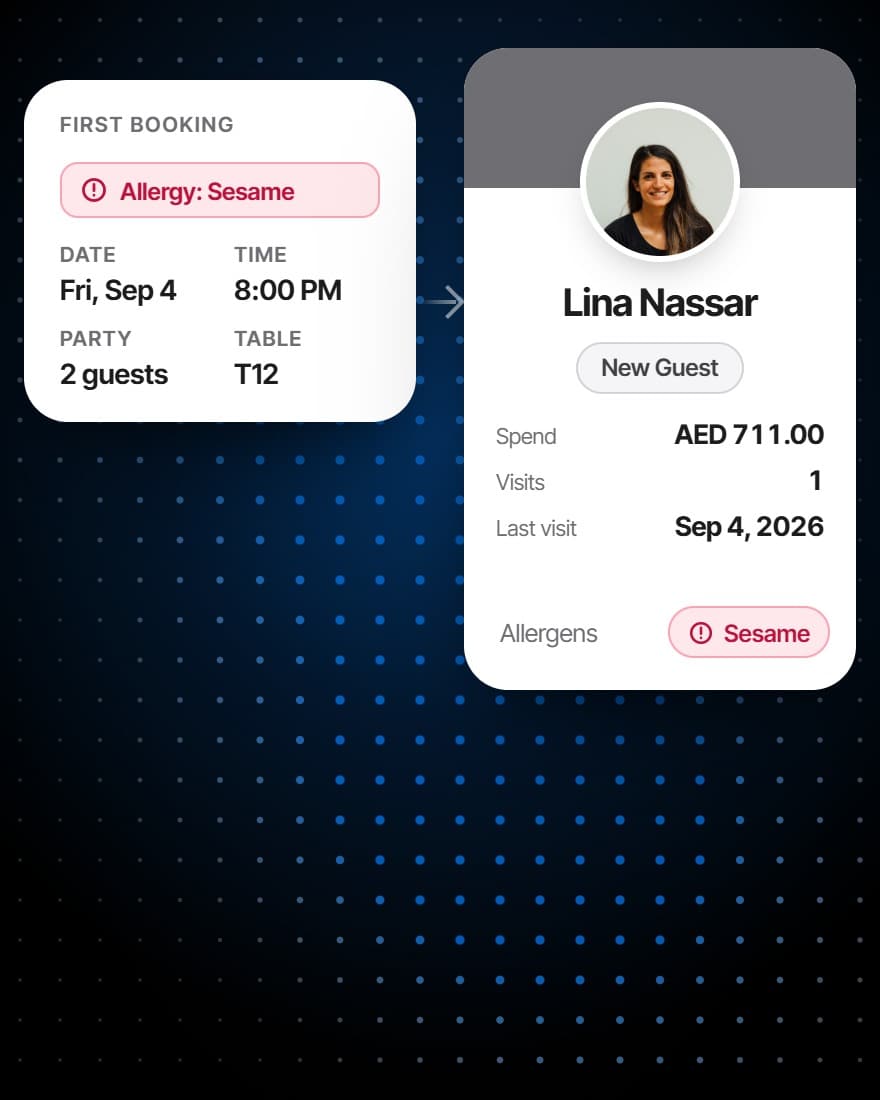
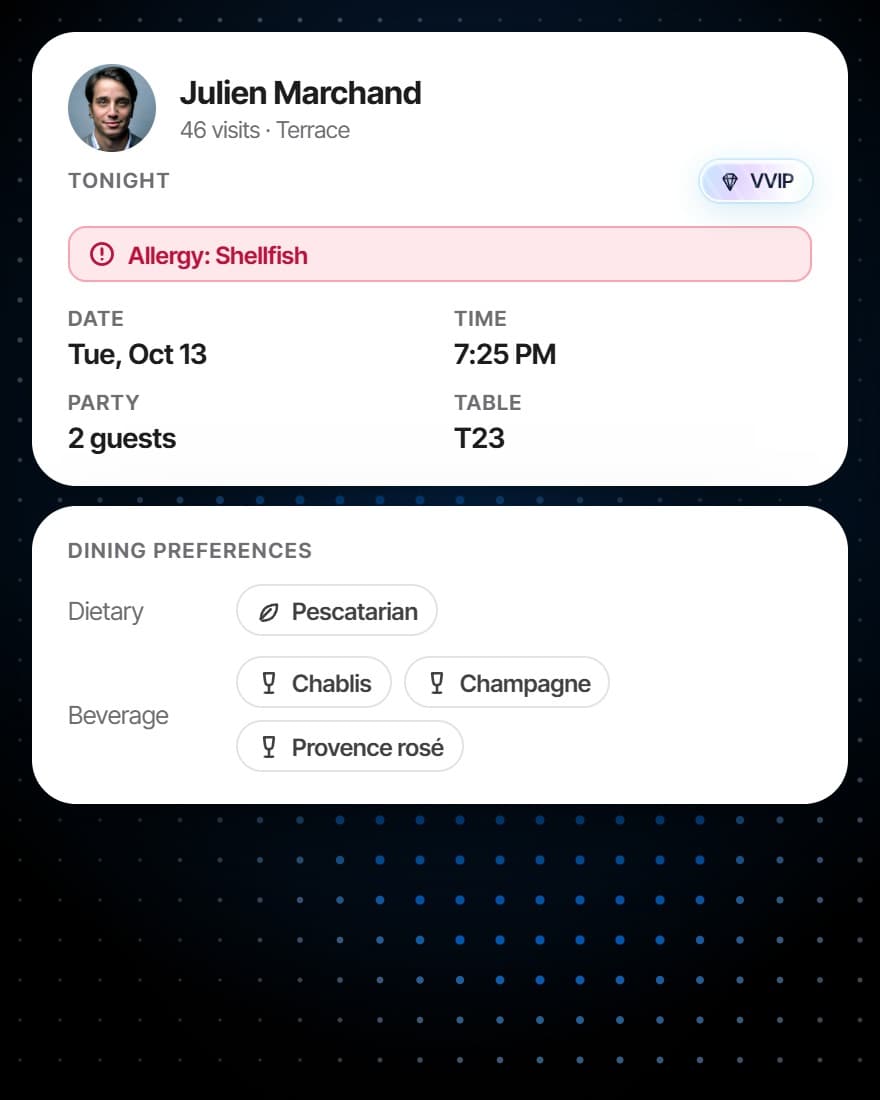
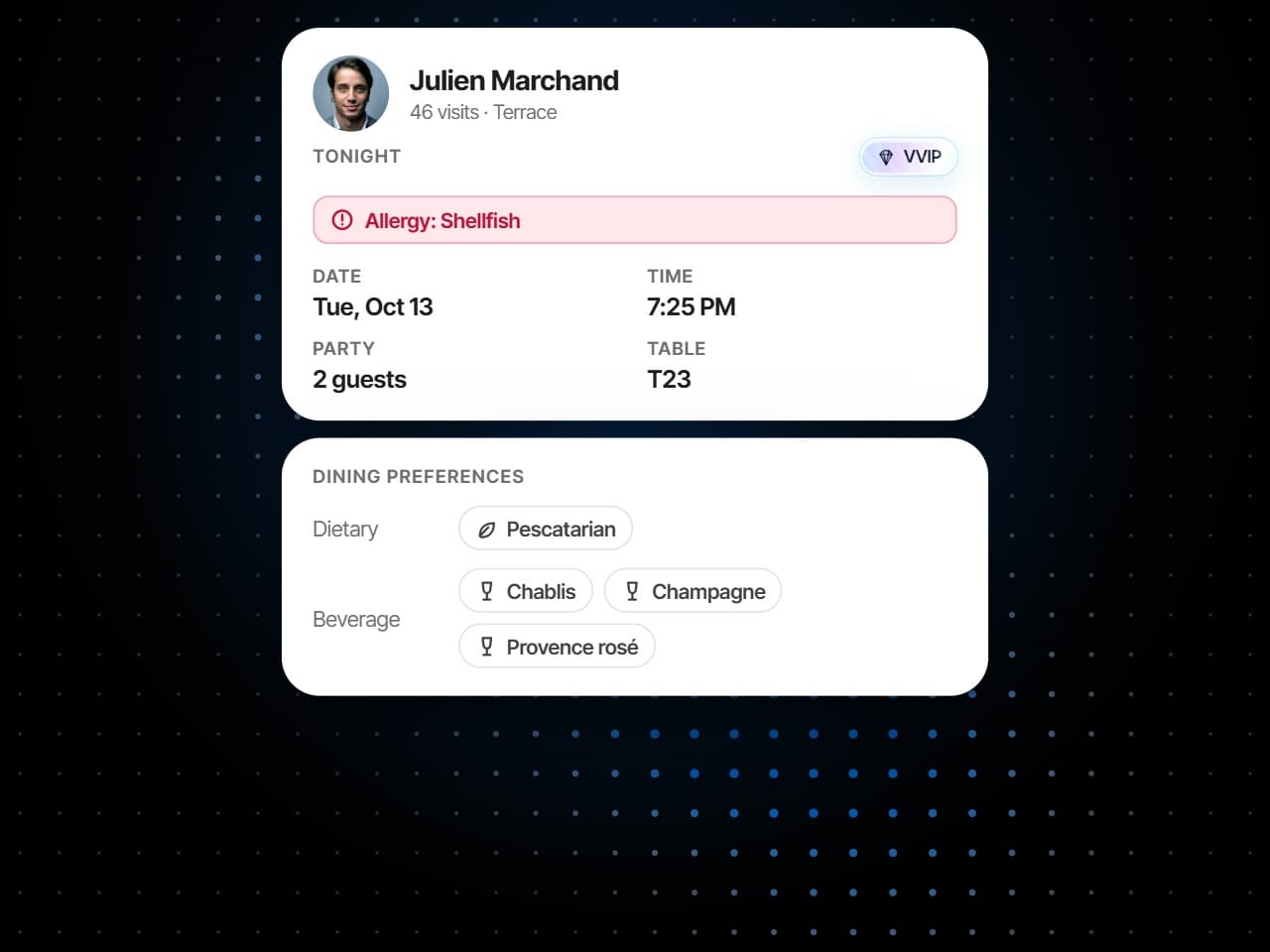
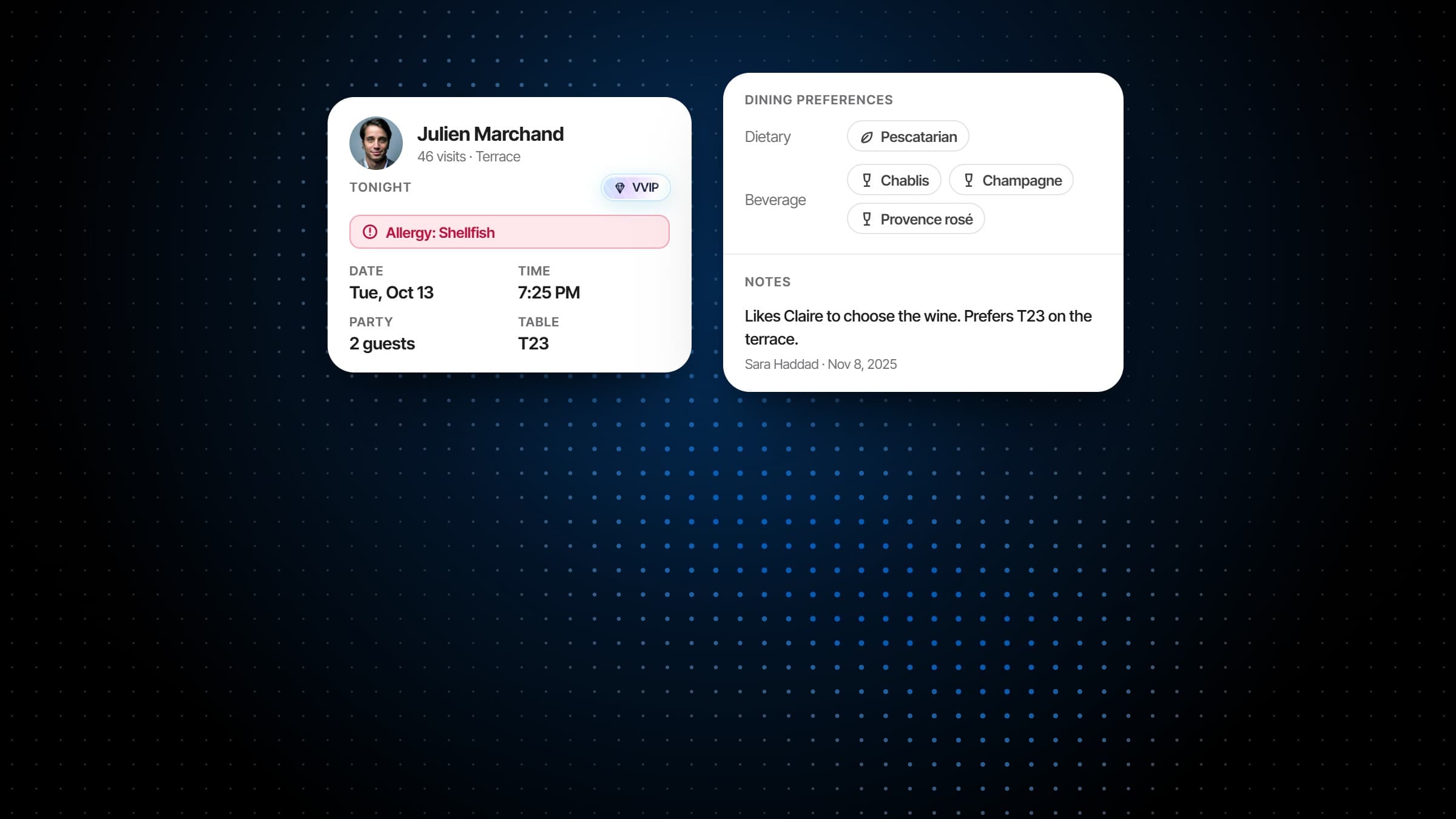
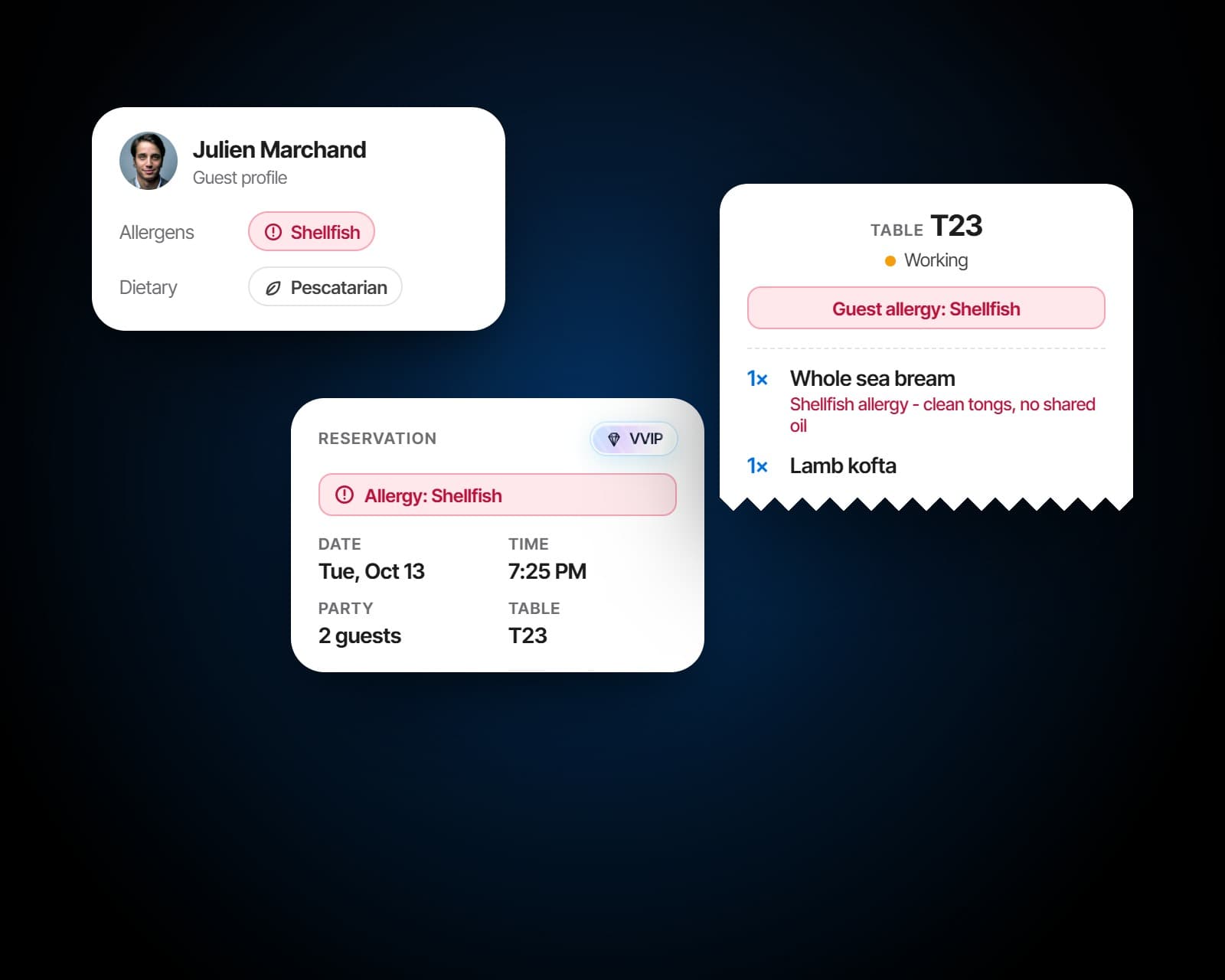
Allergens, dietary needs and drink preferences are noted once, on the booking or the profile, and saved to the guest. They show as a flag on the reservation list, on the table the guest sits at and on the kitchen ticket, so the person serving them and the cook making their food both know.
Two profiles for one guest are flagged, with how confident the match is. Merging keeps the profile you choose, settles each field and moves the reservations, orders and feedback across, and the merge stays in the profile's history. Adding a guest who already exists opens their profile instead.
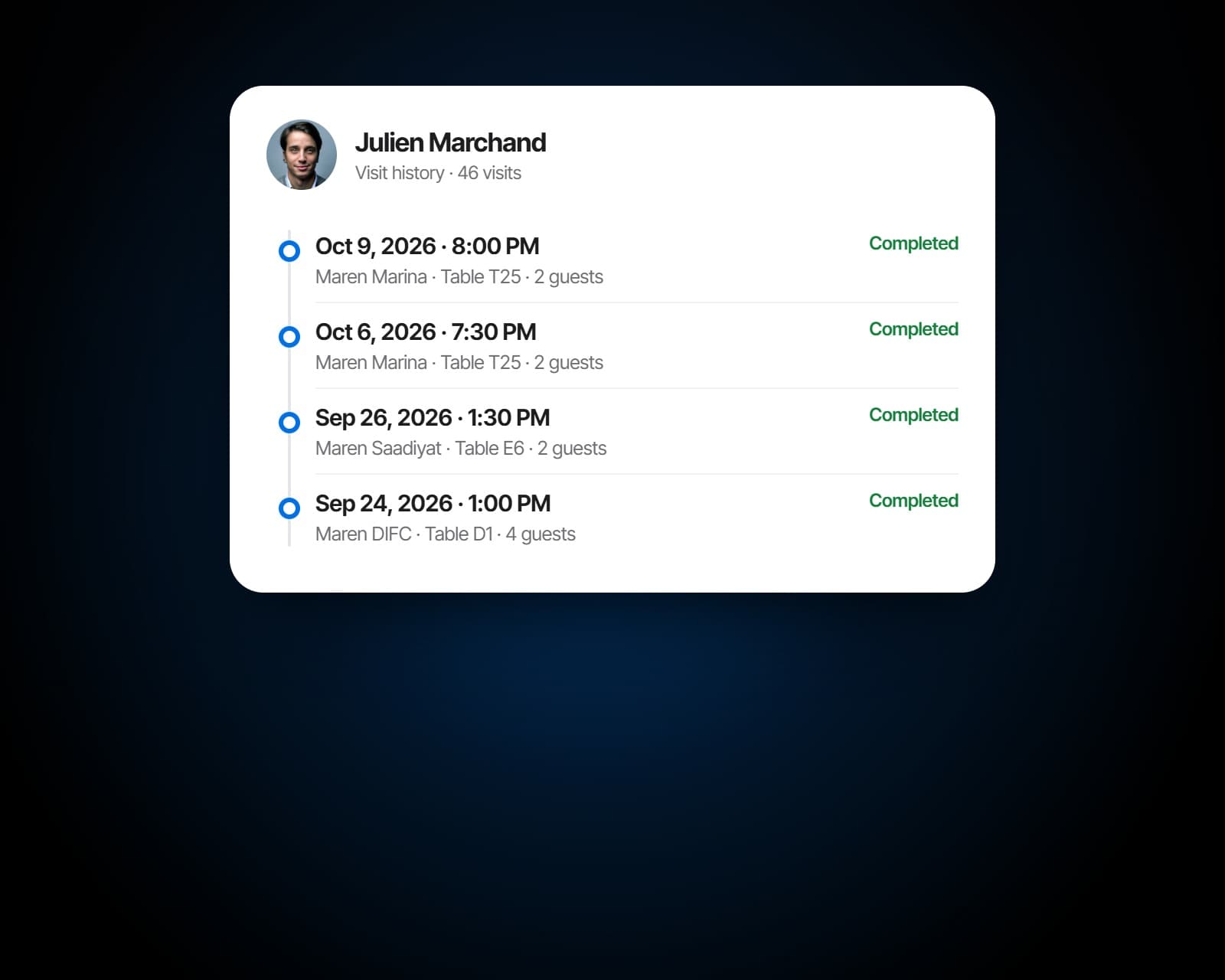
Every visit on the profile: the date and time, the party, the table, the orders and what was spent and paid, including visits that were only an order. Notes carry their author and date, and the profile keeps a photo, a birthday, a preferred zone and a preferred time to dine.
Before and after
The same regular, recognised.
The guest's visits, spend and notes on screen before they sit down.
A regular of six years greeted like a stranger because the person who knew them is off tonight.
Allergies on the profile, the booking, the table and the kitchen ticket.
Allergy notes on a sticky note behind the host stand.
A last visit on every profile, so a regular who stops coming stands out.
No idea a monthly regular has not been in since March.
One guest, every venue
Recognised wherever they walk in.
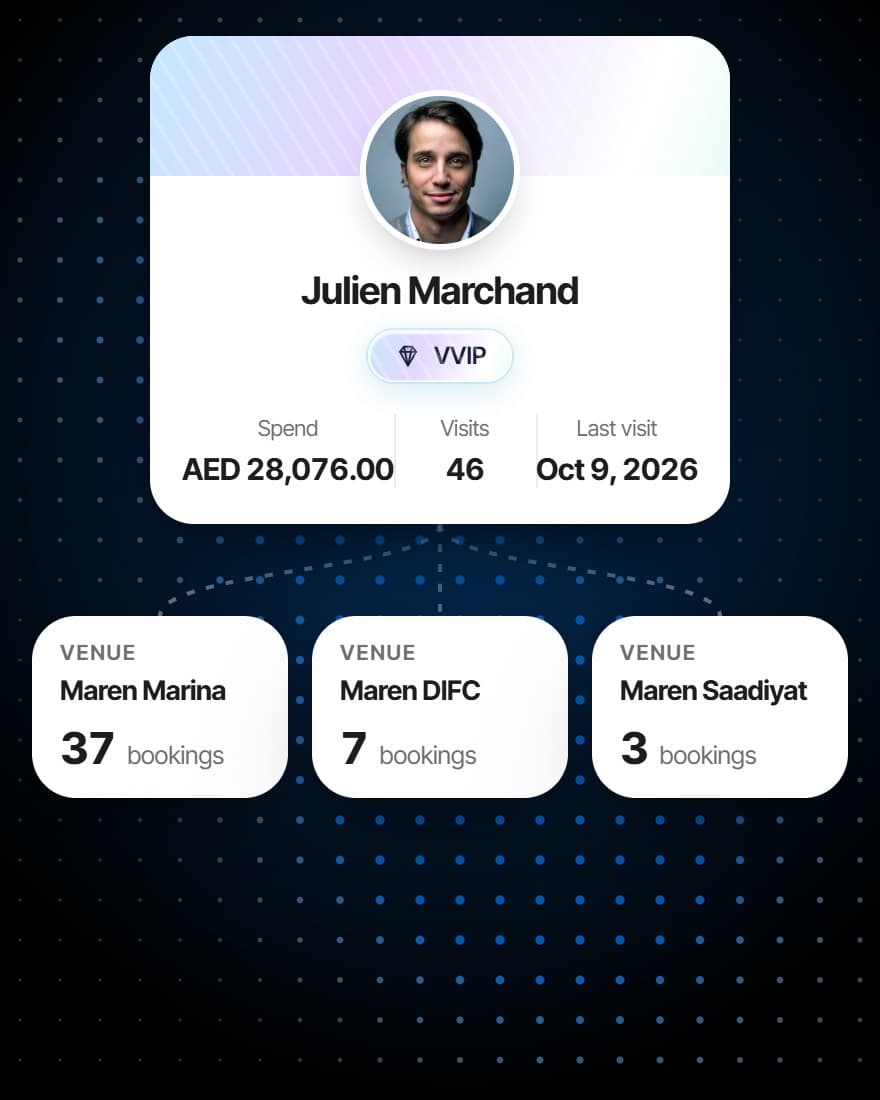
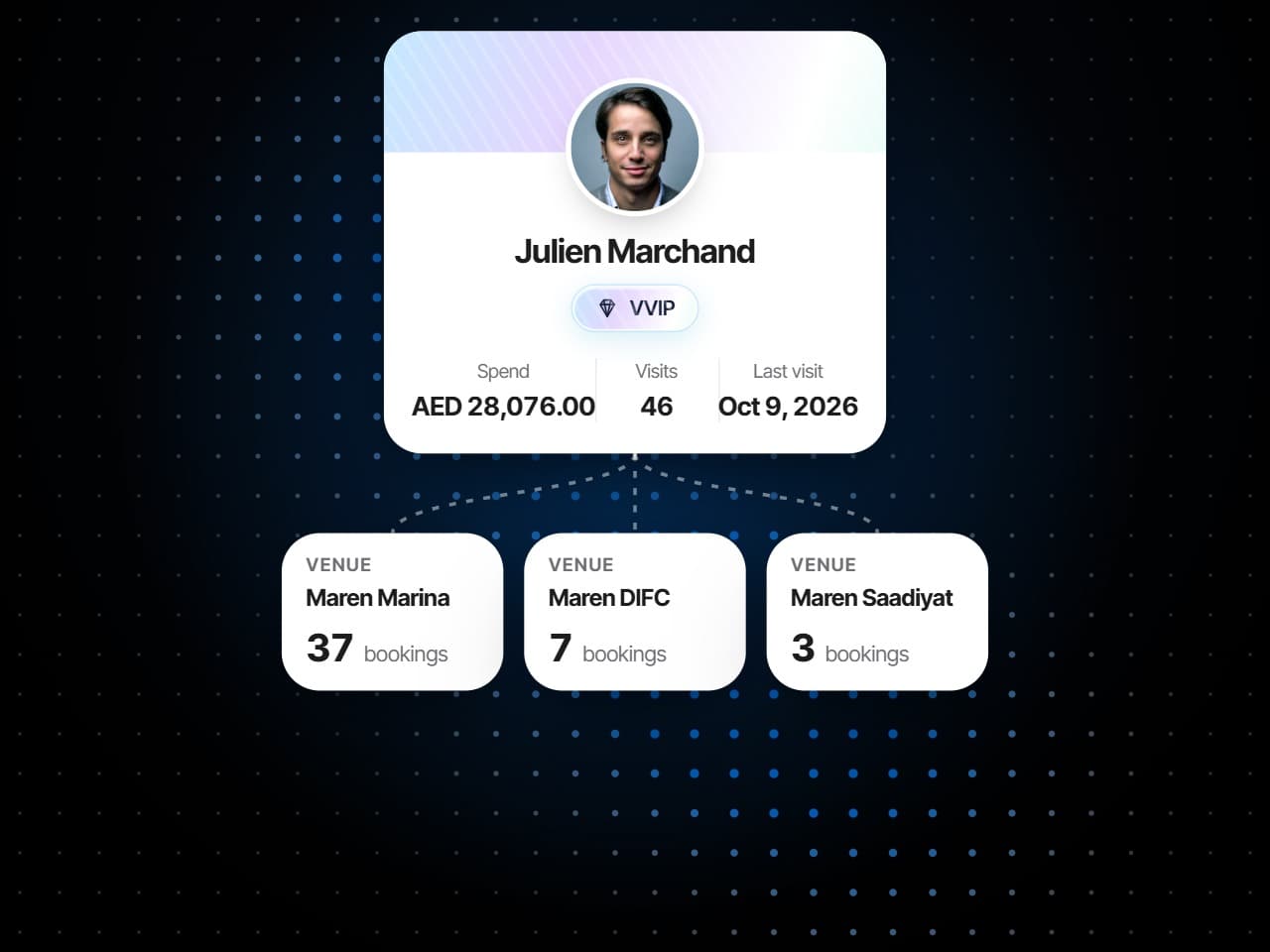
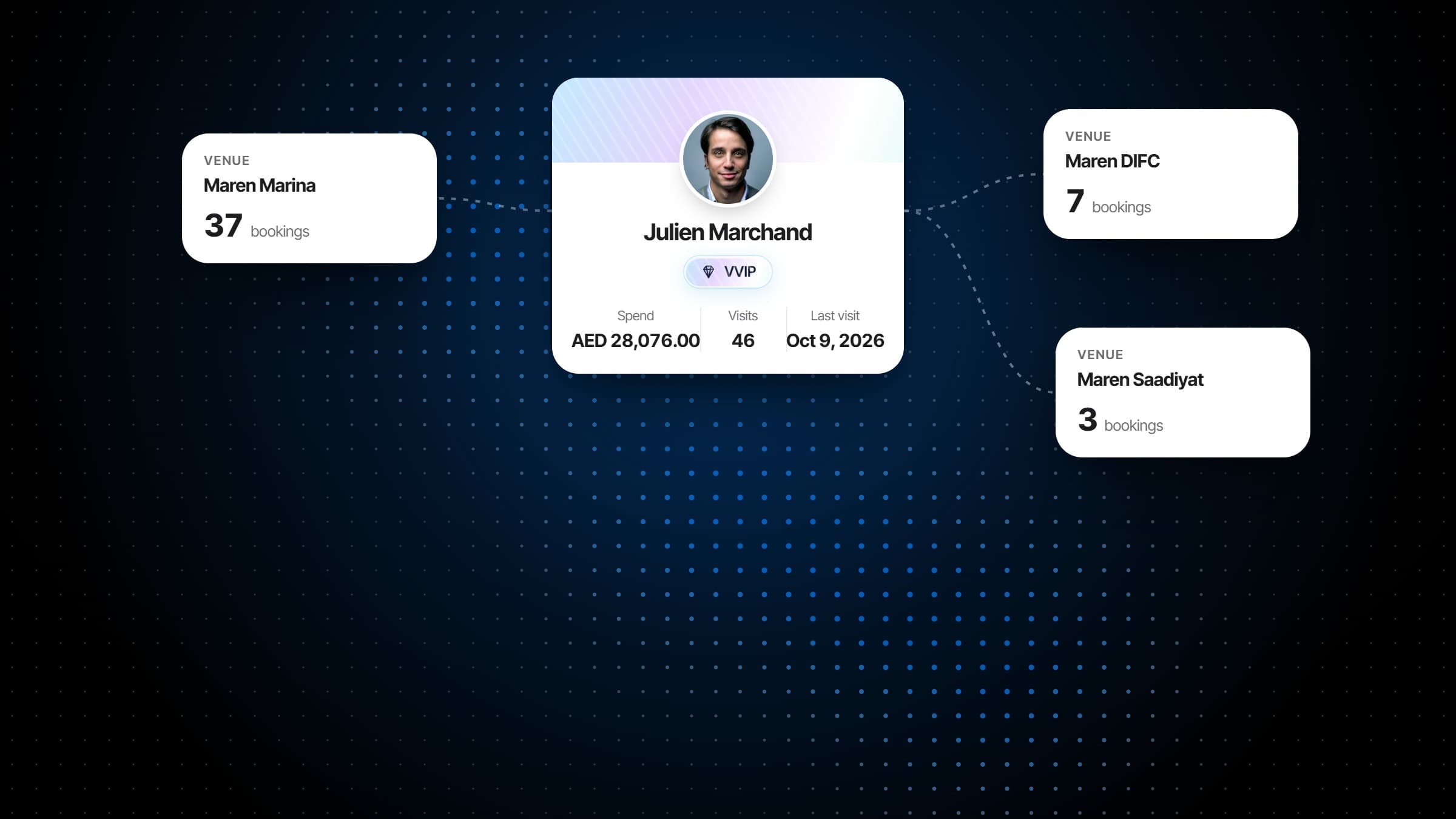
- One profile across the group
- Tiers counted per venue, the highest kept
- Duplicates found and merged
- Notes and allergies wherever they go
Also included
And everything around the guest.
Notes the floor can see
Allergies, occasions and preferences, where the person seating them will actually read them.
Search as you book
Match a returning guest while taking the booking, not after.
Email campaigns, when you want them
Add Campaigns to email the guests who opted in, built from the same tiers, with opt-in, confirmation and unsubscribe handled on the guest's own record.
Follow up on feedback
Reply by email to the guests who asked for one. A guest who stayed anonymous stays anonymous.
Feedback in one place
Post-visit responses collected and read against the service they describe.
Sorted by what matters
Sort the guest list by last visit, total spend, visits, or recency and value together.
Works with
The profile, filled by service.
Every booking finds the guest
Taking a booking by phone number finds the returning guest, and saves what you note to their profile.
More on Reservations & WaitlistSpend from the check
Checks settled at the table add to the guest's visits and spend, and orders from their phone join their profile.
More on Order FulfillmentEmail the guests who opted in
Campaigns writes to this guest list itself, chosen by tier, visits, spend or how long since a guest last came.
More on CampaignsMenus
A QR code menu and ordering at every table, with the screens and the printed menu fed from the same dishes.
More on MenusAnalytics
Eight reports read from the service itself: bookings, tables, checks, the kitchen, payments, the menu, guests and campaigns.
More on Analytics
Plans
Which plan has Guest CRM?
Guest CRM comes with the plan that has everything, alongside Analytics and Campaigns, because it builds on what ordering and the point of sale record.
Starter
For a venue that books tables and wants its menu on every phone.
$149per venue a month
- No Guest CRM
- Reservations & Waitlist
- Menus
Pro
Most venuesFor a venue that runs its whole service on servearound: ordering, kitchen and POS.
$249per venue a month
- No Guest CRM
- Reservations & Waitlist
- Menus
- Order Fulfillment
Premium
Everything, with the guest data and the marketing built on top of it.
$349per venue a month
- Reservations & Waitlist
- Menus
- Order Fulfillment
- Guest CRM
- Analytics
- Campaigns
Specs
Everything in Guest CRM.
Profiles
- Name, phone, email and a photo
- Date of birth
- A tier: new, regular, VIP or VVIP
- Notes with their author and date
- Preferred zone and dining time
- Linked across the group's venues
Preferences
- Allergens
- Dietary restrictions
- Drink preferences
- Shown on the booking, the table and the ticket
Visits
- Every visit with its party, table, orders and spend
- Visits that were only an order
- Visits in the last 365 days
- Last seen
Tiers
- Rules of visits and spend over a window
- Counted at each venue
- The highest tier kept across the group
- Set by hand when you need to
- Re-sorted as guests come and go
Feedback
- Ratings for food, service and ambience
- Comments
- From the booking link, the menu or the tablet
- Follow-up only with the guest's consent
- Invites, answers and the average rating, per guest
Housekeeping
- Duplicates flagged, with a confidence
- Merged, history and all
- Search by name, phone, email or notes
- Marketing consent confirmed by email
Frequently asked questions
What is a restaurant CRM?
A restaurant CRM keeps a record of every guest: who they are, how often they come, what they spend, what they cannot eat and what they said about their visit. servearound's restaurant CRM fills itself from bookings, orders and checks, so the record is complete without anybody keeping it.
Where does the guest data come from?
From bookings, orders and checks as they happen, rather than from a separate list somebody maintains. The guest profiles fill themselves during service.
How are guest tiers worked out?
Each tier above new has a rule made of visits and spend at the venue over a window you set, and guests are re-sorted as they come and go. A guest keeps the highest tier they have earned at any venue in the group, and a tier set by hand stays where it was put.
How is marketing consent handled?
Opt-in, confirmation and unsubscribe are tracked on the guest's own record, and campaigns only go to the guests who opted in.
Does a guest carry across several venues?
For groups running more than one venue, a guest is recognised at whichever venue they walk into, with the same profile behind them.
How are duplicate guests handled?
Profiles that look like the same person are flagged with how confident the match is. Merging keeps the profile you choose and moves the reservations, orders and feedback across, and the merge is recorded on the profile.
Can staff see allergies during service?
Yes. Allergies and dietary needs saved on the profile show on the guest's bookings, on the table they are seated at and on the kitchen ticket for their order.
How is guest feedback collected?
From a link after a completed booking, from the digital menu at the end of a table's visit, or on a tablet handed over at the table. Guests rate the visit overall and the food, service and ambience, and can leave a comment.
Can we reply to feedback?
Only where the guest asked for a reply, and only by email or phone as they chose. A guest who keeps their feedback private is never identified to you.
Can we email our guests?
With Campaigns, which builds on the Guest CRM: email the guests who opted in, chosen by tier, visits, spend or how long since they last came, from templates or your own design. Opt-in, confirmation and unsubscribes are handled on the guest's record.
What does a guest profile show?
Contact details and a photo, the guest's tier, visits and spend, their last visit, allergies, diet and drink preferences, notes from the team, their visit history and their feedback.
Who on the team can see guest data?
Taking a booking needs only a guest's name and number, so staff who book tables can find and add guests. The full CRM, with spend, history and feedback, is for the roles you give it to.