Menus
A restaurant QR ordering system that is the menu too
A restaurant QR ordering system and a digital menu in one. Guests scan, browse and order from the table; you change a price once and every table sees it. No reprint, no PDF, no sold-out dish still on the page.
Highlights
One menu. Every surface.
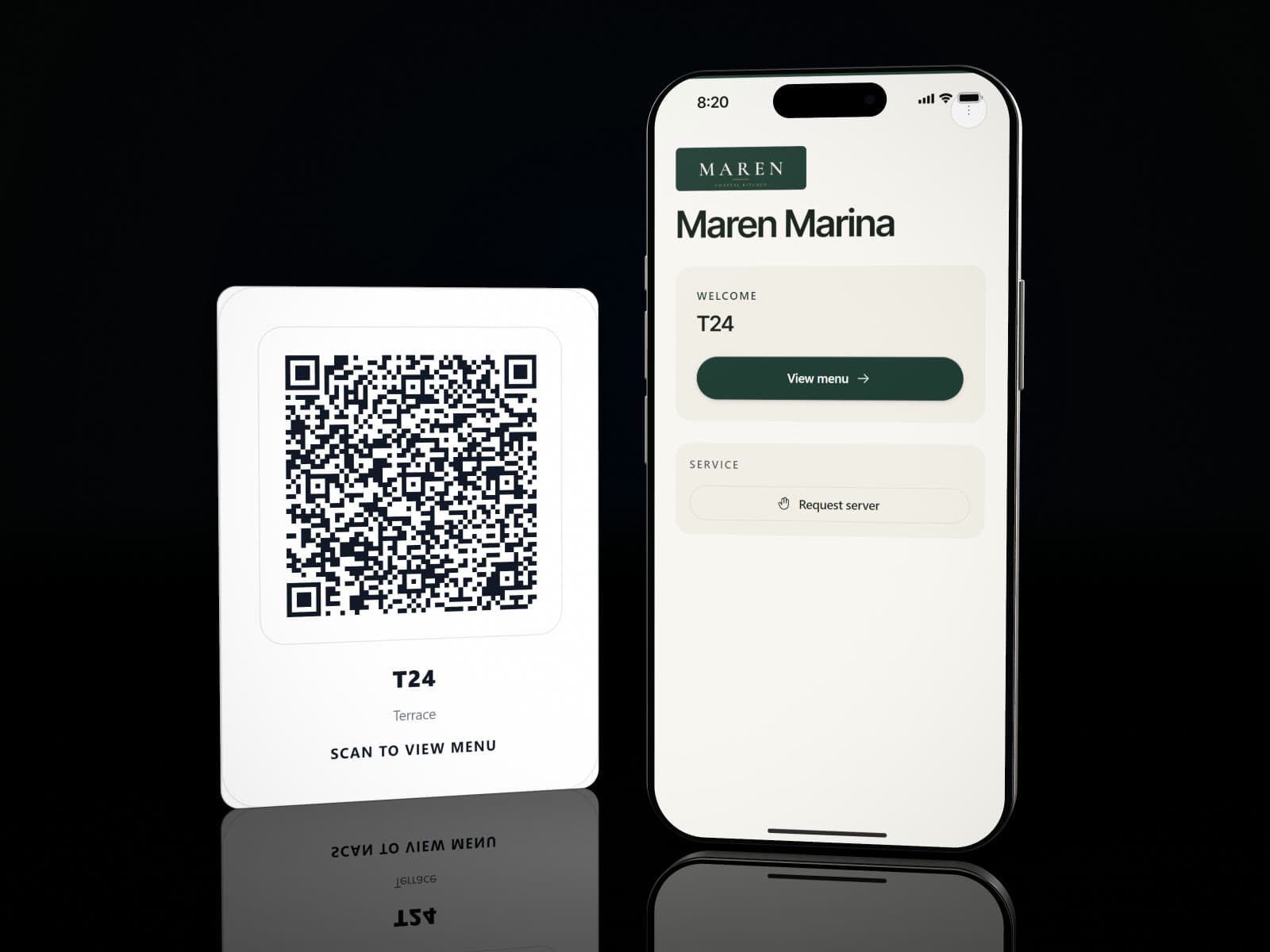
A guest scans the table's code, browses with photos and video, and sends the order to the kitchen.
Mark a dish sold out once and it is off every menu it is on, until tomorrow or until you say.
Copy a whole menu to your other venues, its dishes, photos and options with it, and switch it on there when you are ready.
Boards on the screens in the room show the live menu and change when it does.
Guests filter the menu by the dietary tags they want and the allergens they need to avoid.
A restaurant QR ordering system at every table
A guest scans the table's QR code menu, browses with photos and video, and sends the order straight to the kitchen. It arrives as a ticket at the right station rather than as a shout down the line.
Menu engineering, from what actually sold
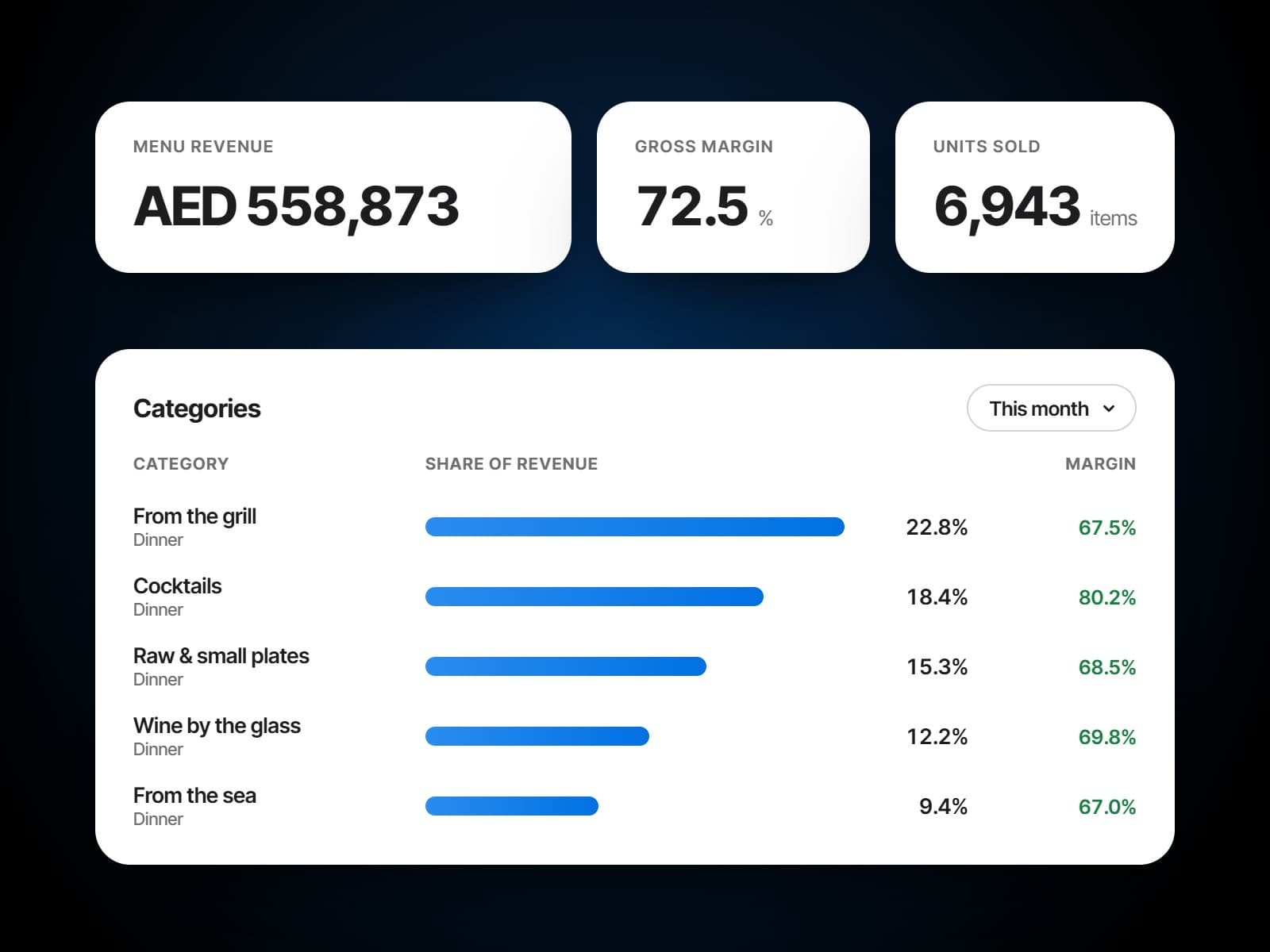
Every dish that sold, with its units, revenue and share, and its margin once its cost is set. Categories show where the revenue sits, and the menu's own funnel shows how far a guest gets, from opening the menu to checking out. It comes with the Analytics module.
Bundles and set menus
Build a tasting menu or a set lunch course by course, with fixed dishes and choices between them, or a flat-price offer like a buffet. Guests order it as one choice, and a dish can carry a price of its own inside a tasting menu.
One menu, three surfaces
On the phone, the wall and the table.
The digital menu, the screens in the room and the printed sheet are one menu, read three ways.
The QR code menu
Boards that follow the menu
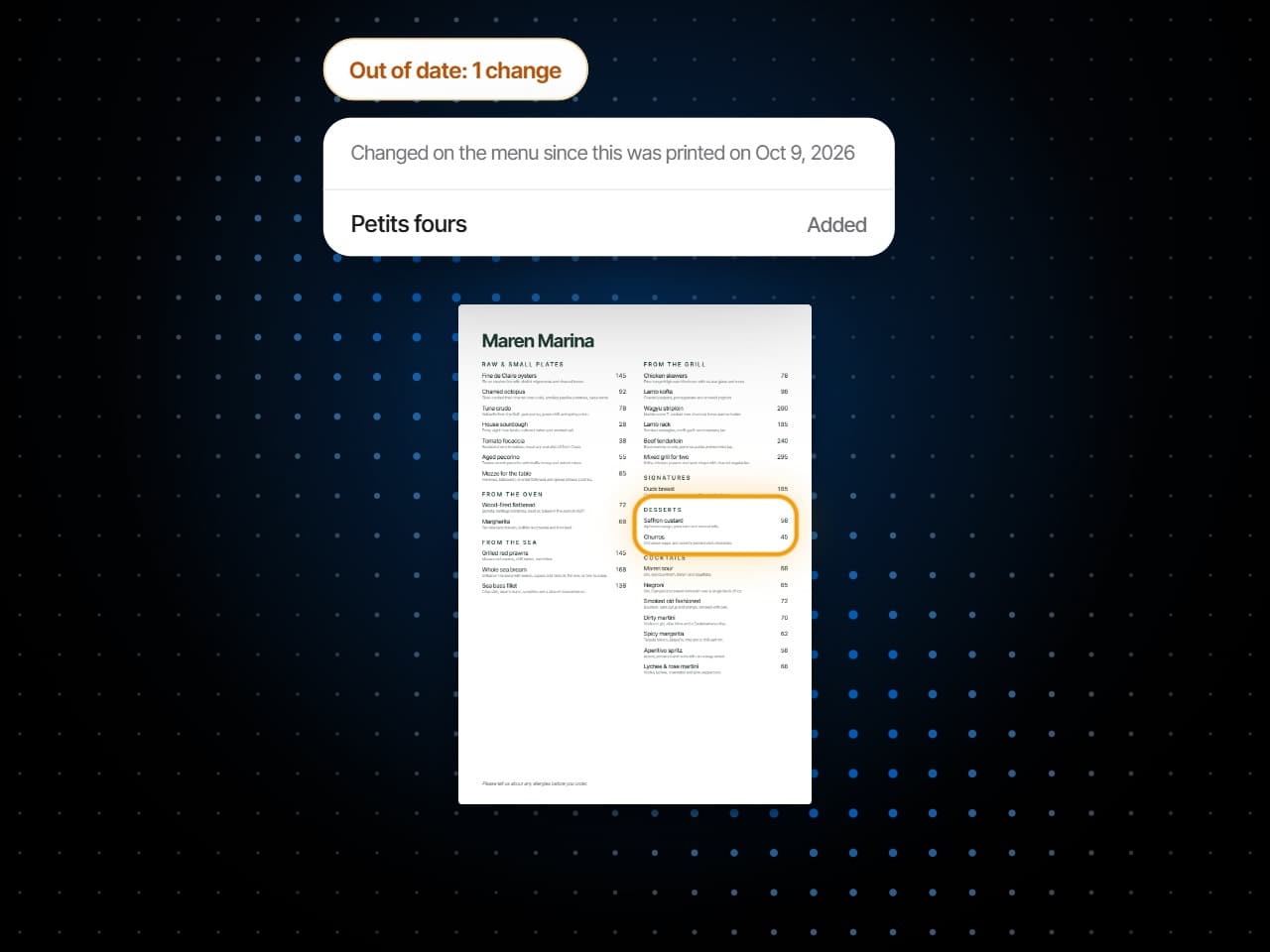
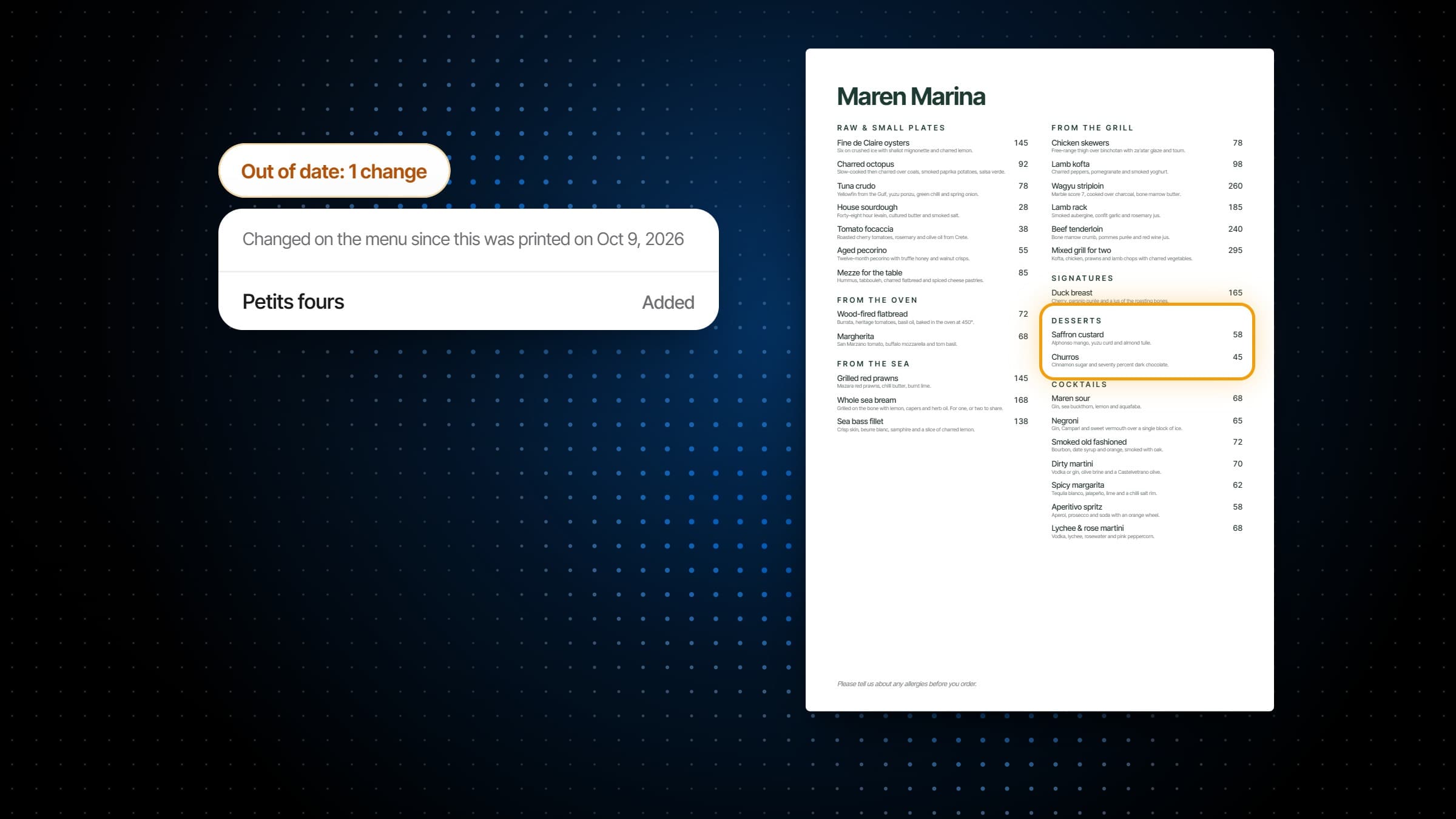
A printed menu that knows it is out of date
What it does
The menu guests scan, and the one you run.
A QR code menu that takes orders, one library of dishes behind every menu, and the figures that say which dishes earn their place.
A menu can be always available, follow a service period such as lunch or dinner, or keep its own days and hours between two dates, and a time window can run past midnight. Put menus in a group and they share one schedule.
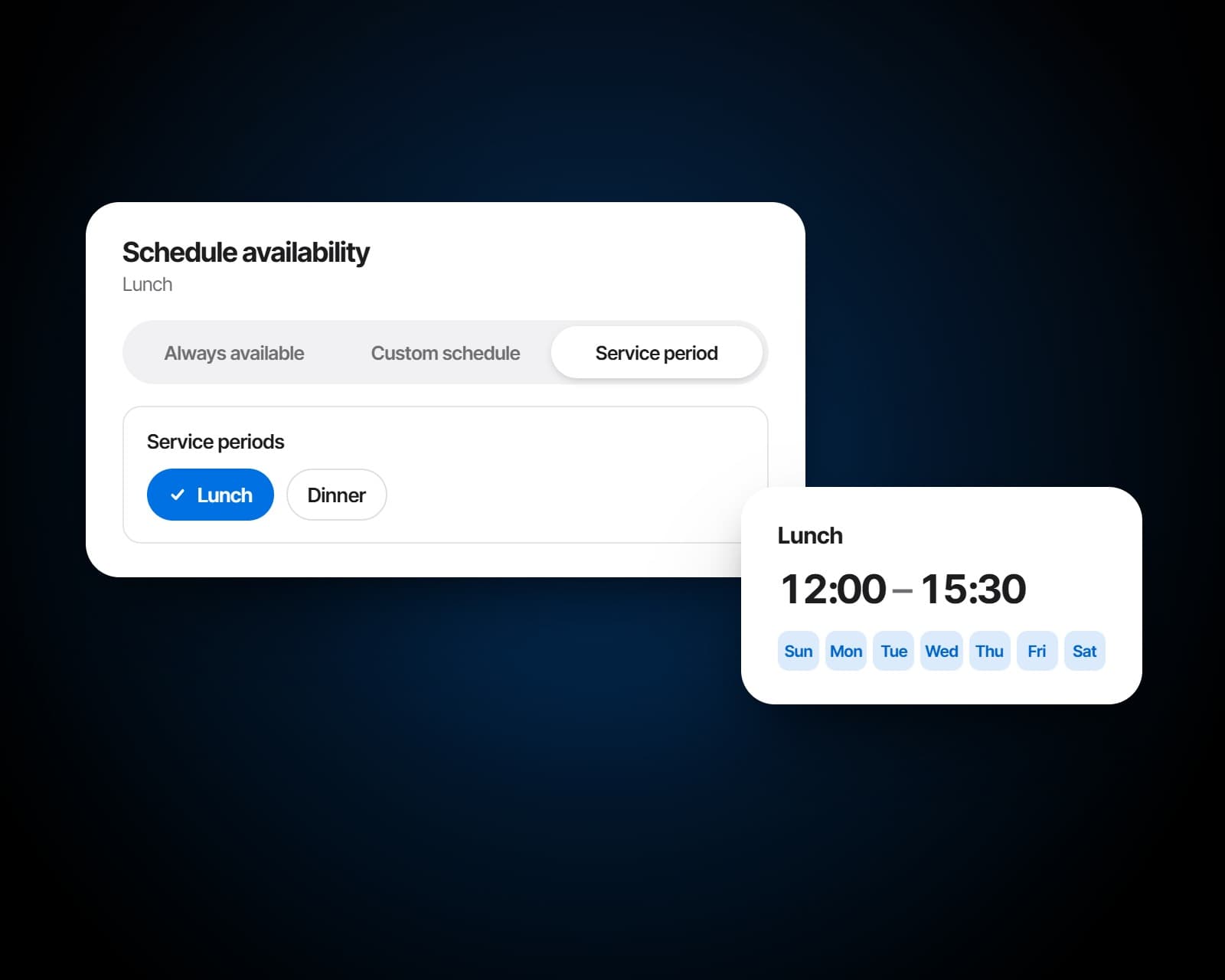
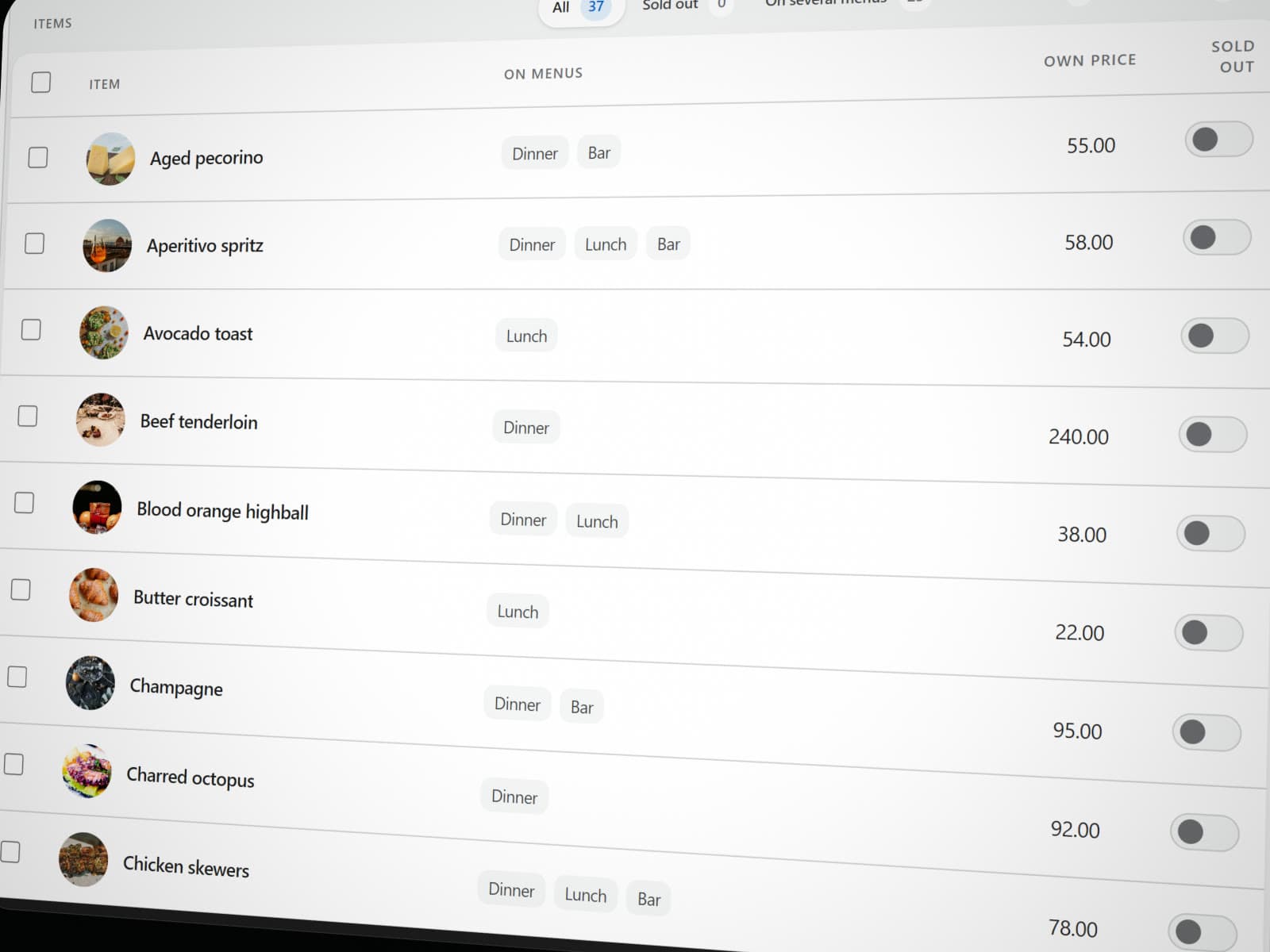
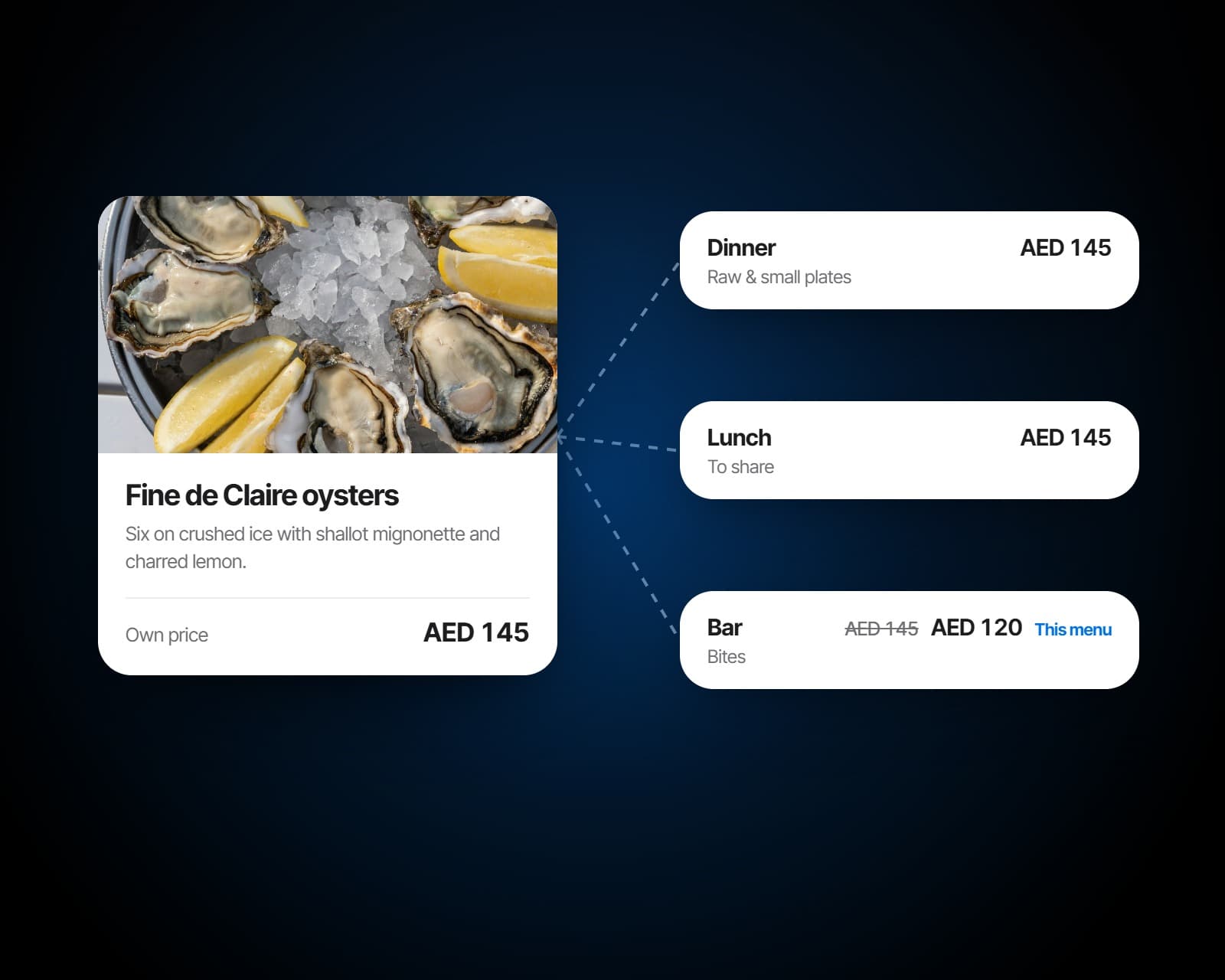
Dishes live in one library. Put the same dish on the lunch, dinner and bar menus and it stays one dish: change its photo or description once and every menu shows it, with a price of its own on one menu if you want. Sold out comes back by itself tomorrow, or stays off until you say, and a whole selection of prices moves by a percentage or an amount in one go.
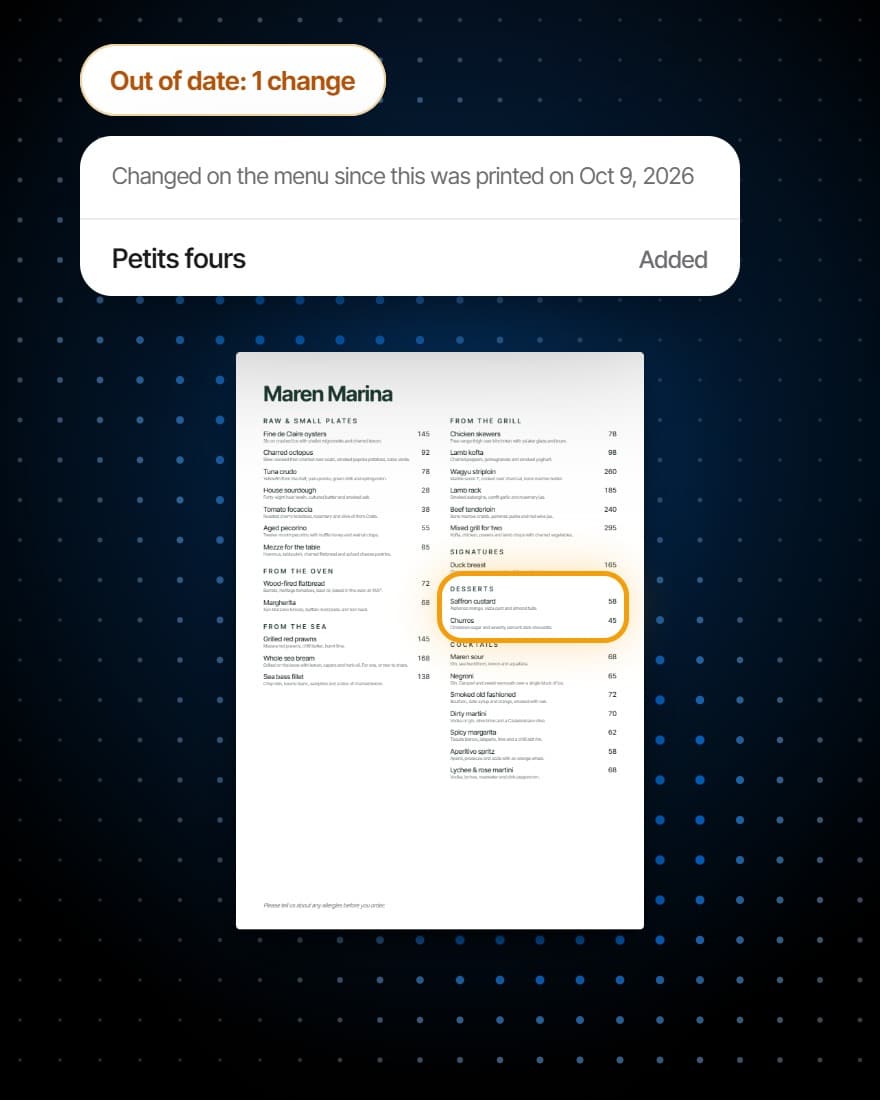
Design boards for the screens in the room and sheets for the printer from the live menu: templates, your type and colours, a featured dish, a QR code to the digital menu, a clock. Boards follow the menu as it changes, and a printed design lists what has changed since it went to print.
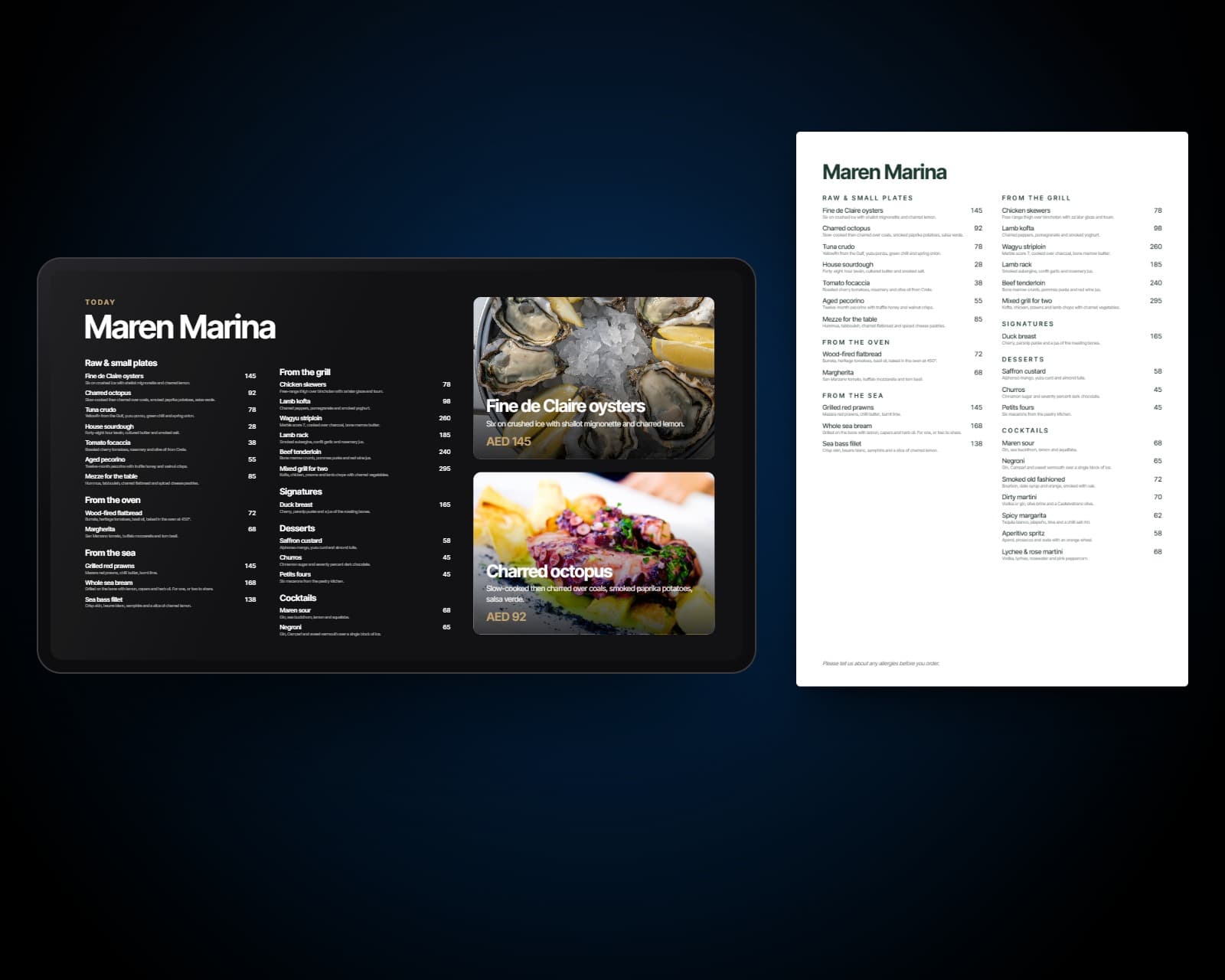
Before and after
The same menu, changed once.
A digital menu that changes the moment you change a price.
A PDF menu that was correct the week it was exported.
A dish marked sold out disappears from every table's menu at once.
A dish sold out at 20:30 that guests keep ordering until 22:00.
Revenue, units and margin for every dish, from the checks it was actually on.
No idea which items are carrying the menu and which are dead weight.
Change it once
Every menu follows.
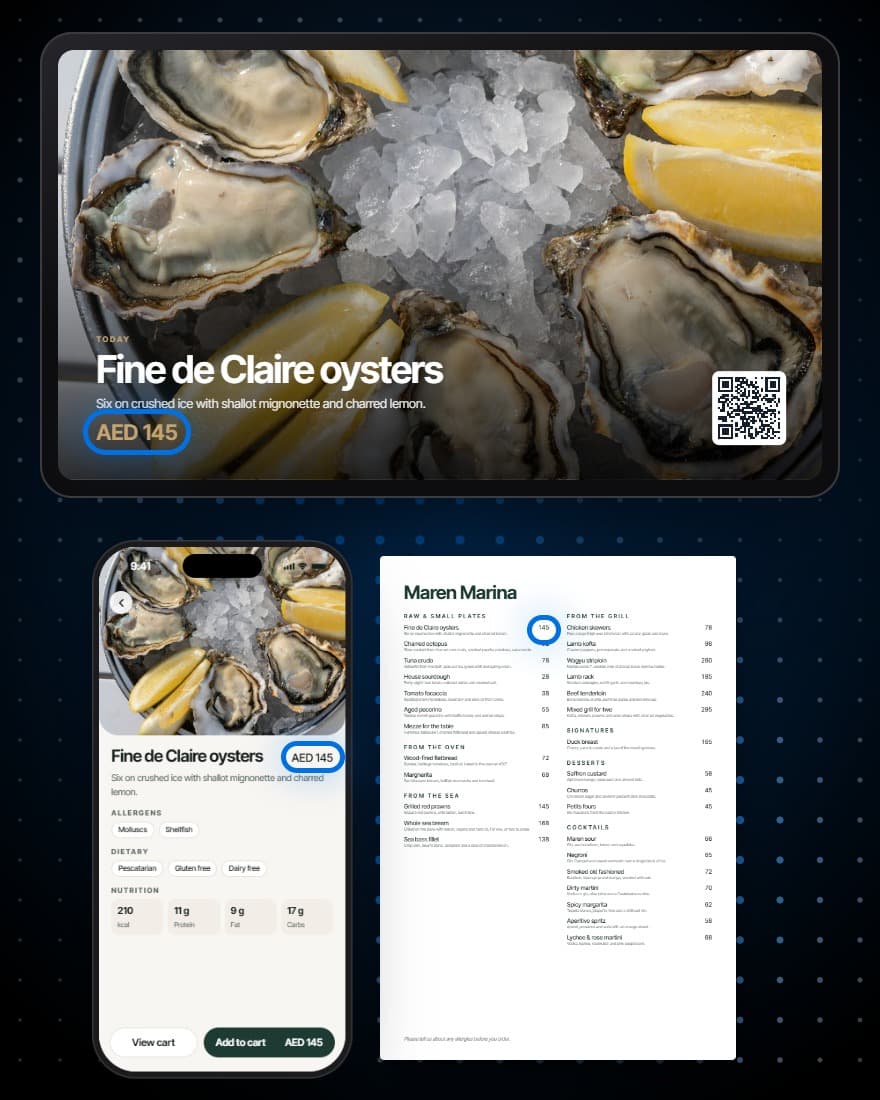
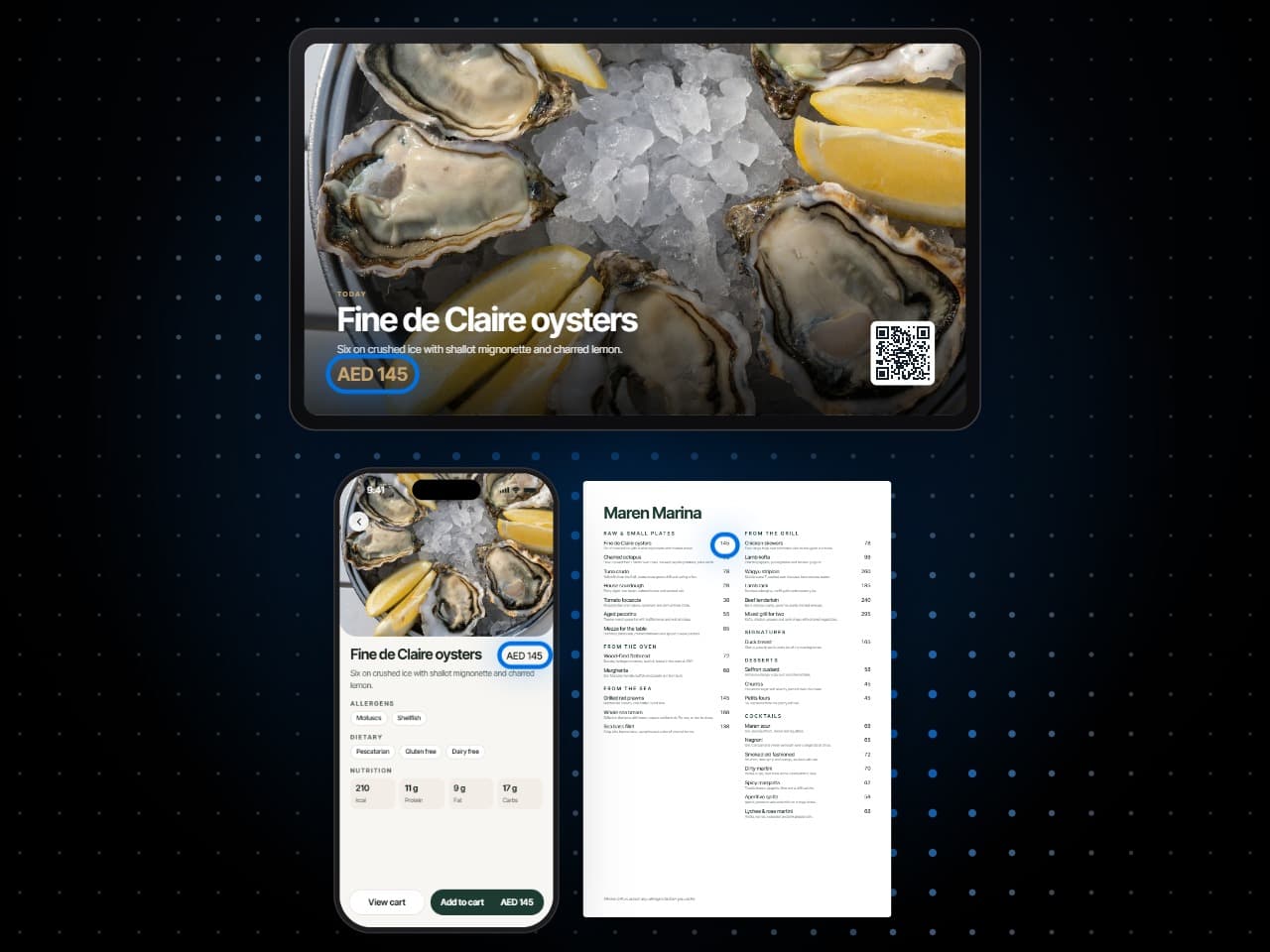
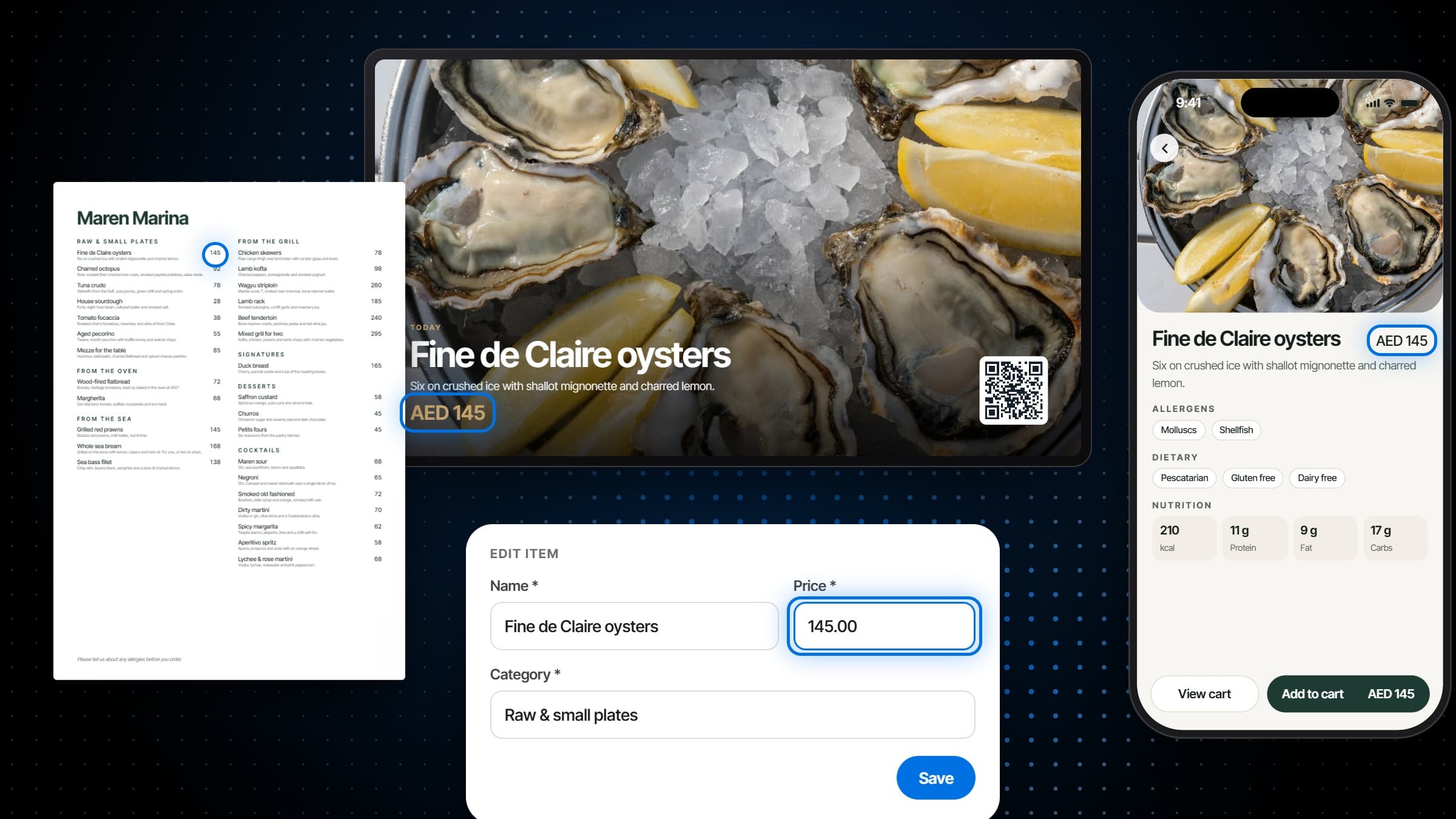
- A price changed once, everywhere
- Sold out on every menu at once
- Boards that follow the live menu
- Print that lists what changed
Also included
And everything around the dish.
Sold out, instantly
Mark an item off and it disappears from every table's digital menu on the spot.
Photos and video per item
Show the dish. It sells the dish, and it settles a lot of questions before they are asked.
Ingredients and tags
Allergens, dietary tags and ingredients on the item, so the answer does not depend on which server is asked.
More than one menu
Lunch, dinner, bar and a private event can be separate menus on separate service periods.
Call for the bill, or for a server
Guests raise a service request from the table and it lands in a live queue rather than an unnoticed hand.
Modifiers and options
Sizes, extras and choices as reusable groups, with how many a guest must or may pick.
Works with
The menu, wired to the rest.
Orders that reach the right station
Each dish names the station that cooks it, so an order from the table arrives as a ticket on the right board, and an 86 at the till takes it off every guest's menu at once.
More on Order FulfillmentA code on every table
Each table's QR code opens the menu already knowing where the guest is sitting and who is serving them.
More on Reservations & WaitlistRead what the menu sold
Each dish's units, revenue and margin, and how far a guest gets from opening the menu to ordering from it.
More on AnalyticsGuest CRM
One guest profile filled by every booking, order and check, with tiers, allergies and feedback on it.
More on Guest CRMCampaigns
Email campaigns to the guests who opted in, written to audiences your guest list already keeps, with consent and unsubscribes handled.
More on Campaigns
Plans
Which plan has Menus?
Menus is in every plan. Taking orders through the menu needs Order Fulfillment, which comes with the plans that run the whole service, and the menu report needs Analytics.
Starter
For a venue that books tables and wants its menu on every phone.
$149per venue a month
- Reservations & Waitlist
- Menus
Pro
Most venuesFor a venue that runs its whole service on servearound: ordering, kitchen and POS.
$249per venue a month
- Reservations & Waitlist
- Menus
- Order Fulfillment
Premium
Everything, with the guest data and the marketing built on top of it.
$349per venue a month
- Reservations & Waitlist
- Menus
- Order Fulfillment
- Guest CRM
- Analytics
- Campaigns
Specs
Everything in Menus.
Menus
- As many menus as you serve, in groups
- Live, scheduled or hidden
- Scheduled by date, day, time window or service period
- Time windows that run past midnight
- Copied to your other venues
- A cover image for shared links
Dishes
- One library across every menu
- A price per menu, or the dish's own
- Photos, a gallery and a video
- Ingredients, calories and macros
- Dietary and allergen tags
- Station and prep time
- Pairs well with, and does not pair with
- A badge beside the name
Ordering
- Order from the table, share with a server, or browse only
- Options with a least and a most to choose
- A note on any dish
- An allergen check before ordering
- The order's progress, with an estimate
- Declined orders back in the cart, with the reason
Bundles
- Tasting and set menus, course by course
- Fixed dishes and choices
- Flat-price offers like a buffet
- A dish's own price inside a tasting menu
- An availability window
Screens and print
- Boards for the screens in the room
- Print menus, printed or saved as PDF
- Templates for menus, notices and specials
- Out-of-date warnings on print
- Version history
Menu report
- Revenue, units and checks
- Gross margin, once costs are set
- Categories and where the revenue sits
- Top sellers, and every dish that sold
- How far a visit gets, from opening the menu to checking out
Frequently asked questions
What is a restaurant QR ordering system?
A digital menu that opens from a QR code on the table, where guests browse and order from their own phone and the order goes straight to the kitchen. servearound's restaurant QR ordering system is also the menu itself: the same dishes feed the screens in the room, the printed sheet and the point of sale.
Do guests need to install anything?
No. The digital menu opens in the phone's browser from the table's QR code; there is nothing to download and no account to make.
Can guests order, or is it just a menu?
Both, venue by venue. A menu can be read-only, it can let guests build a selection to show their server, or guests can order from the table and the order goes straight to the kitchen display as a ticket at the right station. Ordering needs Order Fulfillment.
Does servearound do menu engineering?
With the Analytics module, yes. It shows every dish that sold with its units, revenue and share, its margin once its cost is set, how the revenue splits across categories, and how far guests get through the menu before they order.
Can we run more than one menu?
Yes. Lunch, dinner, bar and a private event can be separate menus on separate service periods, each with its own items, photos and tags.
Can we copy a menu to our other venues?
Yes. Copy one menu or all of them to any of your other venues at once: its sections, dishes, photos, tags, options and bundles go with it. Each copy arrives switched off, so it goes live there only when you turn it on.
How do we mark a dish as sold out?
Once, from the item. It is marked sold out on every menu it is on and guests cannot order it. It can come back by itself tomorrow, or stay off until you turn it back on.
Can the menu show allergens and dietary information?
Every dish carries its allergens, dietary tags and ingredients, and guests can filter the menu to show only what suits them or to avoid an allergen. Before ordering they confirm they have read the allergen information, and a note on the dish reaches the kitchen.
Can guests call a server or ask for the bill from the menu?
With Order Fulfillment, yes. A guest at a table can call a server at any time and request the bill once they have ordered. Both land in a live queue for the team, marked pending, acknowledged and resolved.
Can a menu show only at certain times?
Yes. A menu can be always available, follow service periods such as lunch and dinner, or keep its own days and hours between two dates, and a time window can run past midnight.
Can we show the menu on screens in the venue?
Yes. Pair a screen, design a board from templates, and assign it. The board shows the live menu, follows it when a price changes or a dish sells out, and updates within seconds when you publish a new design.
Can we print the menu from the same data?
Yes. A print design reads the same dishes and is printed or saved as a PDF. If anything changes after it is printed, the design says it is out of date and lists what changed.