Restaurant menu management software, built on one list of dishes
Restaurant menu management software where a dish is entered once and then belongs wherever you put it: on the lunch menu and the dinner one, on the board, on the printed sheet and on the phone, at the price that menu charges for it.
- No card needed
- No charge when it ends
Included in every plan with Menus, from $149 per venue a month.
Live now
All day, Shakes and drinks
Sold out
10
Shown on
Digital Menu1 board1 print design
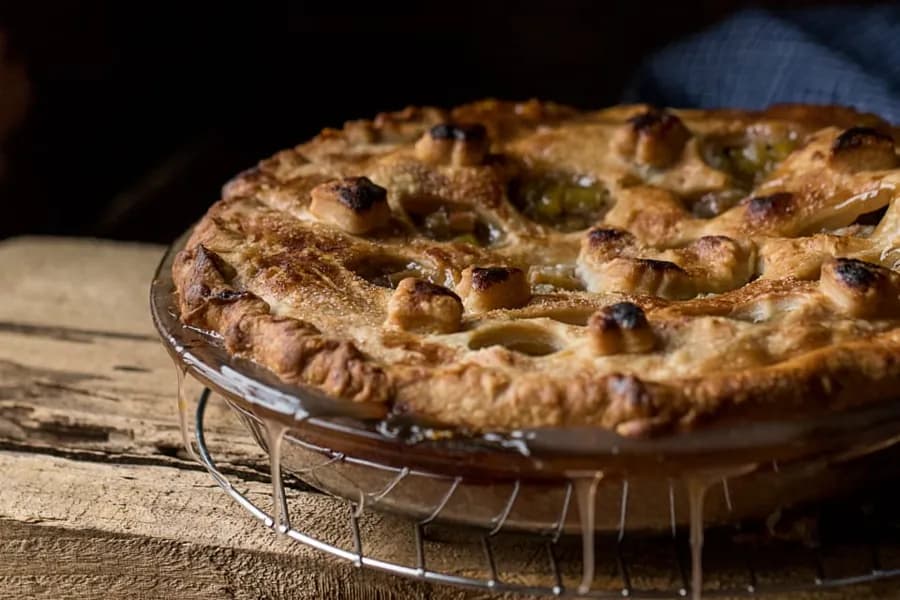 Sold outLive
Apple pie à la mode
$9.00
On All day
Edit item
Move item
Everywhere
Live
Sold out
Stays sold out until you turn it back on.Bring back tomorrow
Hidden or sold-out dishes can't be ordered from any menu.
How it works
- 1
Enter the dish once
When you add an item the dishes you already have are offered first, so one dish stays one dish rather than becoming four near-copies with four spellings.
- 2
Put it on the menus it belongs on
A dish sits in as many menus and sections as you like. Editing it tells you it will change on its other menus too, before you change it.
- 3
Let each menu charge its own price
A dish has its own price, and any menu can set a different one for it. The list shows that menu's price with the dish's own struck through beside it.
Why restaurant menu management software starts with the dish
The lunch menu, the dinner menu, the bar list and the terrace all want the sea bream. In most systems that is four sea breams, spelled four ways, with four prices and four photographs, and a staff member retyping it on a Tuesday.
Here a dish is one record on as many menus as you like, and the row tells you how many it is on. When you edit it, it says plainly that this also changes it on its other menus, before you do it rather than after.
A price per menu, without a second dish
A dish carries its own price, and any menu may set its own price for that dish: lunch at one number, dinner at another, the terrace at a third, all still one dish. The list shows the menu's price with the dish's own struck through beside it, so nobody has to remember which is which.
Variations override the base price where a dish comes in two sizes, and a dish put inside a tasting menu can carry a price that applies only in there.
Choices, and menus built out of courses
Modifier groups say how many a guest must choose and how many they may, from one required choice to a handful of extras, and a group made once can be copied onto whichever items need it, each copy then that item's own.
A set menu is built as a bundle: add a course, then either fix the dish or let the guest choose from a few. It is made of the dishes you already have, so a tasting menu is not a separate menu to maintain.
Everything the floor and the kitchen need on it
A dish carries its cover photograph and a gallery, a video with its poster frame, searchable ingredients, its dietary and allergen tags, and its calories. The guest reads those on their phone and the kitchen gets the allergens on its ticket.
Two more fields earn their place on a busy night: the station that cooks it, which is what routes its ticket to the right board, and its prep time, which is used for the estimates guests and staff see.
Menus with their own hours, and three ways to take something off
Menu hours are optional and worth setting: a menu can be shown only in the windows you choose, so breakfast stops being on the phone at four in the afternoon, and a menu group applies one set of hours to every menu in it.
Taking something off is three different jobs and they are three different switches. A dish can be made inactive, which keeps it saved and off every menu. It can be switched off on one menu while staying on its others, tagged so you can see where it is hidden. Or it can be marked out of stock without being unpublished at all. A whole menu can be switched off the same way, hidden from guests and kept.
Sold out everywhere, at once
Marking a dish sold out marks it on every menu it is on, and a guest reading the menu on their phone sees it change without reloading. They cannot add it. It stays that way until you turn it back on, which is the right default at nine o'clock on a Saturday.
And when a menu works, it goes to your other venues whole: its sections, items, pictures, tags, modifier groups and bundles, arriving switched off so that kitchen turns it on when it is ready.
Which plan has Menus?
Menus is in every plan. Taking orders through the menu needs Order Fulfillment, which comes with the plans that run the whole service, and the menu report needs Analytics.
Starter
Reservations, the waitlist, the floor plan and QR menus.
$149per venue a month
- Reservations & Waitlist
- Menus
- Order Fulfillment
- Guest CRM
- Analytics
- Campaigns
Pro
RecommendedEverything in Starter, with ordering, the POS, the kitchen display and inventory.
$249per venue a month
- Reservations & Waitlist
- Menus
- Order Fulfillment
- Guest CRM
- Analytics
- Campaigns
Premium
Everything in Pro, with the guest CRM and feedback, analytics and email campaigns.
$349per venue a month
- Reservations & Waitlist
- Menus
- Order Fulfillment
- Guest CRM
- Analytics
- Campaigns
- AI uses a month
- 100
- No card needed
- No charge when it ends
Works with
What the guest reads
The menu on the table's code is this library, with the photographs, the tags and the prices the menu charges, and a sold-out dish marked the moment you mark it.
Where each dish is cooked
The station on a dish is what sends its ticket to the right board, and its prep time is the estimate a guest is given when they order.
How it all looks
The boards, the printed menu and the page guests scan are designed from these menus, pointing at them rather than at a copy.
What each dish sold
Units, revenue and each dish's share of it, read from the checks the dishes were actually on.
Common questions
What is restaurant menu management software?
The place a venue keeps its dishes, rather than the place it keeps its menus. ServeAround's restaurant menu management software holds each dish once, with its photographs, ingredients, tags, allergens, station and prep time, and puts it on as many menus as you like at whatever price each menu charges.
Can one dish be on several menus?
Yes, and that is the point of it. A dish's row says how many menus it is on, and editing it warns you that the change reaches them all before you make it.
Can lunch and dinner charge different prices?
Yes. A dish has its own price and any menu can set its own for that dish, shown beside the dish's own with it struck through. Variations handle two sizes of the same thing, and a dish inside a tasting menu can carry a price that applies only there.
How do modifiers work?
You set how many choices a guest must make and how many they may, and a group made once can be copied onto the other items that need it. Each copy is then that item's own, so changing one does not change the rest.
Can a menu run only at certain times?
Yes. A menu can be shown only in the windows you choose, and a menu group applies one set of hours to every menu in it.
What happens when a dish runs out?
Mark it sold out and it is marked on every menu it appears on, including on the phone of a guest reading it at that moment, who cannot add it. It stays sold out until you turn it back on.
Can we copy a menu to another venue?
Yes, whole: sections, items, pictures, tags, modifier groups and bundles. It arrives switched off, so the other kitchen turns it on when it is ready.
Which plan includes menu management?
It comes with Menus, along with the code on the table, the boards and the printed menu. Sending orders from the menu needs Order Fulfillment.