The table QR code: sticker, stand or menu card
Menus, QR & online ordering27 October 2026By The servearound team15 min read
Where to put the table QR code so guests find it and scan it first time, how to choose between a sticker, a stand and a menu card, and three placements guests ignore.
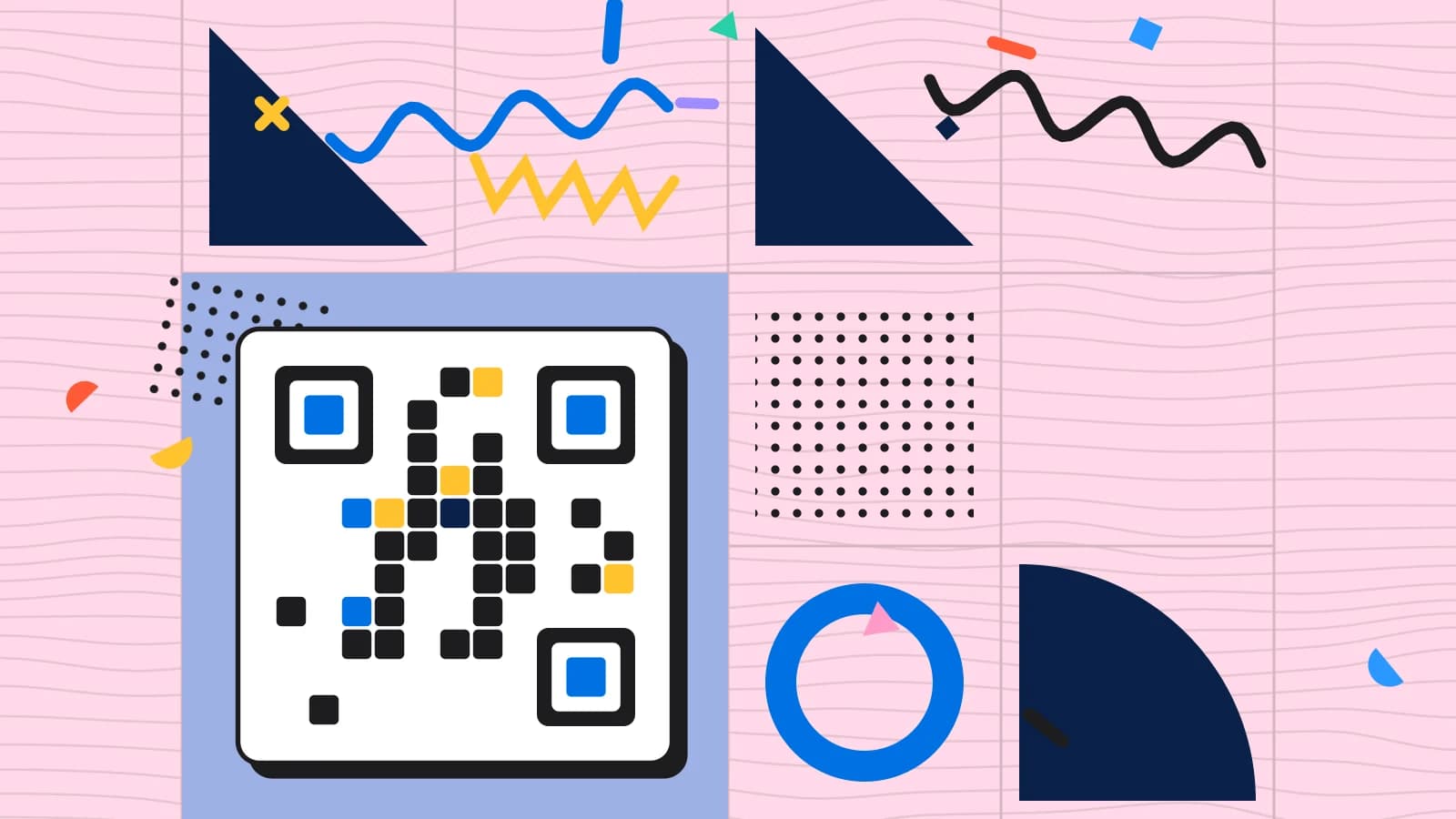
A QR code that nobody scans is just a square of noise. Many venues have one: a sticker in the corner of the table, half hidden by the salt and pepper, or a poster by the door that guests walk straight past. The digital menu behind it may be excellent, but guests never see it, and servers end up explaining it table after table.
The table QR code is a small object with a big job. It has to be found, understood and scanned in a few seconds, by guests who have just sat down and are looking at each other, not the table. This guide covers where to put it, how to choose between a sticker, a stand and a menu card, the size and wording that get it scanned first time, how table numbering fits in, and three placements guests ignore completely. Every figure in it is an example.
What the table QR code has to do
The table QR code has one job: to get guests from sitting down to looking at the menu, or ordering, or paying, in a few seconds. To do that, it has to be visible, obviously a code to scan, clear about what it opens and easy for a phone camera to read.
It also has to be connected to the right table. A code for each table lets the menu know where the guest is sitting, which matters for ordering and paying from the table: the order goes to the right table, the bill comes from the right table. A single code for the whole venue can open a menu, but it cannot tell the kitchen where to send the food.
Everything about placement, size and wording follows from those two needs: guests must find it, and it must know where they are.
Sticker, stand or menu card
There are three common ways to put a code on a table, and each has strengths.
A sticker on the table is cheap, permanent and always there. It cannot be moved, lost or stolen. But it is flat, so it is easy to cover with plates and glasses, and hard to see from an angle. It also wears with cleaning, and it cannot be changed without peeling it off.
A stand or tent card stands up, so it is visible from every seat and from across the room. It can carry a short message as well as the code, and it can be moved, replaced and updated. But it takes space on the table, can be knocked over and needs collecting and cleaning.
A code printed on the menu card puts it where guests are already looking for the food. It works well alongside a paper menu, but only if guests are handed the card, and it needs reprinting when the code or the menu changes.
Choosing for your tables
The right choice depends on your tables, your service and your guests.
Small café tables often have no room for a stand, so a sticker or a small card at the edge works better. Larger tables can take a stand in the centre or at the end where everyone can see it. Bar counters suit a code at regular intervals along the bar, at eye level for someone sitting on a stool.
Service style matters too. In a venue where guests seat themselves and order from their phones, the code must be impossible to miss, so a stand is usually best. In a venue where servers greet every table and offer the digital menu as an option, a code on the menu card may be enough, because the server points to it.
Many venues combine methods: a stand on each table and a code on the printed menu, so guests find one or the other.
QR code placement: where guests look
QR code placement is about where guests' eyes fall when they sit down. Most guests look at their companions, then at the table in front of them, then for a menu. A code they can see without moving, roughly at the height of the table and facing them, is found far more often than one they have to look for.
Put the code where it faces the seats, not the aisle. Keep it within easy reach, so guests do not have to lean across the table to scan it. Make sure it is not hidden by the table's other contents: the candle, the condiments, the flowers, the water bottle.
Test it by sitting at each table yourself. Can you see the code from every seat? Can you scan it without standing up? If not, move it.
Three placements guests ignore
Three placements are ignored so often that they are worth avoiding altogether.
The first is a sticker flat in the middle of a busy table. Within minutes, it is under a plate, a glass or a bread basket, and guests who did not spot it at once never see it again.
The second is a poster on a wall or by the door. Guests pass it on the way in, while thinking about where to sit, and do not remember it by the time they want the menu.
The third is a tiny code in the corner of a printed menu, a receipt or a napkin holder. It is technically there, but it is so small and so out of the way that only guests who already know to look for it will find it.
Size and quiet space
A code has to be large enough for a phone camera to read from the distance guests will hold their phones. For a code on the table, scanned from a seat, a few centimetres across is usually enough; a code that will be scanned from further away, such as on a stand at the end of a long table, needs to be larger.
Give the code space around it. QR codes need a clear margin, a quiet zone, to be read reliably; Wikipedia's article on the QR code explains the quiet zone and the error correction that let a code survive a little damage. A code printed right up against a border, a logo or a pattern can fail to scan. Keep strong contrast too: a dark code on a light background is read most reliably; a pale code on a coloured background may not be.
Test every code with several phones, including older ones, in the actual light of the dining room at night. A code that scans perfectly in daylight may struggle under dim, warm lighting.
The words beside the code
A code on its own is a puzzle. A few words beside it turn it into an invitation. Tell guests what the code opens and why they might want it:
Scan for our menu and to order from your table.
Scan to see the menu, with photos and allergens.
Keep it short and specific. "Scan me" says nothing about why. "Scan to order" or "Scan for the menu" tells guests exactly what they will get, which makes them far more likely to do it.
If the code also lets guests pay, call a server or ask for the bill, say so, but keep it to one or two lines. A stand covered in instructions is read by nobody.
The qr code menu behind it
The code is only as good as what it opens. A guest who scans and waits ten seconds for a page to load, or finds a PDF that needs zooming, may not scan the next time. The qr code menu behind the code must load quickly on a phone and be easy to read and use.
Our guide to a digital menu that loads before the drinks do covers speed, and our guide to QR menu design that is not a PDF on a phone covers layout. The broader lessons of the last few years are in our guide to the QR code menu, five years on.
Make sure the page opens at the right place. A guest who scans a table code should land on the menu, knowing which table they are at, not on the venue's home page.
Table numbering
If codes are linked to tables, table numbering matters. Each table needs a clear name or number, the same in the point of sale, on the floor plan and on the code, so that an order or a bill from a code reaches the right table.
Show the table's number near the code, or on the code's stand. Guests who need to tell a server where they are sitting can read it, and staff replacing a stand can see at a glance which table it belongs to. A stand for table twelve placed on table fourteen sends table fourteen's orders to the wrong place.
When tables are moved, merged or renumbered, check the codes. A table that is split into two for the evening may need a second code, and two tables joined for a large party need one bill, reachable from either code.
Keeping codes clean and in place
Table codes live a hard life. They are wiped, splashed, knocked over and occasionally taken home. A code that is scratched, faded or covered in grease may stop scanning.
Make checking the codes part of the opening routine: every code is in place, on the right table, clean and readable. Keep spares, especially for stands, so a missing or damaged code can be replaced in seconds.
Check for tampering too. A code is a link, and a sticker placed over a genuine code could send guests somewhere else. Checking codes regularly, and preferring codes that are hard to cover without it showing, protects guests and the venue.
QR menu design on the stand itself
The stand or card that carries the code is part of the qr menu design, and it should look like it belongs to the venue: the same typefaces, colours and tone as the menu and the room. A generic black-and-white stand on a carefully designed table looks like an afterthought, and guests treat it as one.
Keep the design simple. The code, a line saying what it does, the table number and perhaps the venue's logo are enough. Resist the urge to add promotions, social media handles and wifi passwords all on the same card; each addition makes the code harder to find.
If the stand is double-sided, put the code on both sides, so guests on either side of the table can scan it.
When the code does more than the menu
Many table codes now do more than open a menu. Guests can order from the table, call a server, ask for the bill or pay. Each extra job makes the code more useful, and each one makes it more important that the code is linked to the right table.
Tell guests what the code can do, briefly, and make sure the team knows too. A guest who orders from their phone and then waits for a server to take their order, because nobody told them the order had gone to the kitchen, is confused. A server who does not know a table has ordered by QR may try to take the order again.
Our guides to QR ordering, where the table orders and the kitchen cooks and paying by QR code at the end of the meal cover those flows.
When guests do not scan
Some guests will never scan a code: they prefer paper, their phone is flat, or they simply do not want to. A good QR setup always has an alternative: a paper menu on request, a server who will take the order, a card machine for paying.
Watch how many guests scan. If few do, look at the code first: placement, size, wording. Then look at the menu behind it: if guests scan once and do not scan again on their next visit, the menu may be the problem. Ask the servers what guests say.
Our guide to QR menus against paper menus, five years on covers how guests use each, and why many venues now offer both.
Outdoor tables and terraces
Outdoor tables are hard on codes. Sun fades print, rain soaks paper and wind takes away anything not fixed down. A code that works perfectly inside can be unreadable on the terrace after a few weeks.
Use weatherproof materials outside: laminated cards, sealed stands or durable stickers designed for outdoor use. Check them more often than the codes inside, and keep spares ready. Bright sunlight can also make glossy codes hard to read, so a matt finish often scans better outdoors.
Bars, counters and standing areas
Bars and counters need codes at the places guests stand or sit, not at one end. A code every metre or two along the bar, at the height guests' eyes fall when they lean on it, works far better than a single sign behind the bar.
Standing areas without tables are harder. A code on a nearby wall, column or ledge, at eye level and clearly labelled, is usually the best option. If guests in those areas can order, make sure the order can reach them: a number, a name or a clear collection point.
Printing and replacing codes
Codes are cheap to print and easy to replace, which is a reason to treat them as consumables rather than fixtures. Print spares for every table when you print the originals, keep them where the opening team can reach them, and replace any code that is worn, faded or damaged.
When the link behind a code changes, the code may need reprinting. Prefer codes whose link stays the same while the menu behind it changes, so the menu can be updated without touching the tables.
A worked example
An invented café has a small QR sticker in the centre of each table, opening its digital menu. Few guests use it; servers explain it at almost every table, and the sticker is usually under a plate within minutes.
The café replaces the stickers with small stands at the edge of each table, facing the seats, each showing the table's number, a code a few centimetres across and one line: "Scan for our menu and to order from your table." The stands use the café's own colours and typefaces. Each code is linked to its table, and checking the stands joins the opening routine.
Within a few weeks, many more guests scan without being asked, servers spend less time explaining, and orders from the table arrive at the kitchen with the right table number every time.
Common mistakes
- A flat sticker in the middle of the table, soon covered by plates.
- A poster by the door instead of a code at the table.
- A tiny code in the corner of a menu or receipt.
- No words saying what the code opens.
- Low contrast or no quiet space, so the code will not scan.
- One code for the whole venue when guests order from the table.
- Table numbers on codes that do not match the point of sale.
- Codes never checked for damage, misplacement or tampering.
Where servearound fits
In servearound, each table has its own QR code, linked to that table, and the menu it opens knows where the guest is sitting, showing the table's name and, if the venue chooses, the name of the server looking after it. Depending on how the venue sets it, guests can browse only, build a selection to show their server, or order from the table once it is seated, and they can call a server or request the bill.
Print designs can carry a QR code, styled with the venue's own look, so table cards and stands match the menu. Table names are the same on the floor plan, the point of sale and the code, so an order or a request reaches the right table. See the menus module.
Questions operators ask
Where should the table QR code go?
Where guests see it as soon as they sit down: facing the seats, within easy reach and not hidden by plates, glasses or condiments.
Is a sticker, a stand or a menu card best?
Stands are the most visible, stickers the most durable and menu cards suit venues that hand out paper menus. Many venues combine them.
How big should the code be?
Large enough to scan from a seat, often a few centimetres across for a table code, with clear space around it and strong contrast.
What should the words beside the code say?
What it opens and why: "Scan for our menu and to order from your table" works better than "Scan me".
Should each table have its own code?
If guests order or pay from the table, yes, so orders and bills reach the right table. A single code can only open the menu.
Which placements do guests ignore?
A flat sticker in the middle of a busy table, a poster on the wall or by the door, and a tiny code in the corner of a menu or receipt.
How do I stop codes being tampered with?
Check them every day as part of opening, keep spares and prefer codes that are hard to cover without it showing.
What about guests who will not scan?
Always offer an alternative: a paper menu, a server who takes the order and a card machine for paying.
How do I know if the code is working?
Watch how many guests scan without being asked, ask servers what guests say, and check that QR orders reach the right tables.
The short version
The table QR code has to be found, understood and scanned in seconds. Put it where guests look when they sit down, facing the seats and clear of plates and glasses, on a stand, a sticker at the edge or the menu card, depending on your tables and service. Make it big enough, with quiet space and strong contrast, and add a few words saying exactly what it opens.
Link each code to its table, with table numbering that matches the point of sale and the floor plan, and make sure the menu behind it loads fast and reads well on a phone. Design the stand to match the venue, check codes every day for damage and tampering, always offer an alternative for guests who will not scan, and avoid the three placements guests ignore.
Written byThe servearound team
Keep reading
Menus, QR & online ordering
Eight QR code mistakes restaurants still make
Dead links, tiny codes, a PDF, no table number, a code pointing at last spring's menu and three more: the QR code mistakes that still cost venues orders.
Menus, QR & online ordering
QR ordering average spend: does it really rise?
Where the rise in spend comes from when guests order by QR code, where it does not appear at all, and how to measure the real effect in your own venue.